Subscription Refund Requests
This page covers the subscription refund flow from the web app to the admin panel.
- Web user plans page:
https://web.acusolo.net/plans - Web billing page:
https://web.acusolo.net/settings/billings - Admin refunds page:
https://admin.acusolo.net/admin/refunds
User subscribed plan details
On https://web.acusolo.net/plans, a signed-in user can see the plan they are currently subscribed to, including the plan details and subscription state.
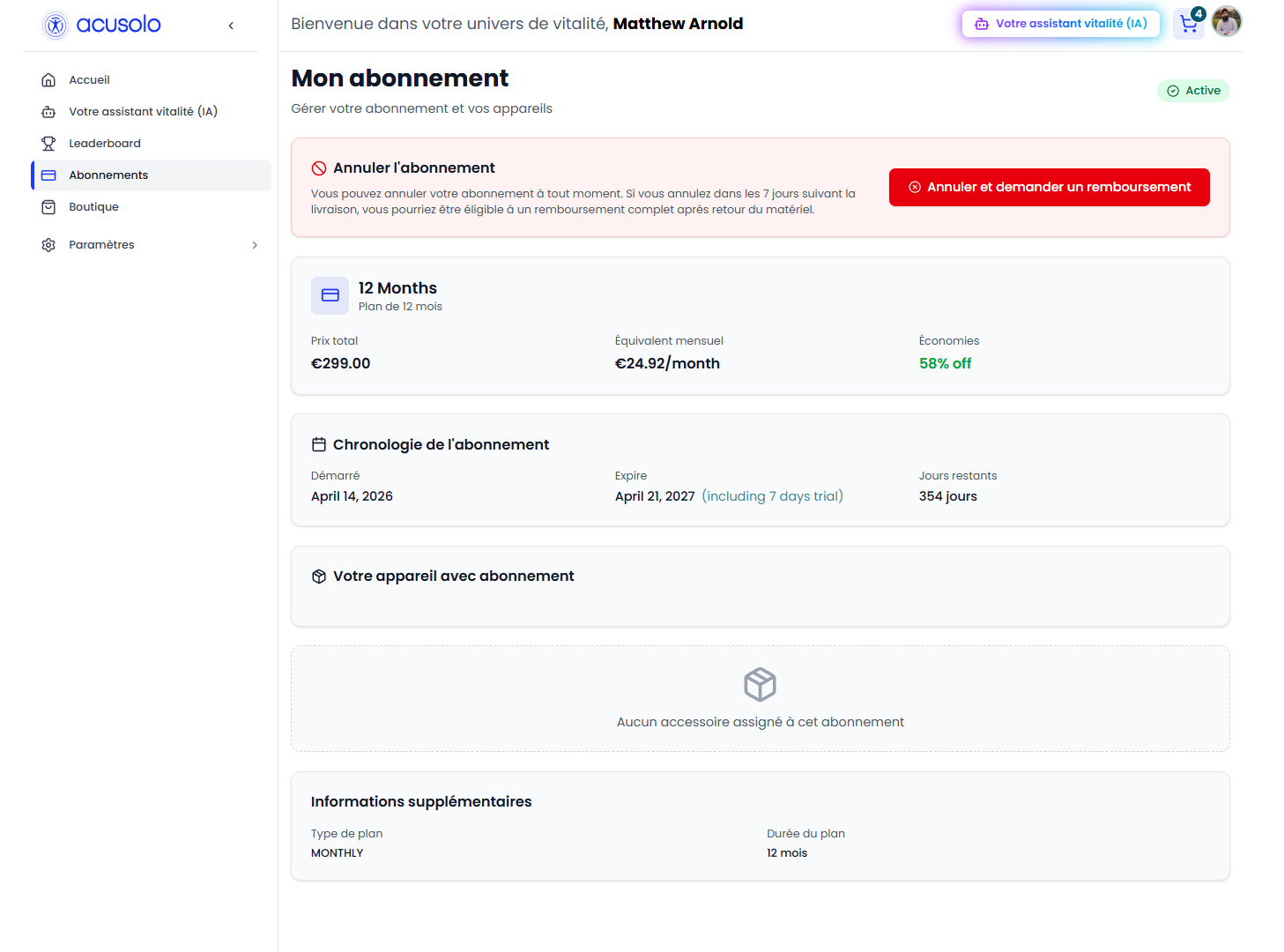
From this subscription detail area, the user can start a refund request when the product allows it.
Refund request form
The refund request form is used by the user to submit the refund reason/details for the subscribed plan.
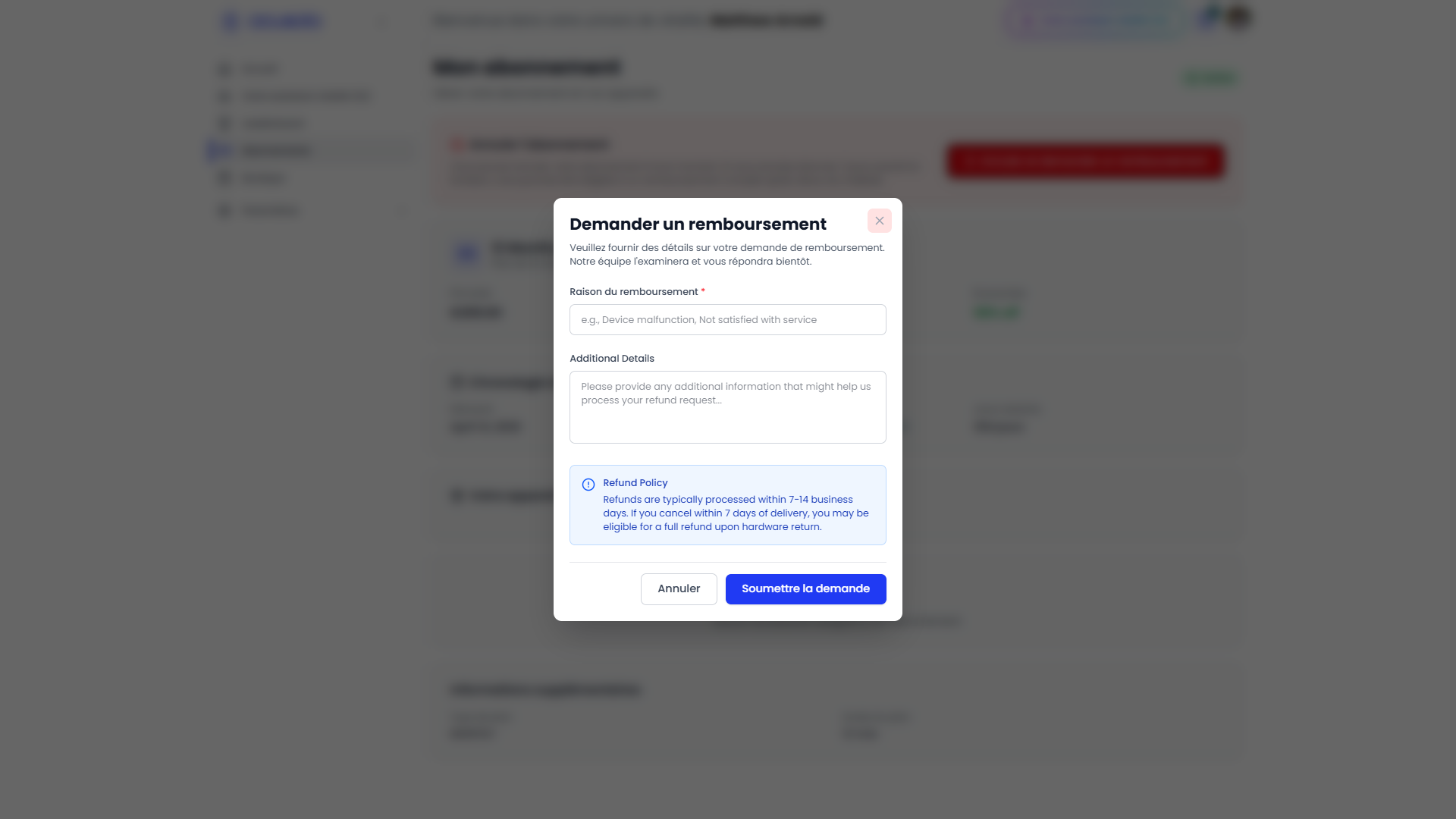
After submission, the request becomes visible in the admin refund list for review.
Admin refund list
Open https://admin.acusolo.net/admin/refunds to review refund requests created from the web app.
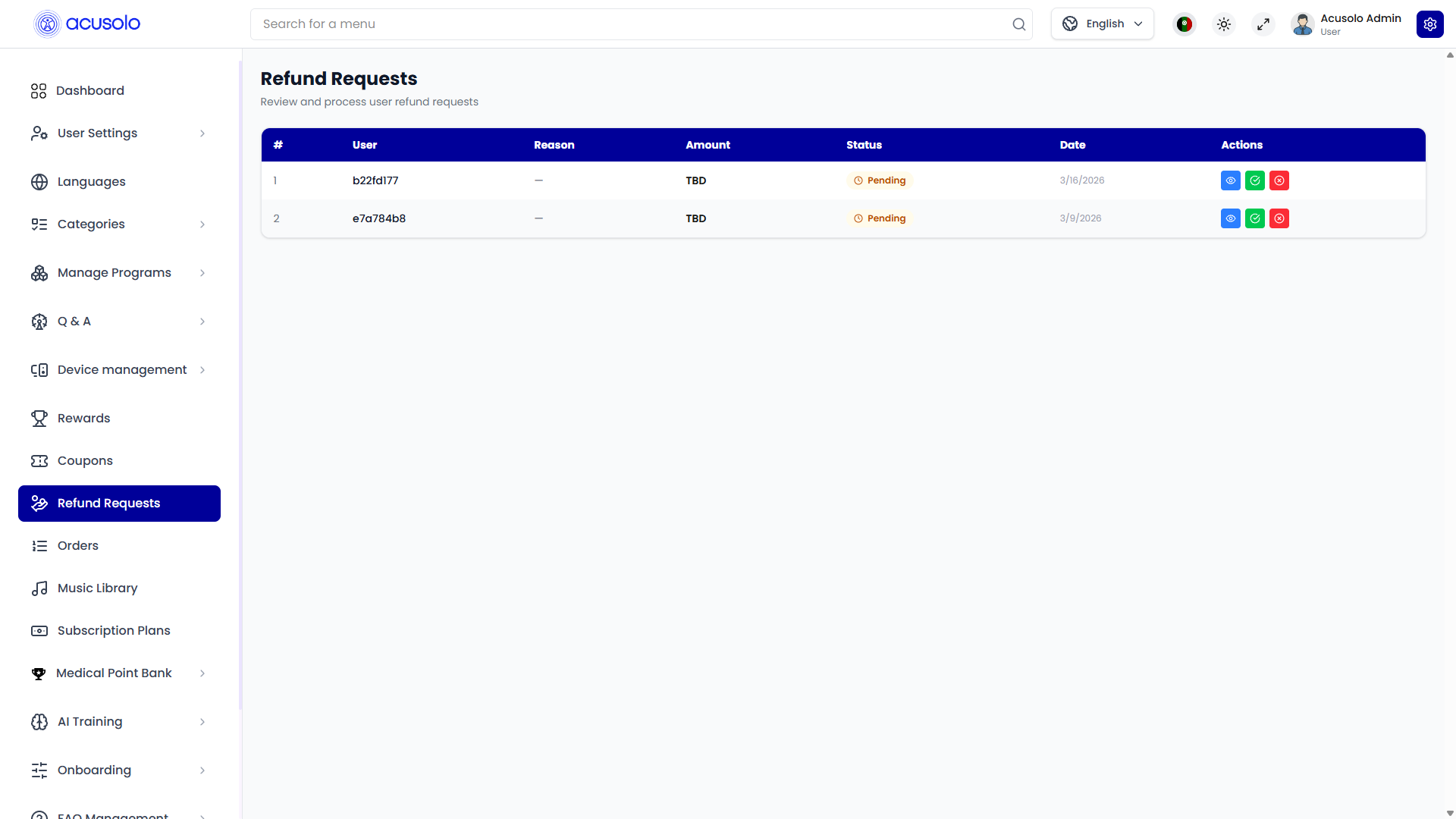
The admin can review the user, subscription/payment context, status, request details, and available row actions.
Approve refund request
Click the row green checkmark action to approve a refund request. This opens the approval modal.
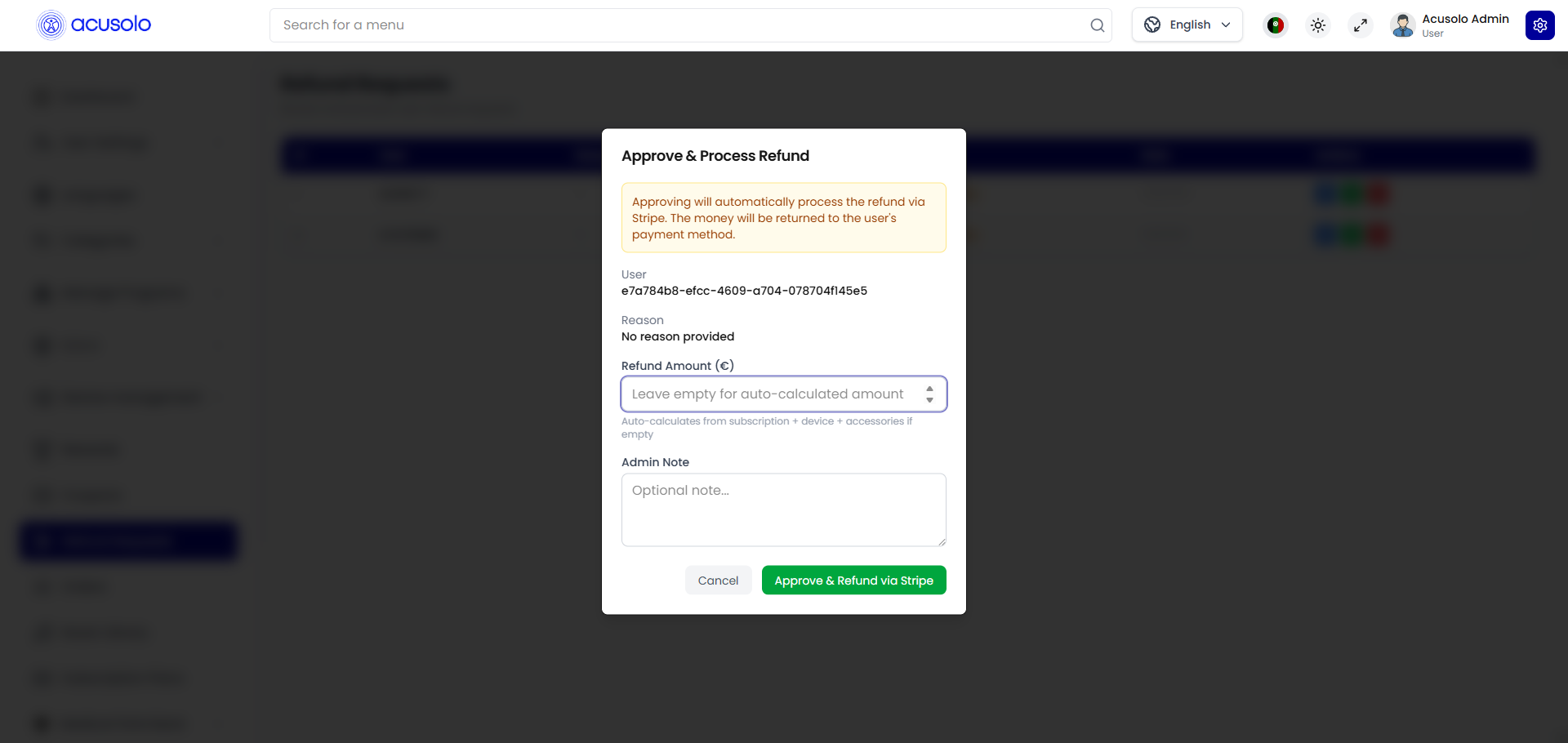
Use the modal to confirm the approval action. Once approved, the refund is processed through Stripe.
Stripe refund and billing method
The user billing page is available at https://web.acusolo.net/settings/billings.
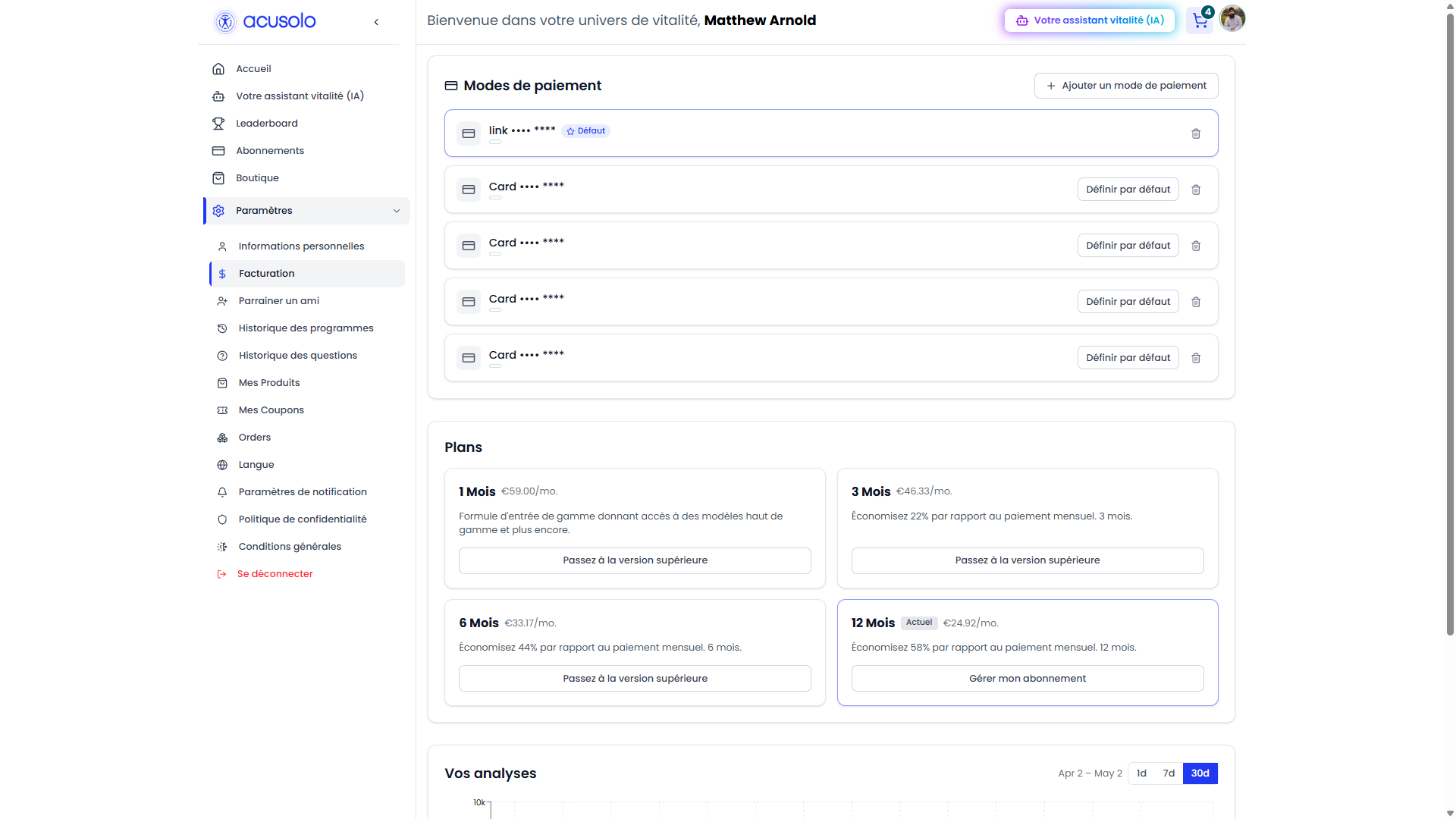
When the user subscribed, the payment card was automatically saved as the default payment method. After the admin approves the refund request, Stripe refunds the amount back through that saved/default payment method.
Overall refund flow
- User subscribes to a plan from the web app.
- The subscribed plan is visible on
https://web.acusolo.net/plans. - User submits a refund request from the refund request form.
- Admin opens
https://admin.acusolo.net/admin/refunds. - Admin clicks the row green checkmark action.
- Admin confirms approval from the approval modal.
- Stripe refunds the user through the saved/default payment method.
For subscription records and VIP access rules, see User Subscriptions.