AI Test Bench
The AI Test Bench page is used to run controlled AI tests against a selected user context (impersonation), then inspect agent events and responses.
Admin route:
https://admin.acusolo.net/admin/ai/test-bench
Related web chat route:
https://web.acusolo.net/ai-chat
Page overview
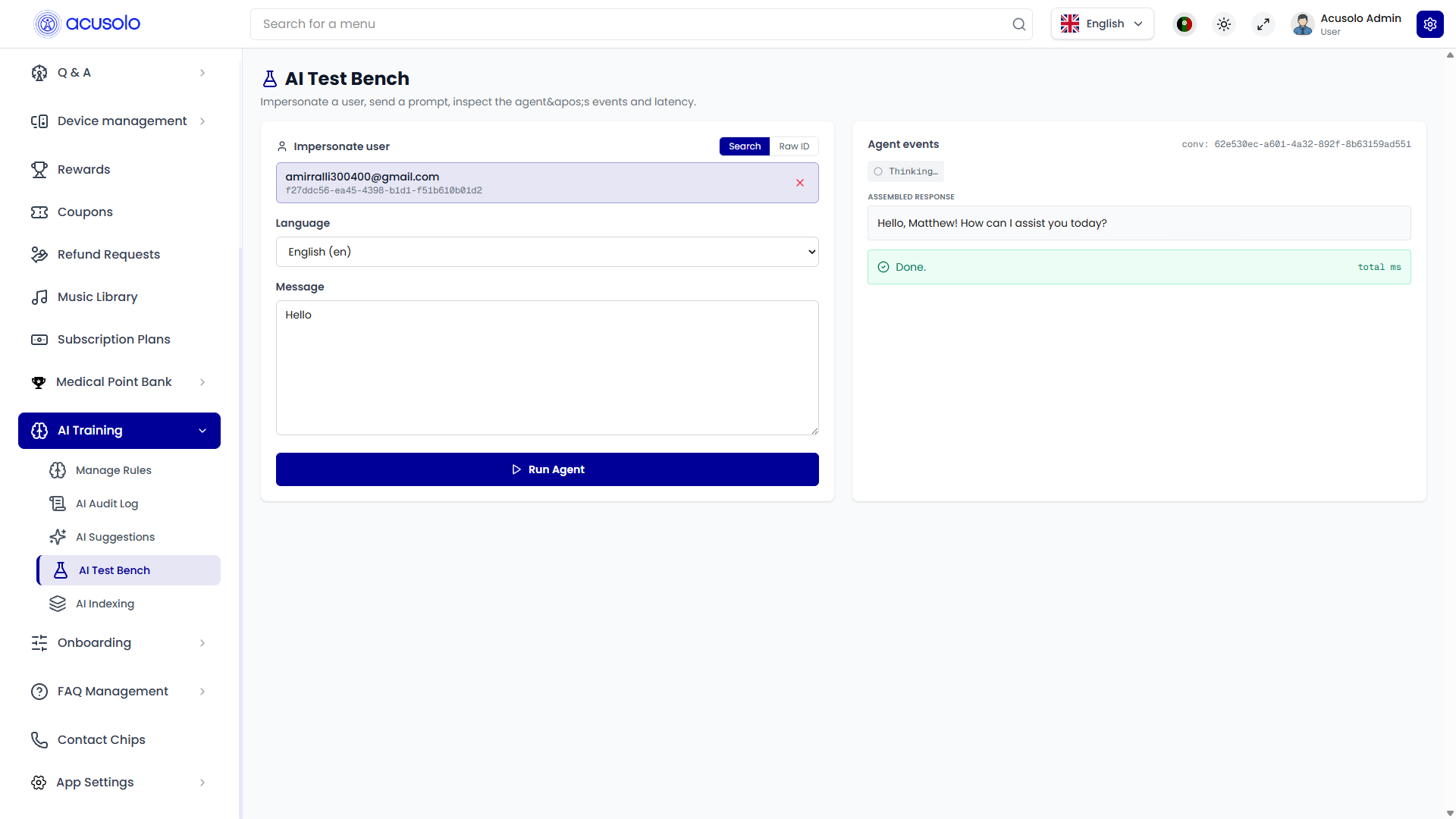
The page has two main panes:
- Input pane (left): choose user + language + message, then run the agent.
- Agent events pane (right): shows execution trace, tool events, assembled response, and completion status.
Input pane
Fields
- Impersonate user: choose target user identity (email + id context).
- Language: set prompt language.
- Message: test prompt text.
Action
- Run Agent: executes AI pipeline as if the selected user sent that message.
Agent events pane
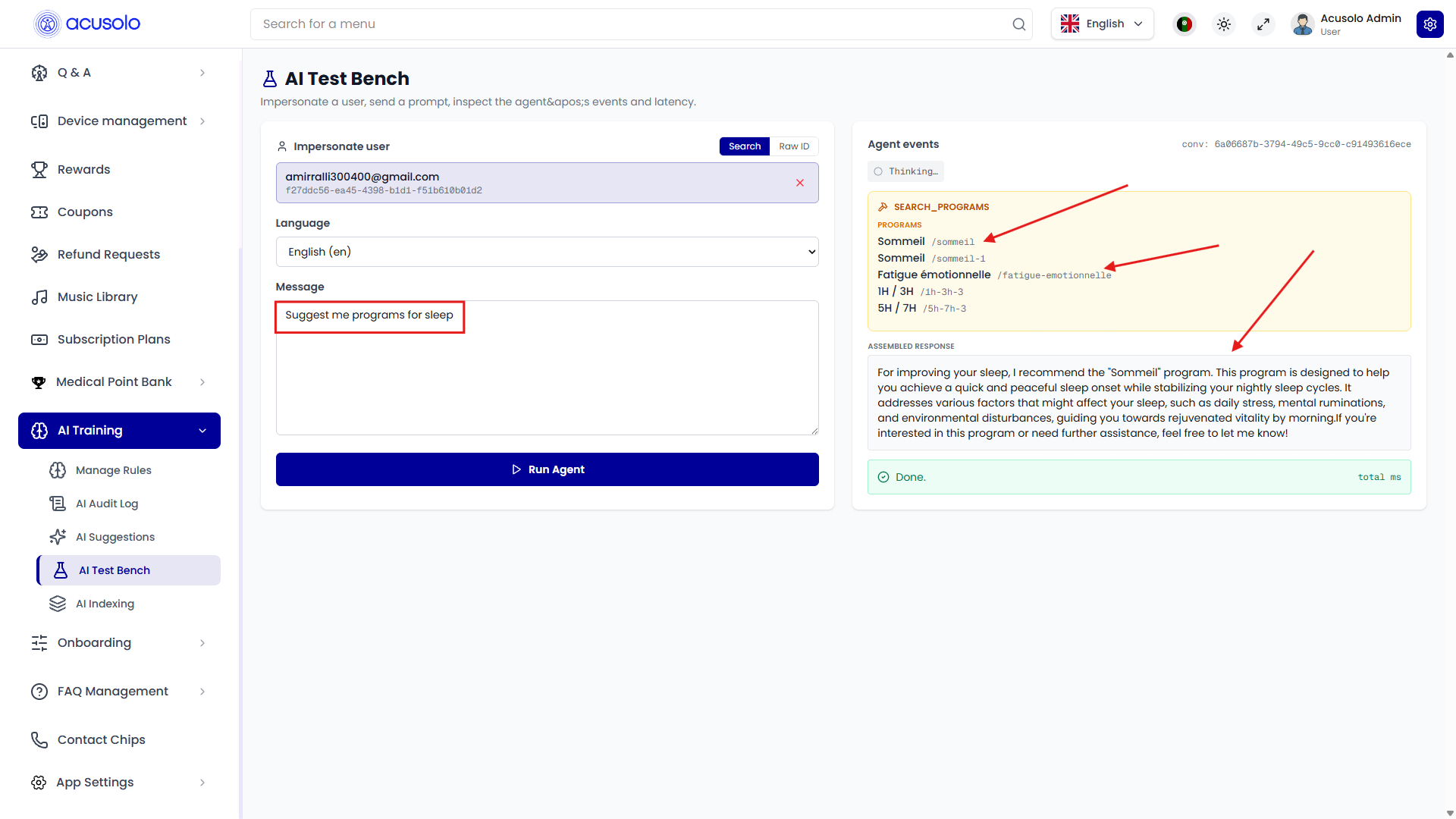
This section shows runtime diagnostics, for example:
- tool event blocks (e.g.,
SEARCH_PROGRAMS) - candidate programs returned by search
- assembled final response text
- completion indicator (
Done) and total timing - conversation id (
conv) for traceability
This makes it easier to validate:
- prompt understanding,
- retrieval/tool behavior,
- and final answer quality before production usage.
Impersonation effect in web app
Test-bench runs are visible in the targeted user’s AI chat history, because execution is attached to that user context.
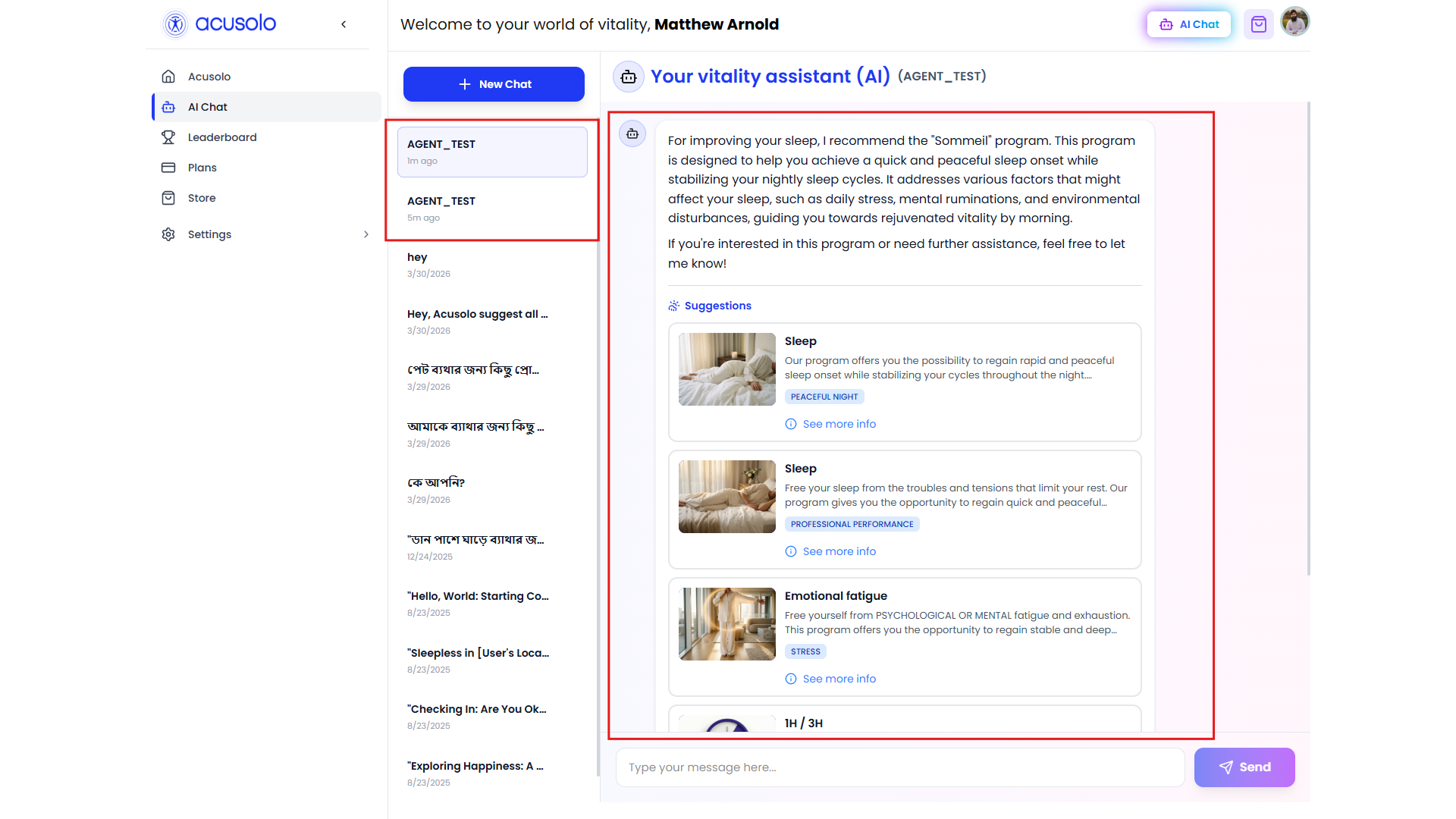
Typical observable behavior:
- chat thread appears under assistant history (example label like
AGENT_TEST) - generated suggestion cards/messages are visible in that user’s chat stream
- useful for validating end-user experience from admin side
Usage guidance
- Use dedicated test accounts when possible.
- Keep prompts traceable (clear intent per test run).
- Cross-check outputs with:
- AI Audit Log for low-level tracing
- AI Suggestions if program recommendations are generated