12 Point Programs
This module manages the special 12-point method flow and the program suggestions that appear after users complete the 12-point selection journey.
- Base URL (Admin):
https://admin.acusolo.net/ - Base URL (Web app):
https://web.acusolo.net/
Related: Program, Session modals, Category, Sub-category.
Admin list
Under Gérer les programmes → 12 Point Programs.
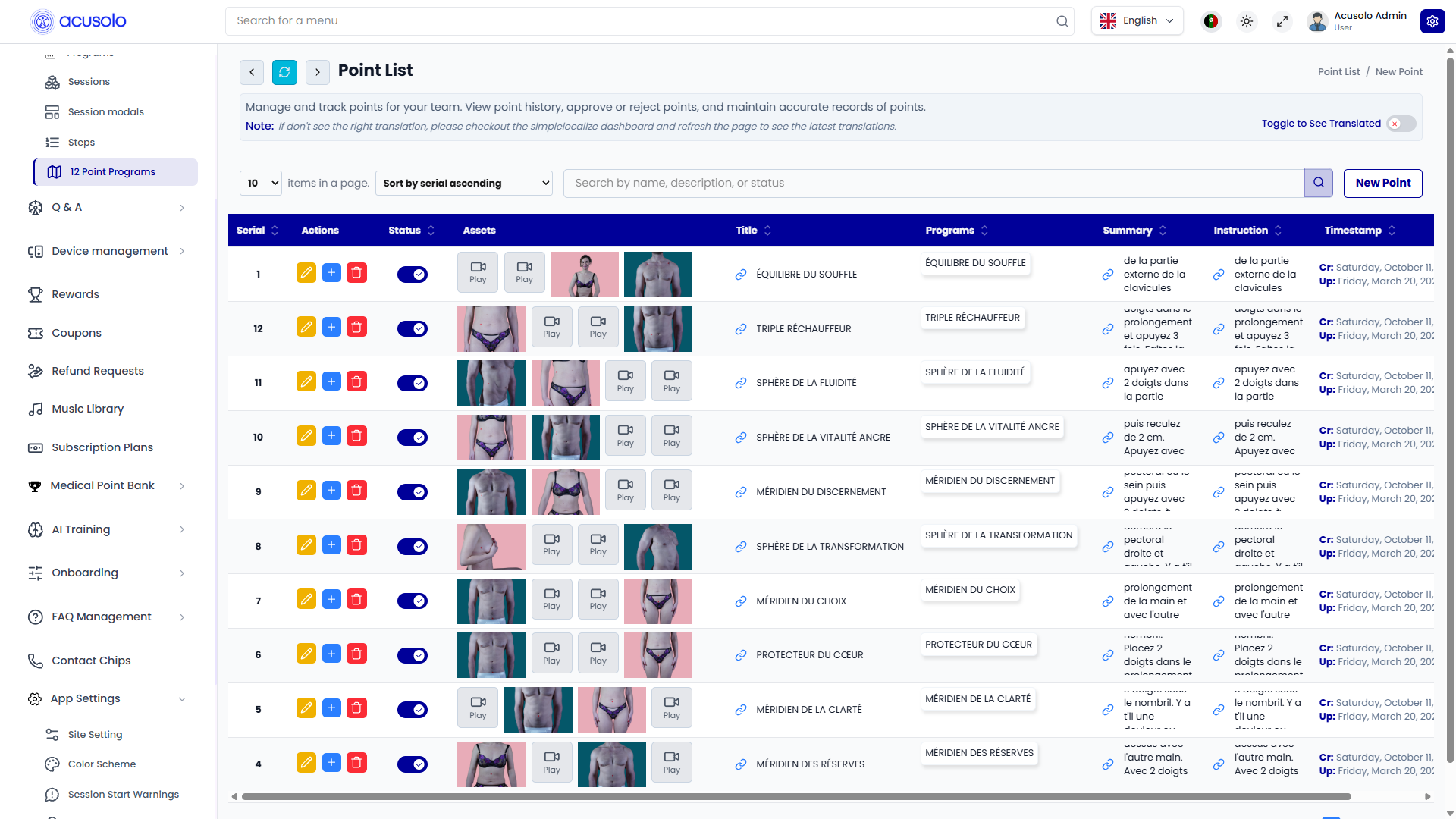
Columns
| Column | Definition |
|---|---|
| Serial | Display order for 12-point items in admin list. |
| Actions | Edit (pen), Delete (trash), and Add programs (blue plus) to link regular programs to this 12-point item. |
| Status | Active/inactive visibility for this 12-point entry. |
| Assets / Media | Gender-specific images/videos used by the 12-point selection UI. |
| Title / Programs / Summary / Instruction / Timestamp | Labeling and content fields shown in list form (exact visible columns can vary with horizontal scroll and locale). |
Blue plus action: link programs
The blue plus opens this assignment modal:
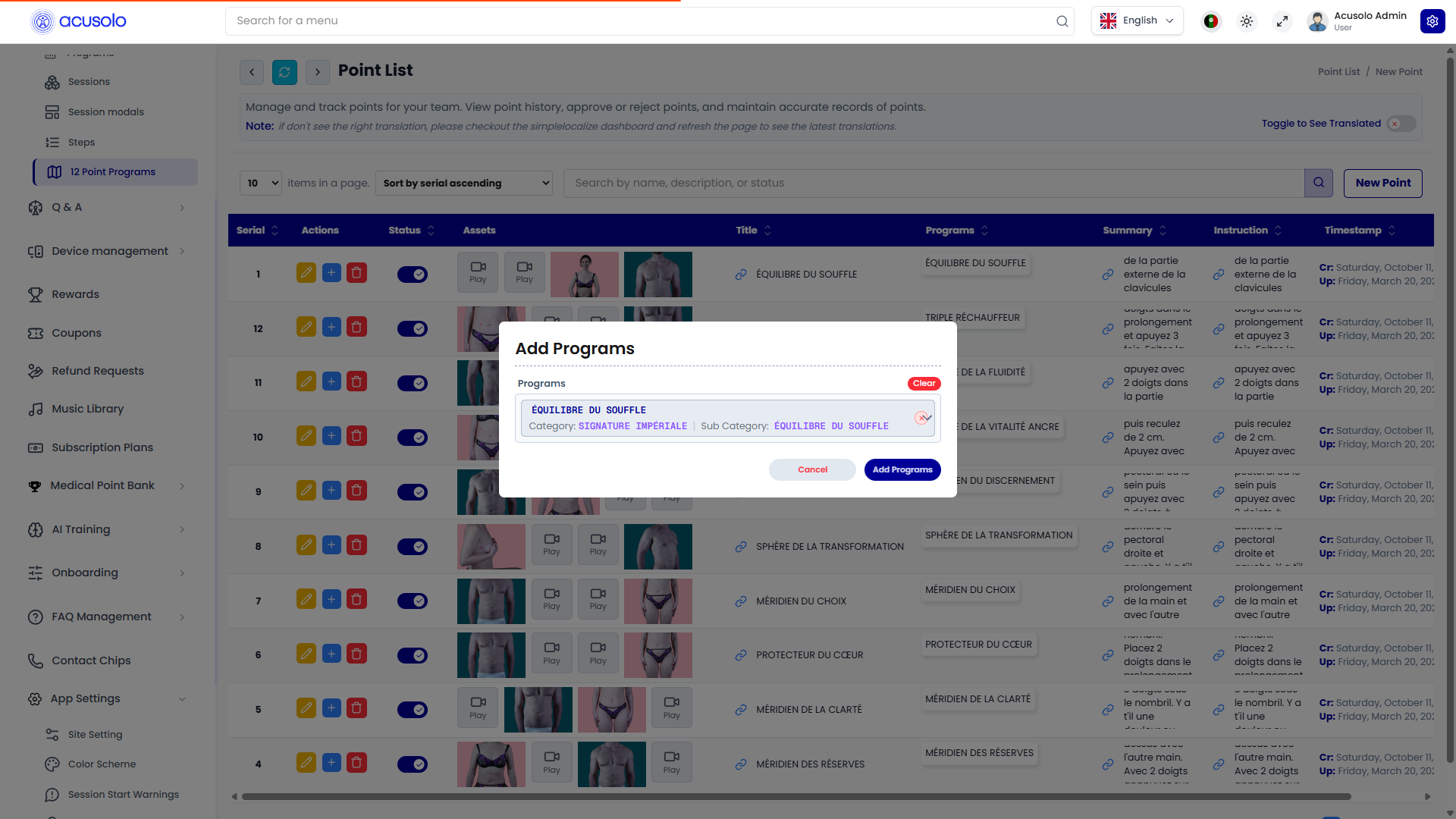
- Select one or more regular Programs to link under the current 12-point item.
- These links are used later in the web app suggestion modal after the 12-point answers are completed.
- Program chooser shows contextual category/sub-category info to reduce wrong links.
Create 12-point program
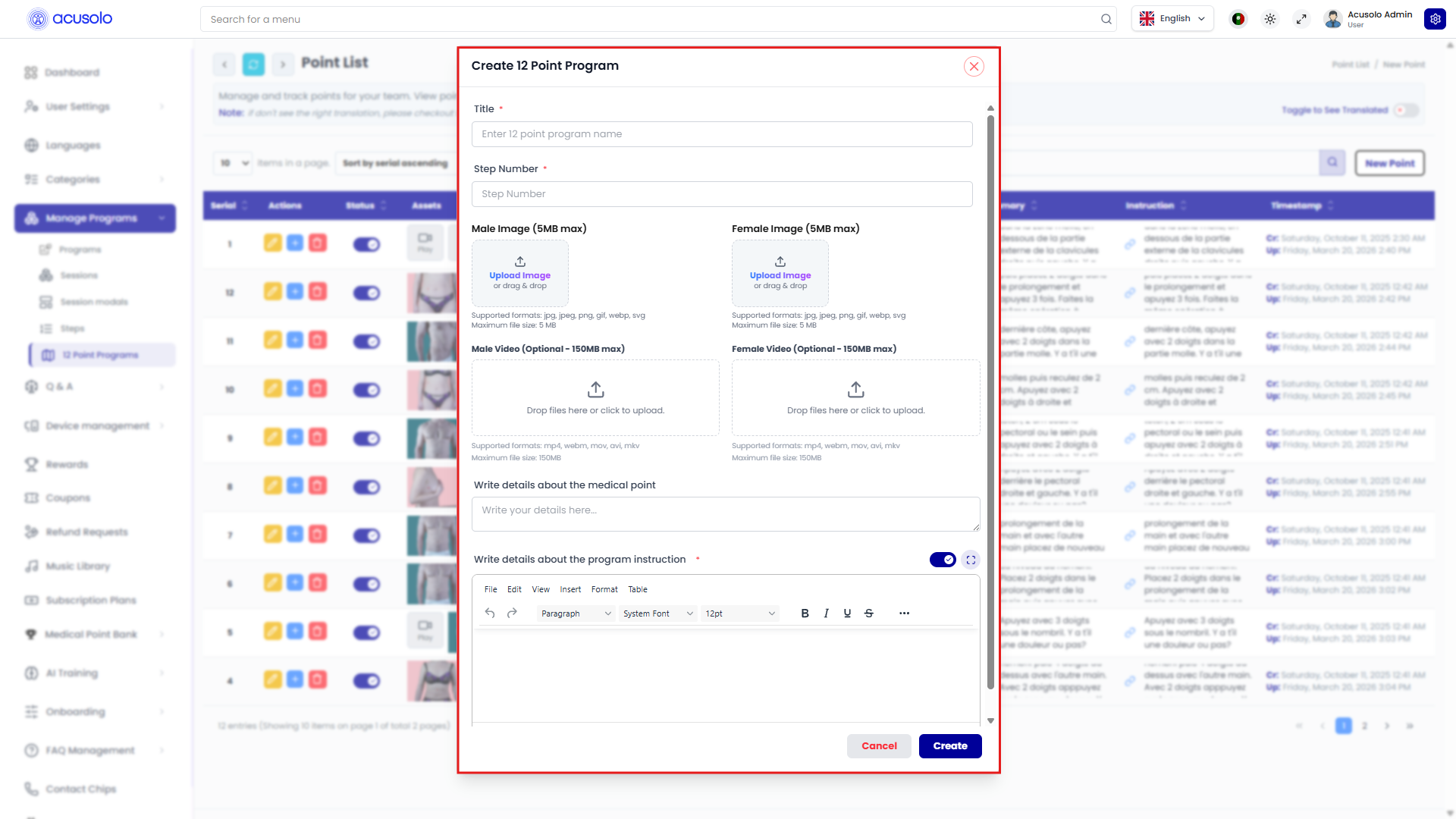
Core fields visible in the modal:
- Title (required)
- Step Number (required, index in the 12-point sequence)
- Male Image and Female Image (gender-based media)
- Male Video and Female Video (optional media where supported)
- Write details about the medical point
- Write details about the program instruction (rich text editor)
Standard actions:
- Cancel
- Create
Edit 12-point program
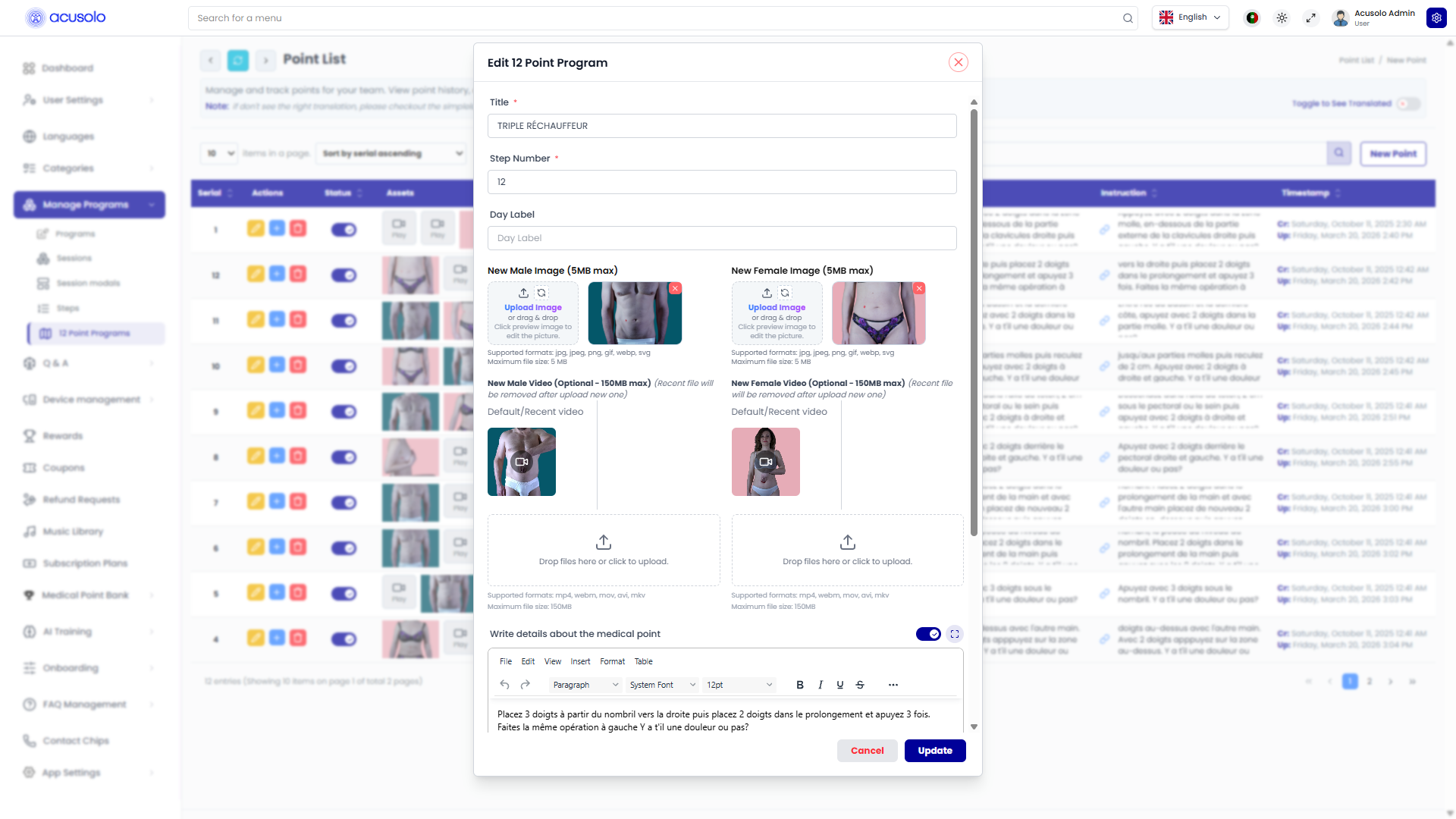
Edit form is the same structure as create, pre-filled with existing values (including preview thumbnails). It also includes additional labels like Day Label depending on configuration.
Standard actions:
- Cancel
- Update
Special storage category/sub-category
12-point-linked programs are stored under a dedicated category/sub-category pair so they can be managed in admin but hidden from the main public category browsing experience.
Dedicated category
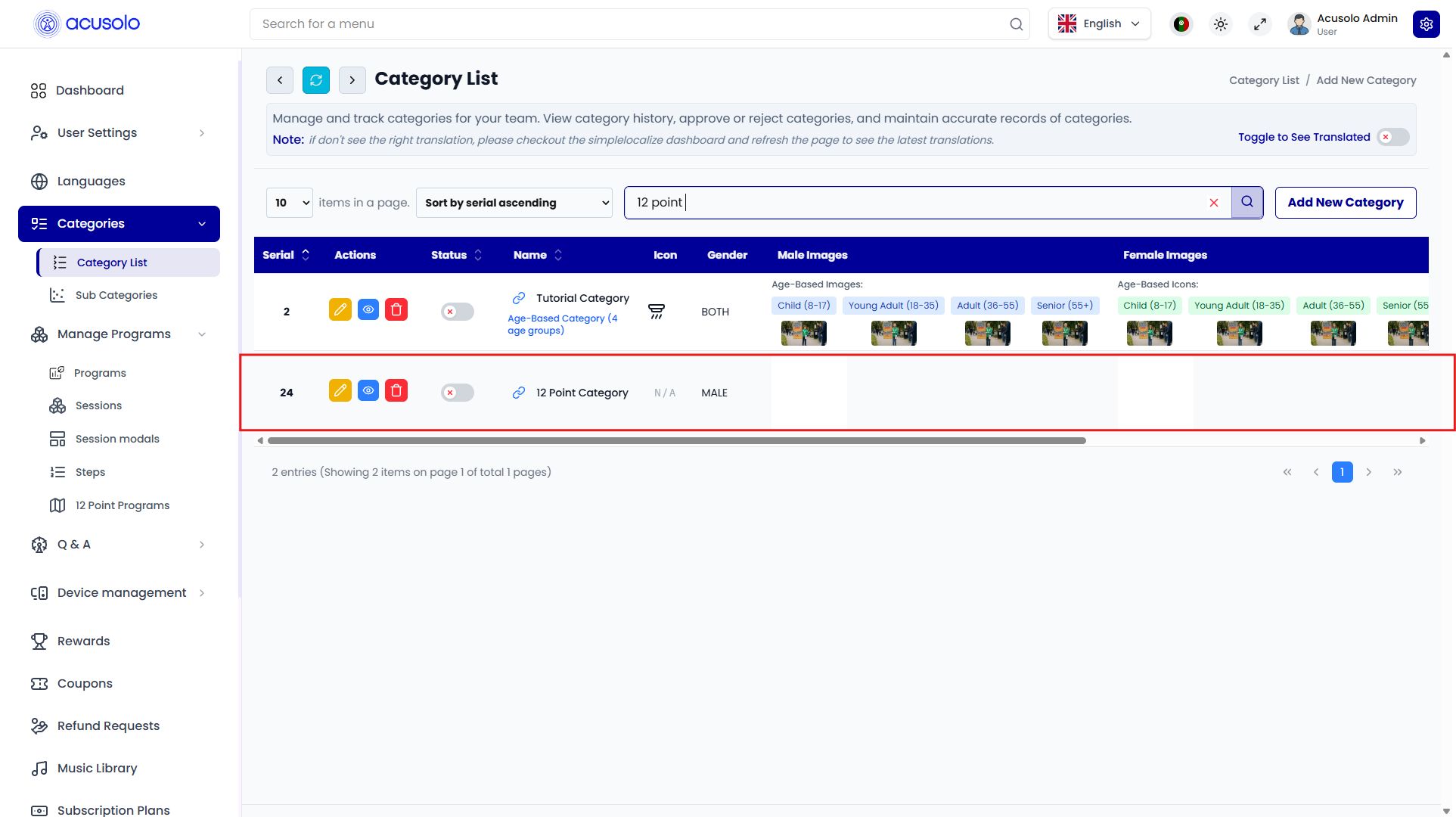
- This category is intentionally kept inactive in normal category UI visibility.
- It acts as a backend organization bucket for 12-point-linked programs.
Dedicated sub-category
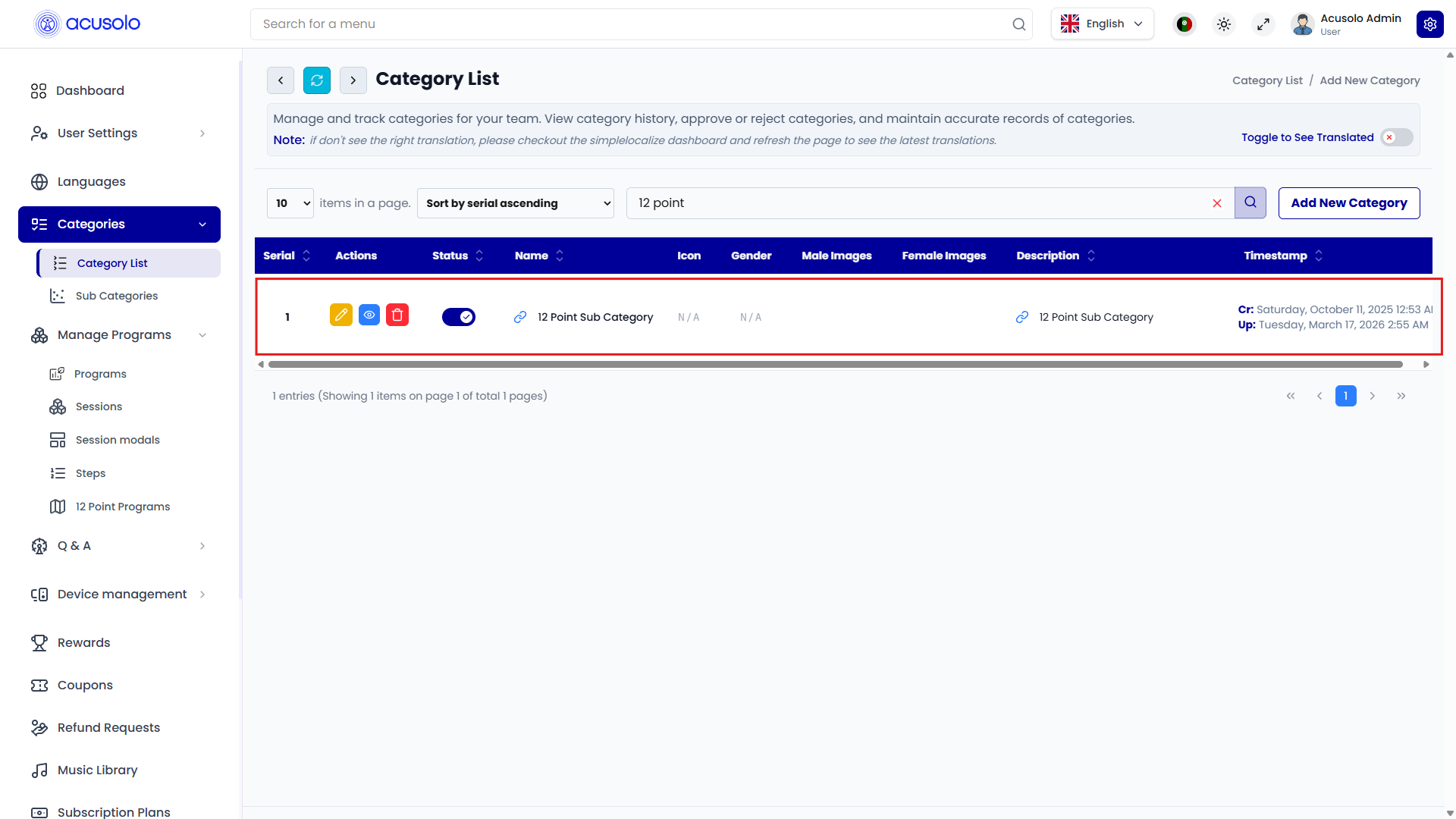
- Used the same way at sub-category level for 12-point program linkage management.
Web app flow
Users can reach this flow from session-end/welcome navigation (for example from a single-program sub-category progression path), then complete the 12-point sequence.
12-point selection page
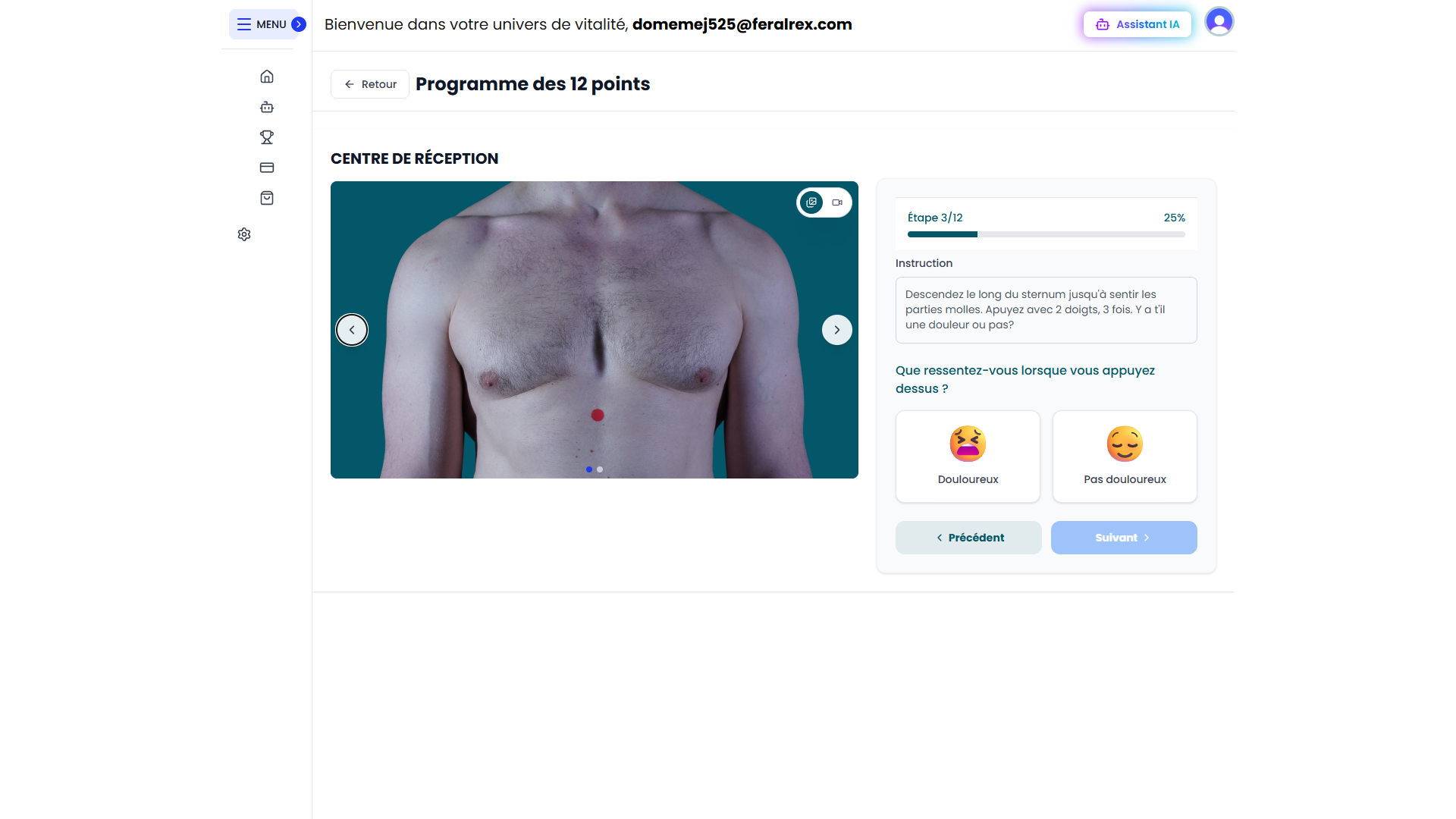
Typical behavior:
- User reviews each point step-by-step.
- User selects response state such as painful or not painful.
- Navigation uses Previous / Next controls through the full point set.
Suggested programs modal after completion
After the selection journey is finished, the app opens a suggestion modal with linked programs filtered by user responses.
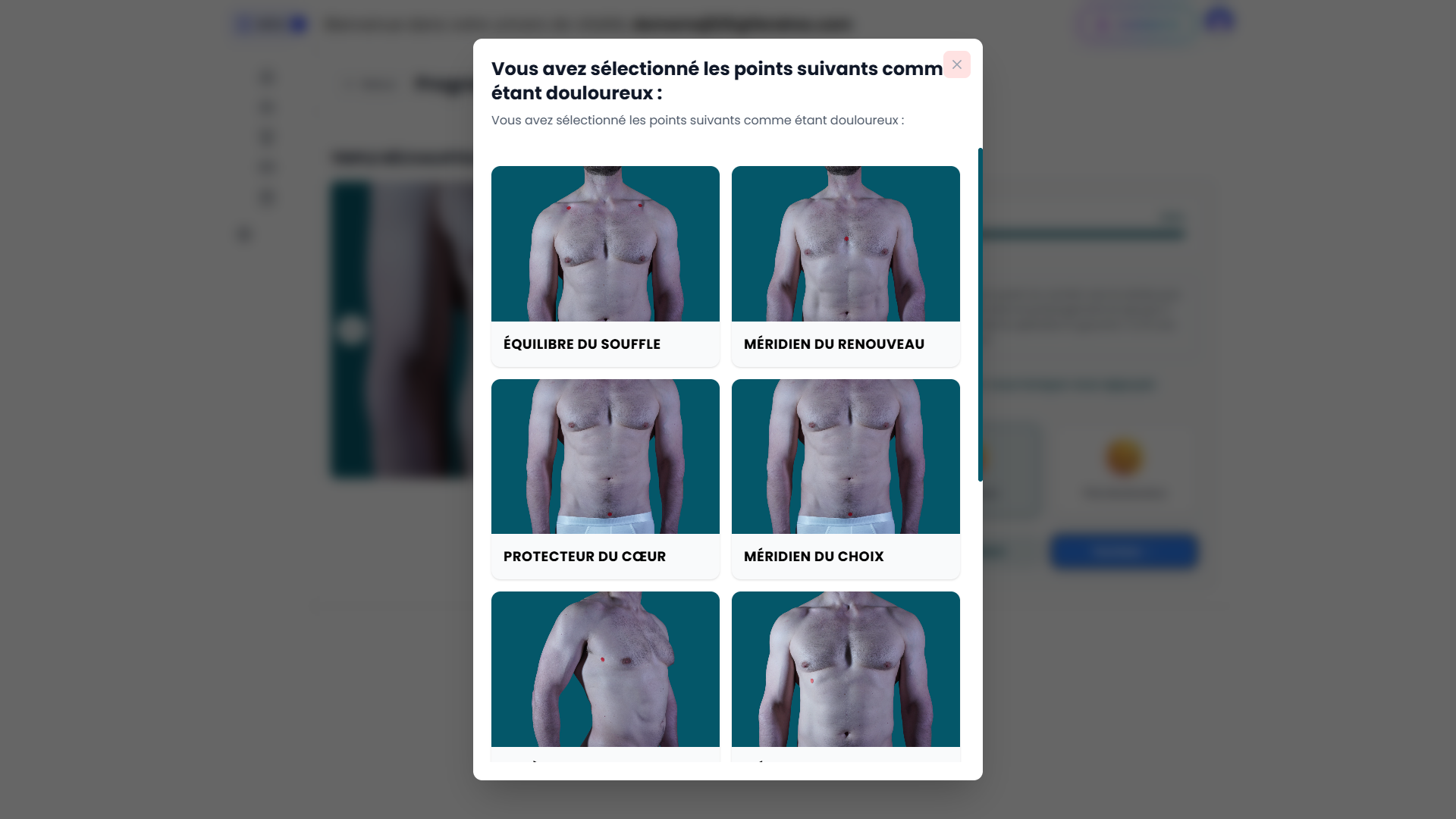
- Displays candidate programs linked from admin via the blue-plus assignment.
- For the described flow, suggestions are based on the selected painful points and their mapped 12-point entries.
Notes
- This module is tightly coupled to:
- assignment rules in 12 Point Programs (blue plus link modal),
- completion/welcome flow from Session modals,
- and regular Program records that are eventually suggested.