Questions (Q&A)
This page documents the Questions module under Q & A in the admin panel: how questions and answers are structured, how each answer links to a program, how warning popups behave on the web app, and how user responses drive program suggestions after the questionnaire.
Routes
| Environment | URL |
|---|---|
| Admin — Question List | https://admin.acusolo.net/admin/questions |
| Web — Questions History (questionnaire entry) | https://web.acusolo.net/settings/questions-history |
| Web — Suggested programs (typical outcome page) | https://web.acusolo.net/programs/suggested-via-questions |
Related docs: Program, AI Suggestions.
Preview clarification: The blue answer preview / expand control on each question row opens the nested answers panel inline on the Question List page (see Answer preview). This is not the onboarding link preview UI used under Onboarding Links.
Admin: Question List page
Opening /admin/questions loads the Question List screen: same overall admin layout as other modules (sidebar, top bar, breadcrumbs, table tooling), with extra nested UI for answers.
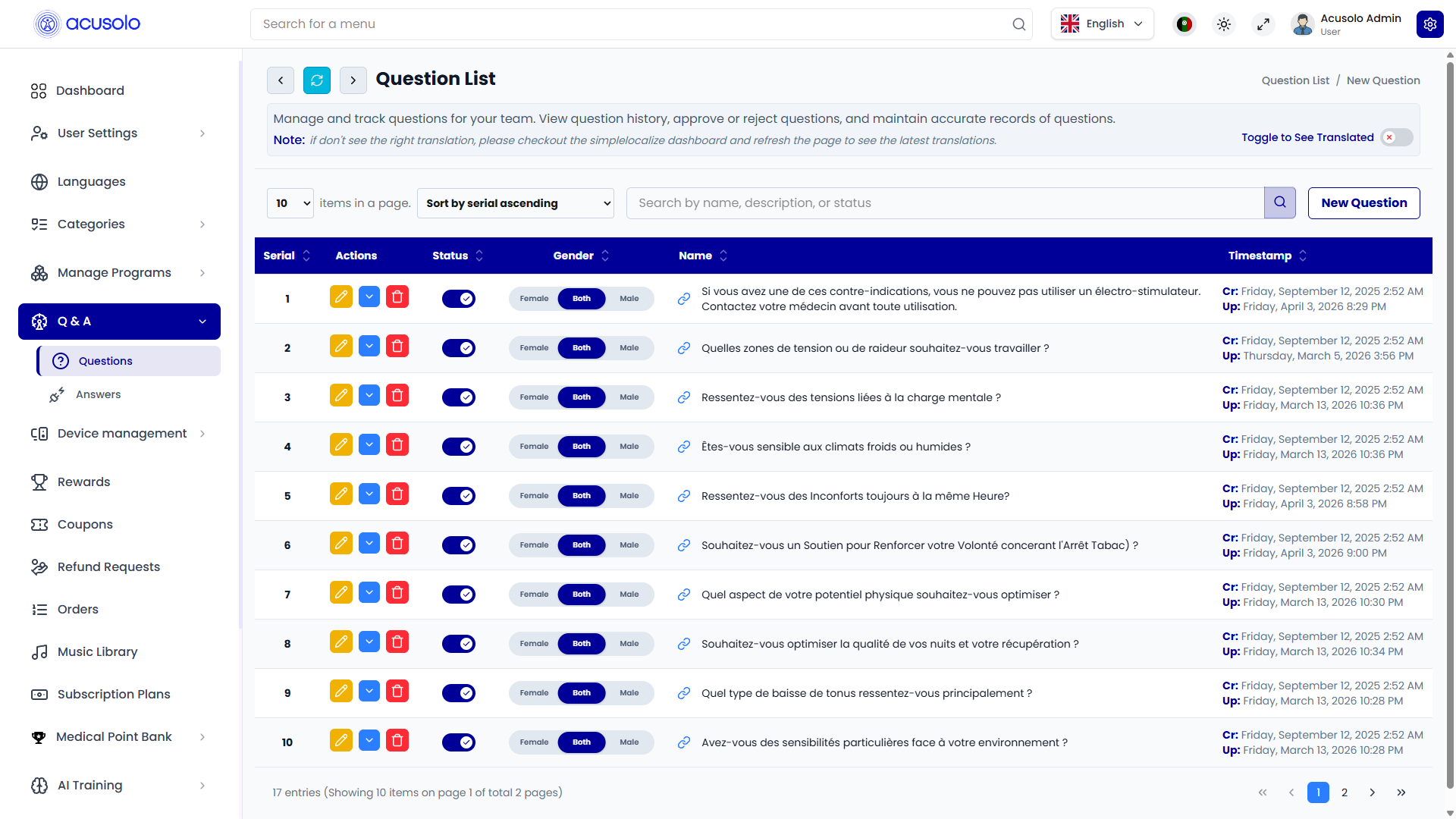
Page chrome
- Breadcrumbs: e.g.
Question List / New Question. - Intro copy: describes managing and tracking questions for the team.
- Toggle to See Translated: optional translated view for list content (same pattern as other modules).
- Table controls: items per page, Sort by serial ascending (default ordering matches Serial column), search (Search by name, description, or status), primary New Question action.
Question row — columns
| Column | Purpose |
|---|---|
| Serial | Display order for questions when sorted by serial ascending; primary ordering key for the questionnaire flow on web. |
| Actions | Edit (yellow pencil), Answer preview / expand (blue control — expands/collapses nested answers), Delete (red trash — confirmation modal). |
| Status | Toggle to temporarily enable/disable the question for end users. |
| Gender | Three-way control **Female |
| Name | The question text shown to admins (may appear as French copy in screenshots depending on locale/content). |
| Timestamp | Cr: created date — Up: last updated date. |
Gender targeting (web app and mobile app)
When an admin sets Gender on a question row, end users only see that question if their profile gender matches the rule:
| Admin value | Who sees the question |
|---|---|
| Female | Users whose profile gender is female. |
| Male | Users whose profile gender is male. |
| Both | All users regardless of profile gender (default inclusive mode when you want everyone to answer). |
This filtering applies consistently on both the Acusolo web app and the Acusolo mobile app — it is not web-only behavior.
Answer preview: nested answers panel
Use the blue Answer preview / expand control on a question row to reveal the answers attached to that question inline on the same page (not the onboarding-links preview UI).
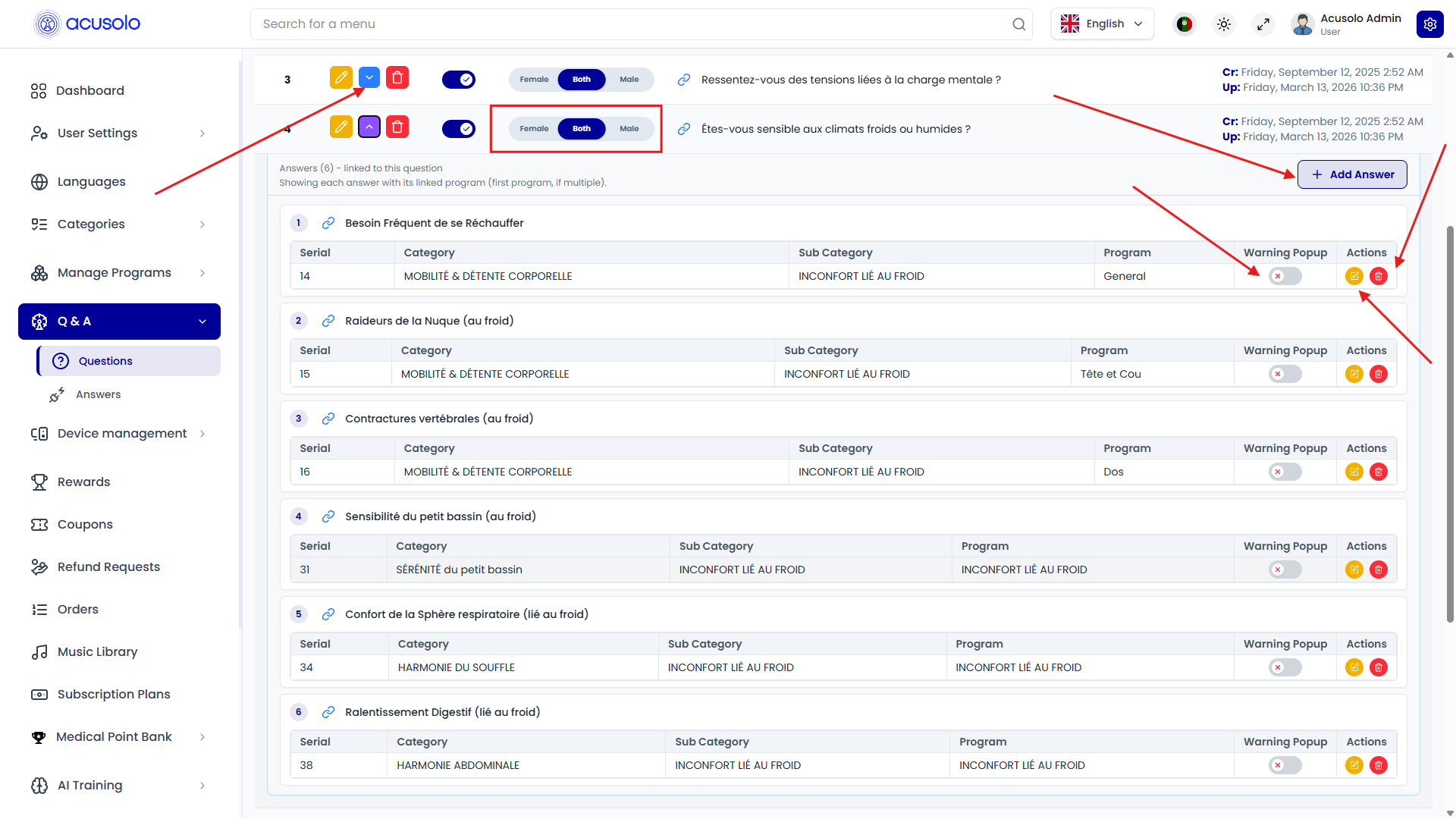
Nested section header
- Title pattern:
Answers (N) - linked to this questionwhereNis the answer count.
Nested answers table — columns
Each answer row represents one selectable option in the questionnaire, wired to routing logic via Program:
| Column | Purpose |
|---|---|
| Serial | Order of this answer among siblings for that question. |
| Category | Program taxonomy — parent category label for the linked program. |
| Sub Category | Program taxonomy — sub-category label. |
| Program | Linked program record (what gets suggested when this answer path wins). |
| Warning Popup | Per-answer toggle controlling whether that answer shows warning affordances on the web questionnaire (see Warning popup flow). |
| Actions | Edit (opens answer modal), Delete (confirmation modal). |
Add Answer
+ Add Answeropens Create New Answer for this question.
Create New Answer (single answer modal)
From + Add Answer on the nested panel:
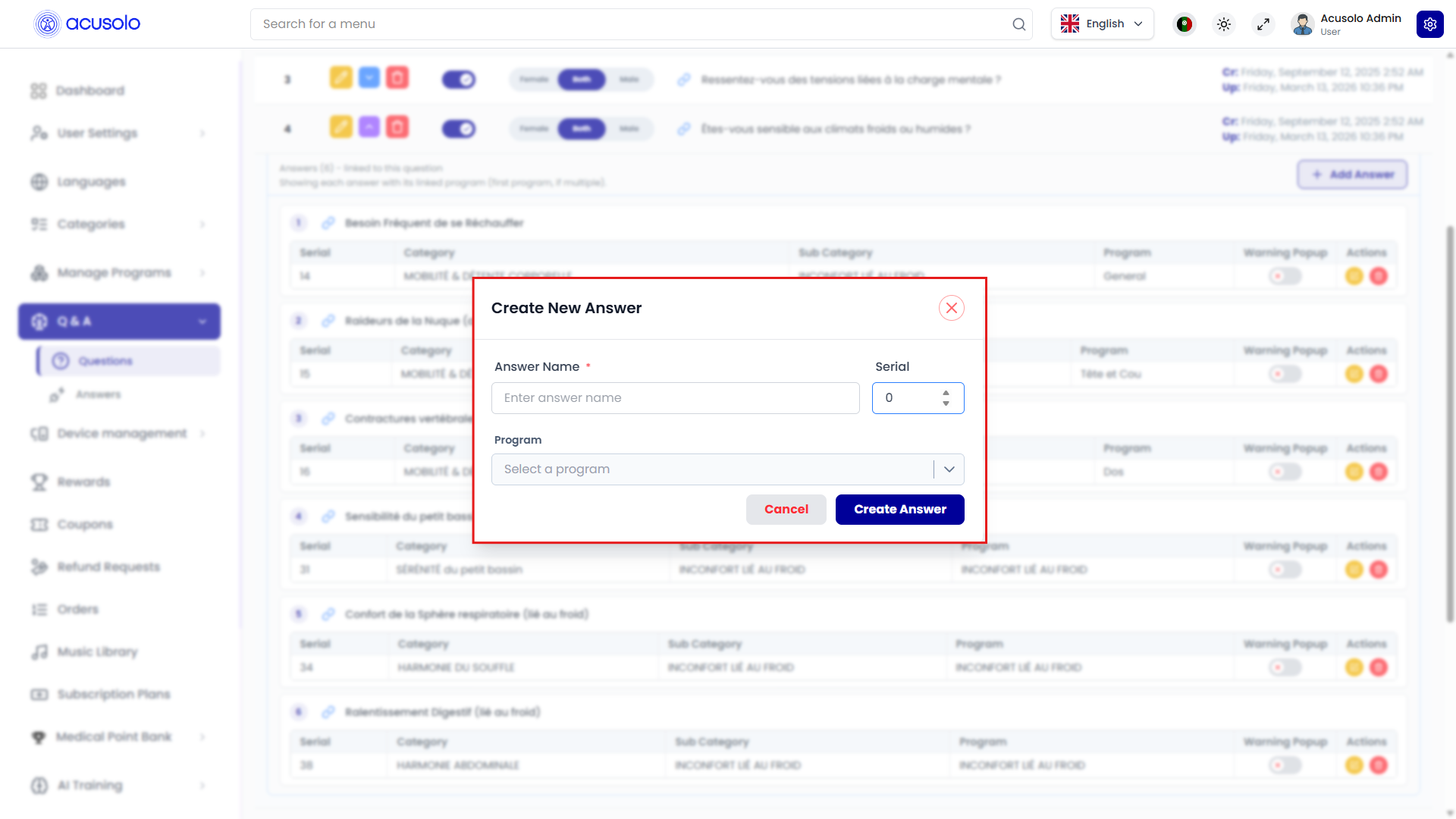
Fields
| Field | Required | Behavior |
|---|---|---|
| Answer Name | Yes (*) | Label shown as an answer option in the questionnaire. |
| Serial | Yes | Numeric ordering for this answer within the question. |
| Program | Yes | Searchable program picker — links this answer to exactly one program. |
Program picker detail (search, pagination, category/sub-category lines):
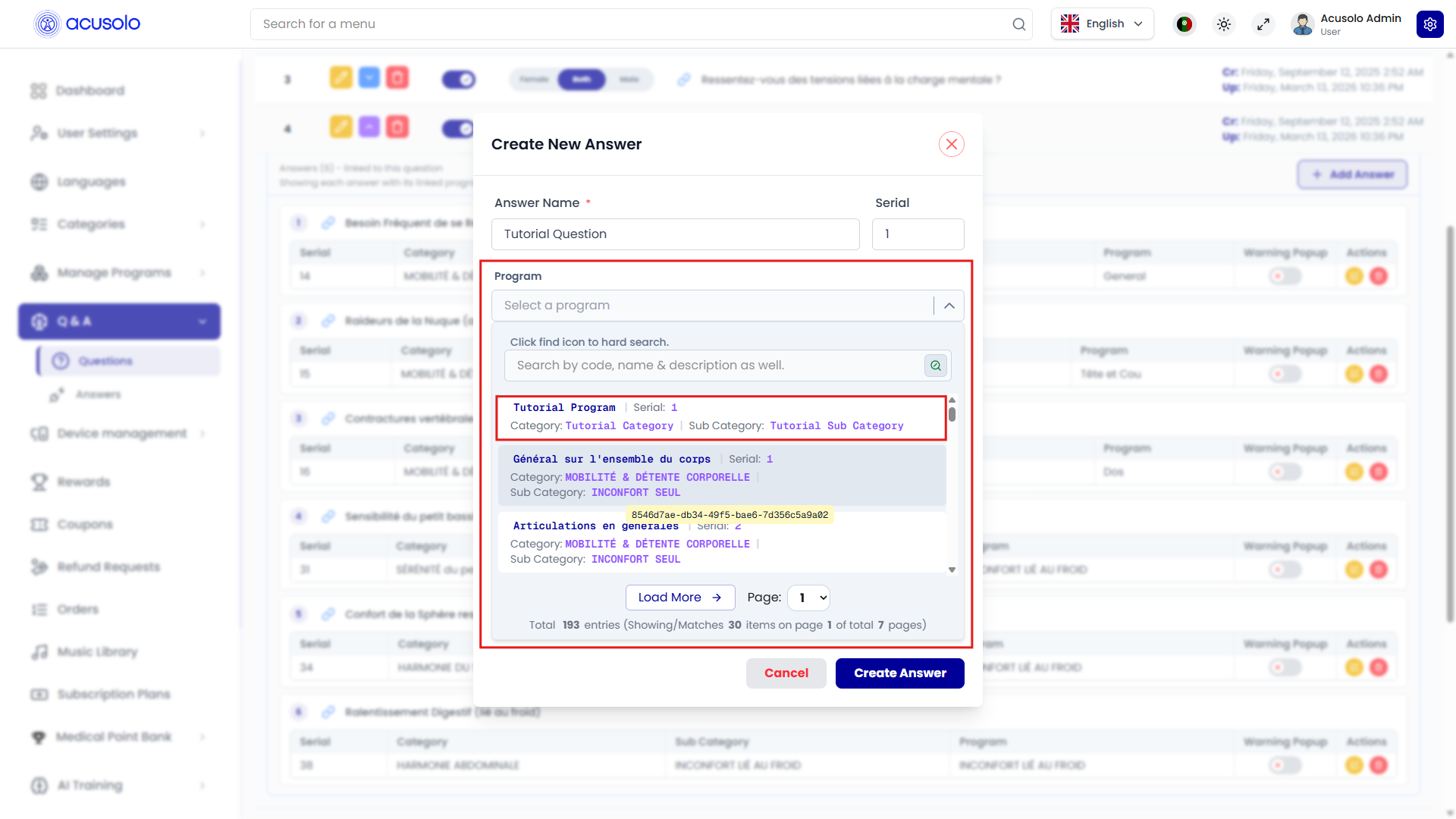
Typical picker UX:
- Placeholder Select a program.
- Search Search by code, name & description as well.
- Each row shows program name, serial, Category: … and Sub Category: … in secondary lines.
- Large catalogs show Total … entries, paging (e.g. page
1of many), and Load More.
Actions
- Cancel — discard.
- Create Answer — persist the answer + program link.
Edit Answer
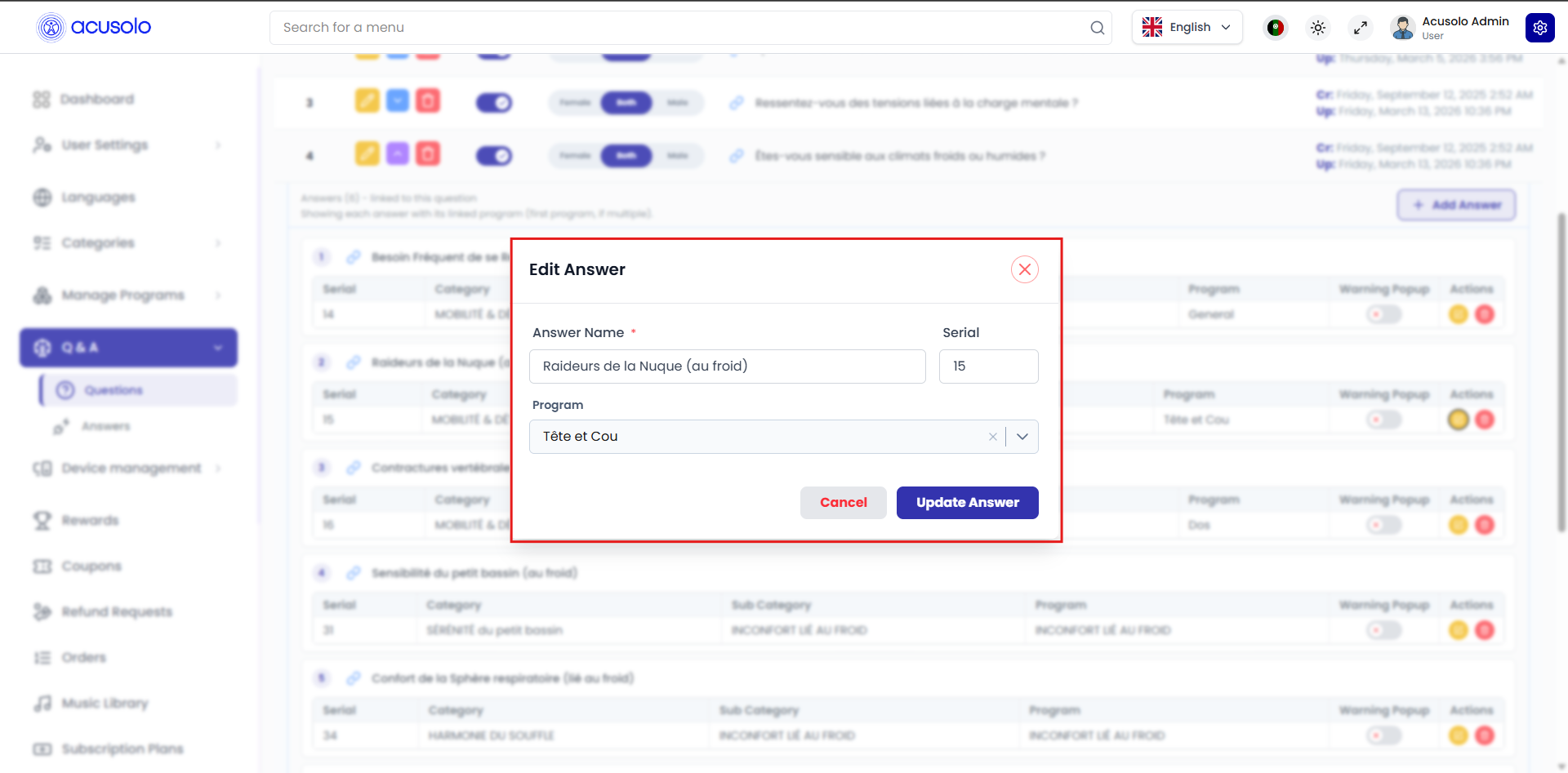
- Answer Name (
*), Serial, and Program are editable. - Program field supports clearing/changing selection (clear icon + dropdown).
- Update Answer saves; Cancel closes.
Delete still uses the standard confirmation modal pattern.
Create New Q/A Entry (multi-stage modal)
Click New Question to open Create New Q/A Entry. This modal is intentionally heavier than typical CRUD dialogs: it lets admins compose one question and many answers, each linked to a program, with drag-and-drop reordering driven by serial values.
Modal subtitle (from UI):
Create a question and add multiple answers with linked programs. Drag to reorder.
Stage A — Question + serial
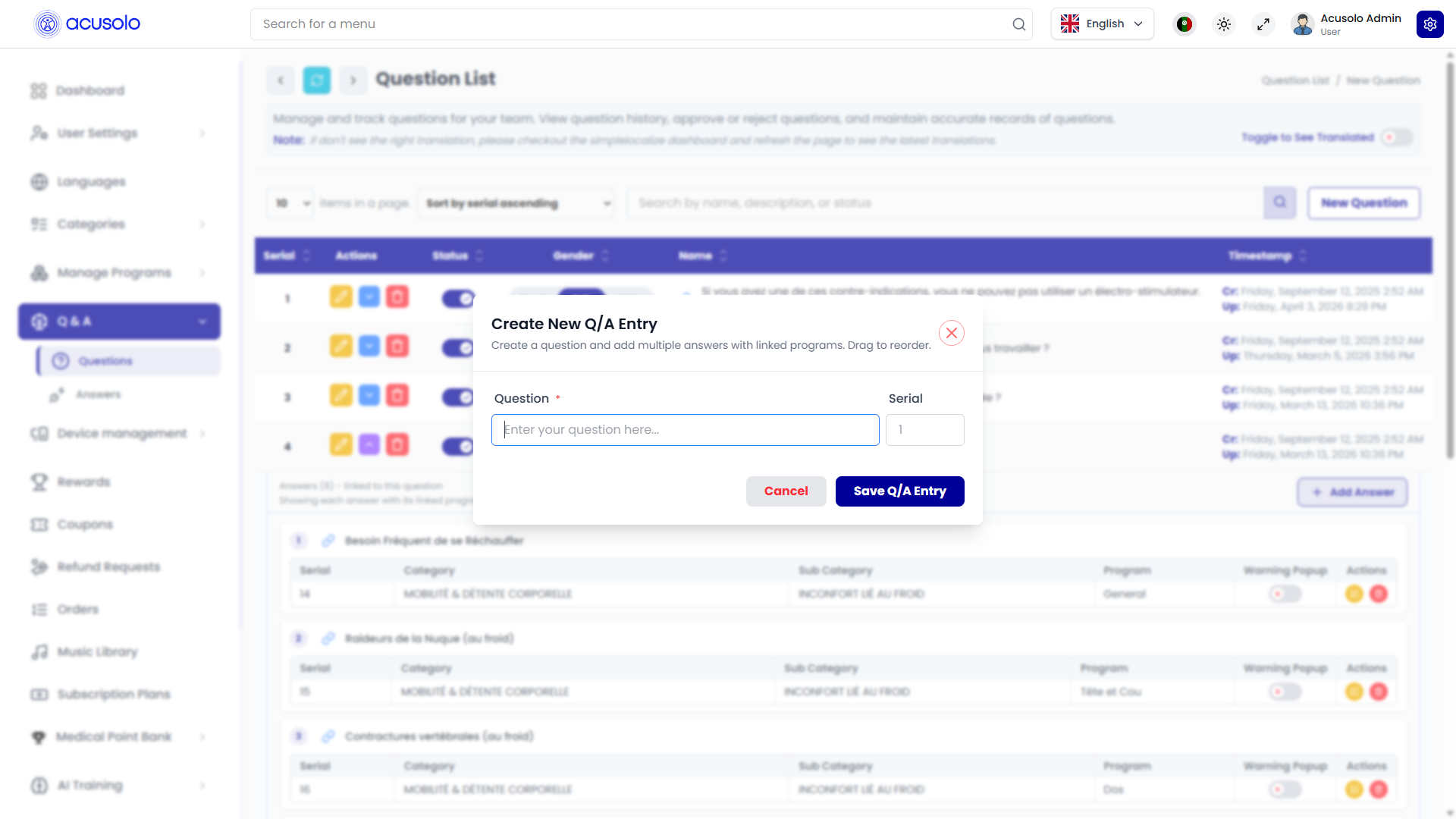
| Field | Required | Notes |
|---|---|---|
| Question | Yes (*) | Main questionnaire prompt text (placeholder along the lines of Enter your question here…). |
| Serial | Yes | Question ordering in admin + web questionnaire sequence when sorted by serial ascending. |
Footer:
- Cancel
- Save Q/A Entry
Stage B — Instruction before answers
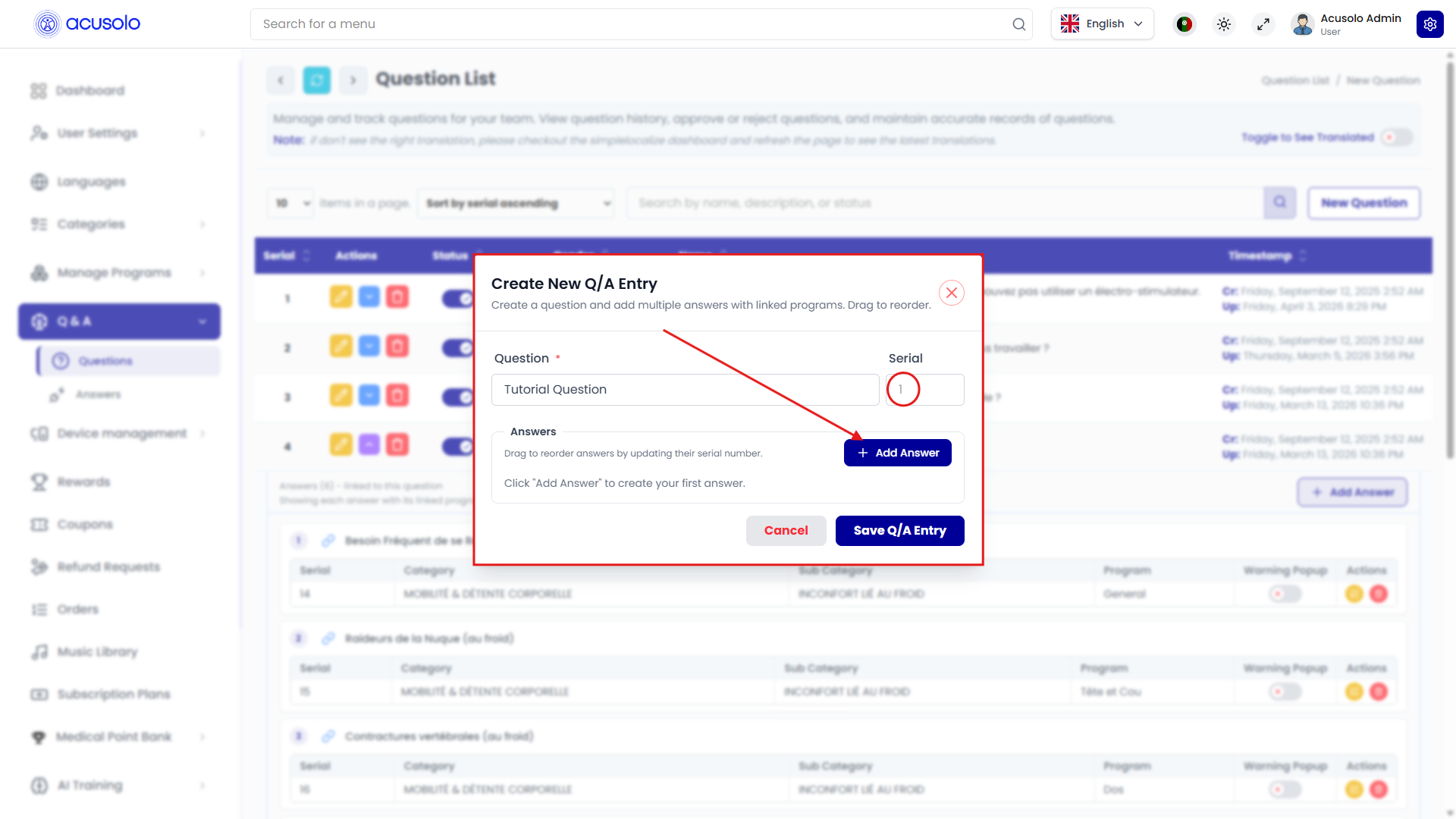
- Helper copy explains drag to reorder answers by updating serial and directs admins to Add Answer for the first answer row.
Stage C — Answer blocks with program chips
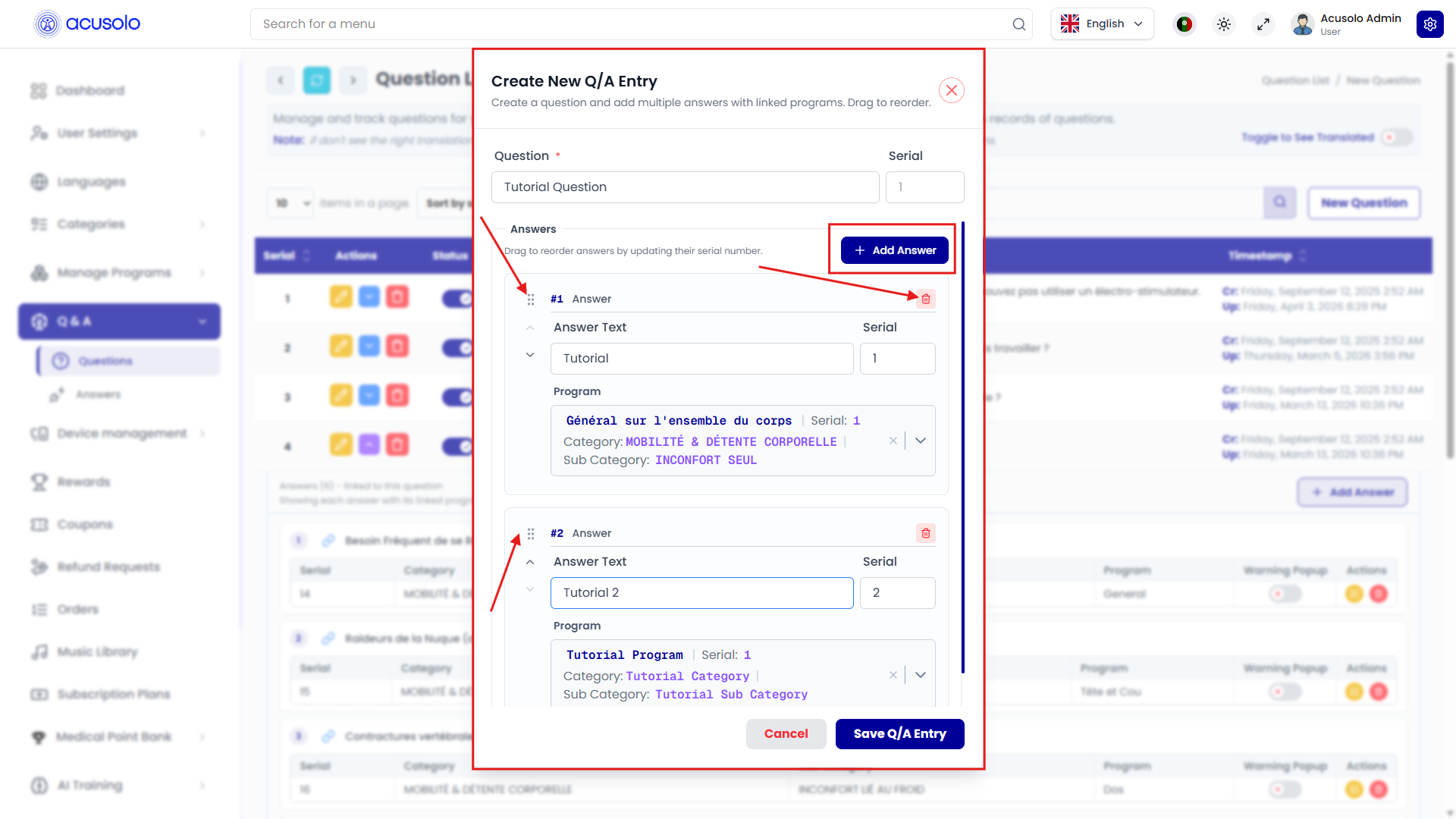
Each answer is a card with:
- Drag handle (six-dot grip) — reorder blocks; serial values reflect order.
- Per-answer delete (red trash on the card).
- Answer text input.
- Serial input for that answer.
- Program selector showing selected program name + serial, plus Category and Sub Category labels; includes clear/remove controls.
Stage D — Deep program search inside an answer
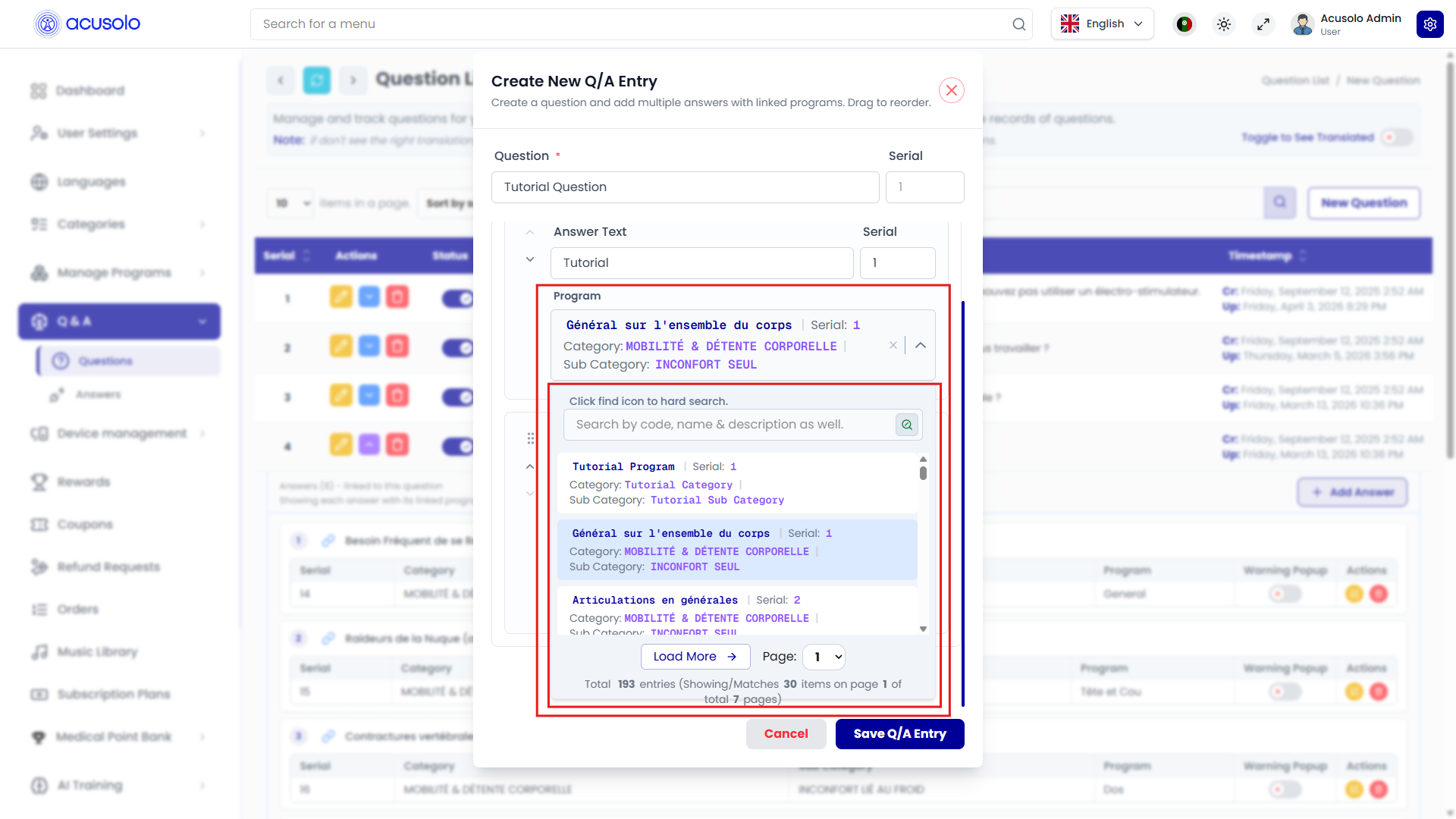
When picking or refining a program:
- Hint such as Click find icon to hard search.
- Search bar Search by code, name & description as well. with dedicated search trigger.
- Scrollable results listing programs with category/sub-category metadata.
- Pagination UX: Load More, Page selector, footer text like Total 193 entries (Showing/Matches 30 items on page 1 of total 7 pages).
Always finish with Save Q/A Entry to persist the complete graph (question + all answers + program links).
Edit Question
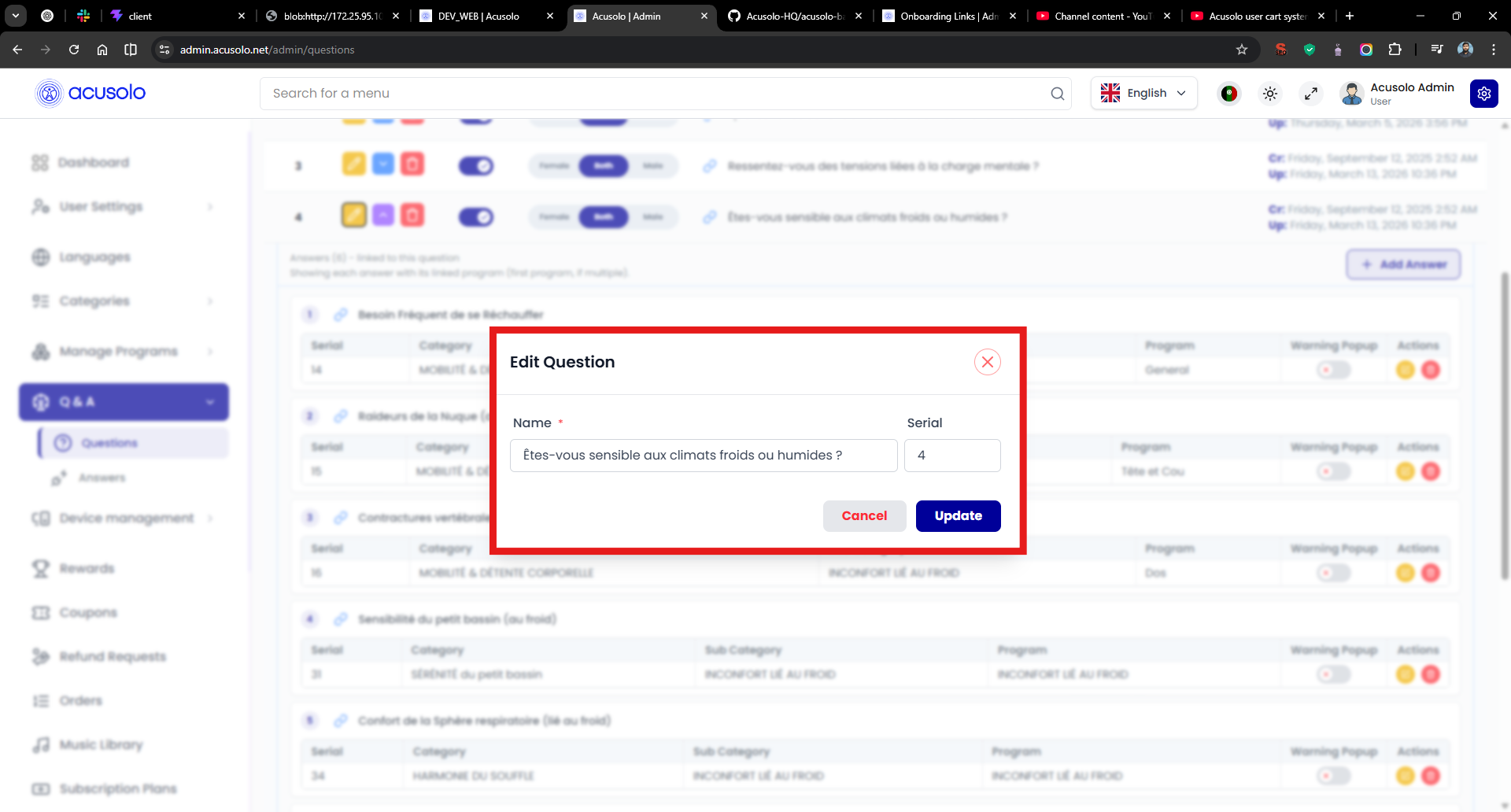
| Field | Required | Notes |
|---|---|---|
| Name | Yes (*) | Same semantic field as Question in create flow — the question text. |
| Serial | Yes | Ordering key. |
Actions: Cancel, Update.
Status and delete (questions)
- Status toggle on each question row enables/disables without deleting.
- Delete on the question row opens delete confirmation; confirming removes the question (confirm behavior matches other modules).
Warning popup flow (admin → web app)
Admin: Warning Popup toggle
Each answer row exposes Warning Popup as a toggle in the nested answers table.
Web: questionnaire with warning markers
On /settings/questions-history, contraindication-style questions render options with warning iconography when those answers have warning enabled — see highlighted warning triangles next to sensitive items:
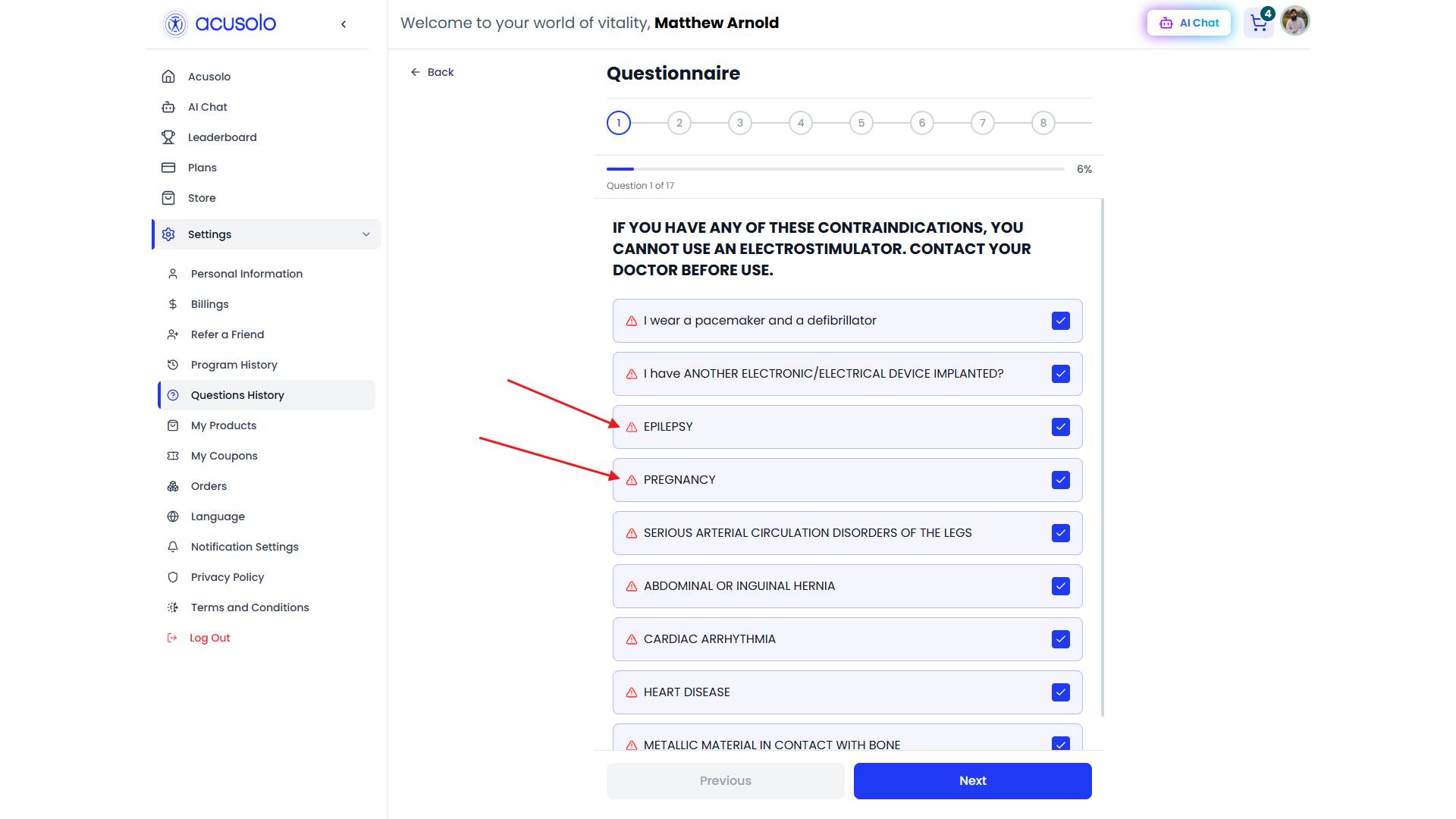
Typical UX chain:
- Admin enables Warning Popup on specific answers.
- Those answers render warning symbols next to the option labels in the questionnaire UI.
- User interaction on warned paths opens the blocking modal below.
Web: permanent warning modal
Selecting/interacting with a warned answer path can surface a blocking safety modal (persistent until user acknowledges navigation):
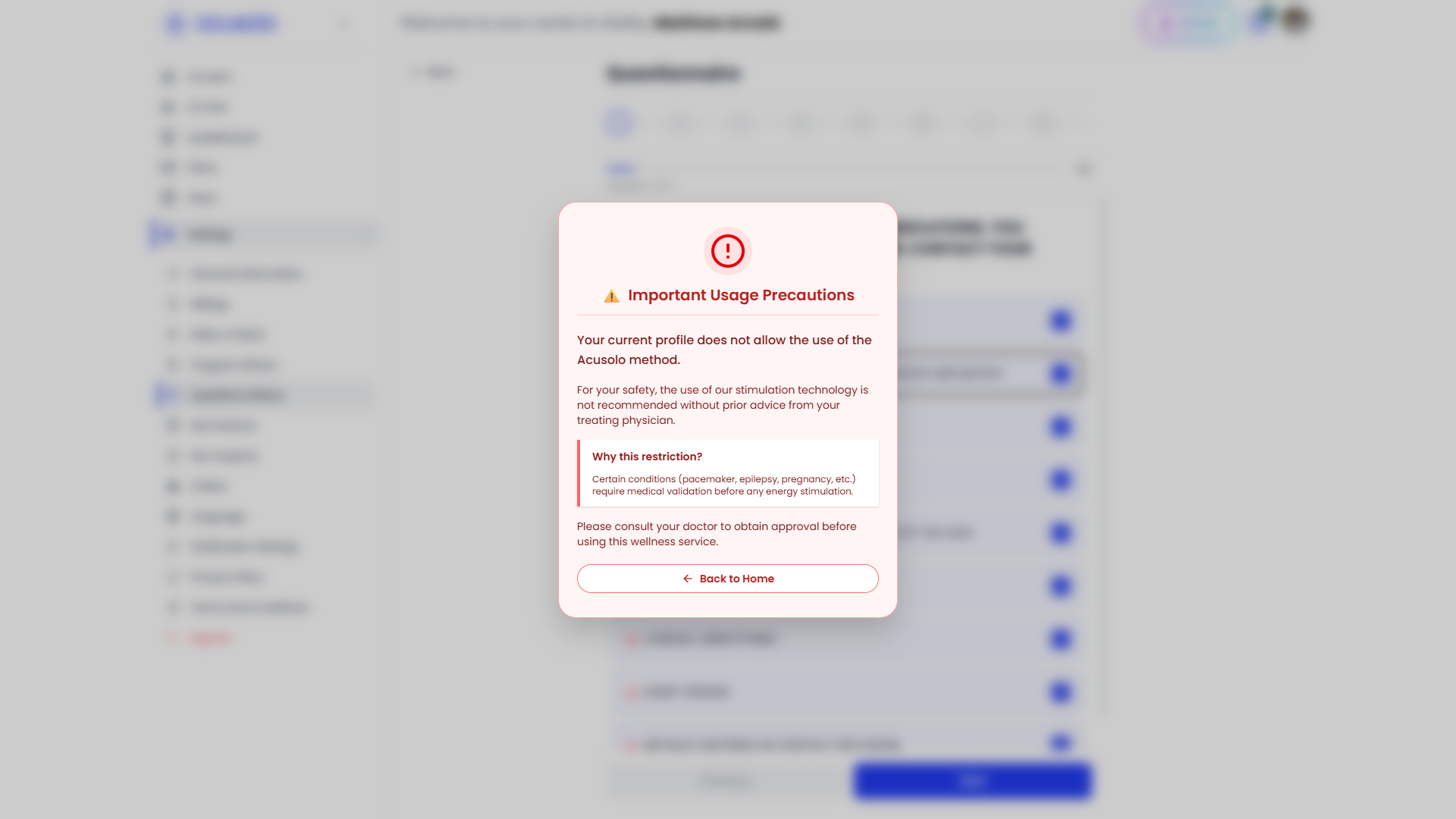
Modal copy (representative strings from UI):
- Title area includes Important Usage Precautions.
- Primary restriction line: Your current profile does not allow the use of the Acusolo method.
- Safety guidance recommending physician approval before stimulation-style wellness usage.
- Primary exit: Back to Home.
Treat this as safety-critical UX: admin teams should enable warnings only where clinical/legal copy requires hard stops.
Web app: questionnaire experience
Running the questionnaire
Users open Settings → Questions History (/settings/questions-history). The questionnaire UI shows:
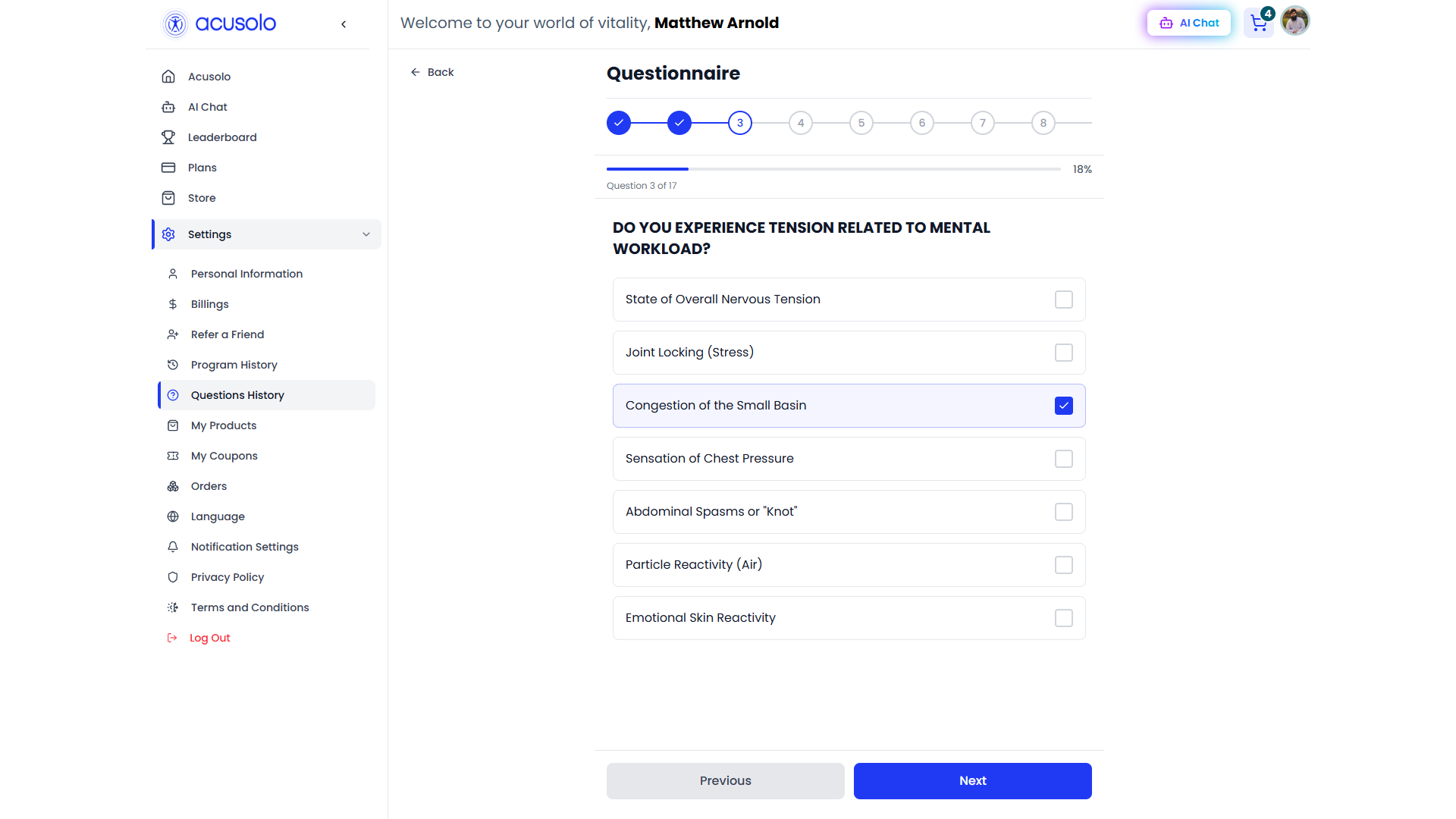
Typical UI elements:
- Step indicators (numbered circles) + overall percentage progress bar.
- Question X of Y counter.
- Bold question prompt.
- Multi-select or checklist-style answers (per question configuration).
- Previous / Next navigation.
Admin Serial ordering drives question order when the product sorts by serial ascending.
Recording answers & suggestions
User selections are stored server-side for profiling. After completion, the app presents harmonization / suggested programs driven by linked programs on answers — visually similar to:
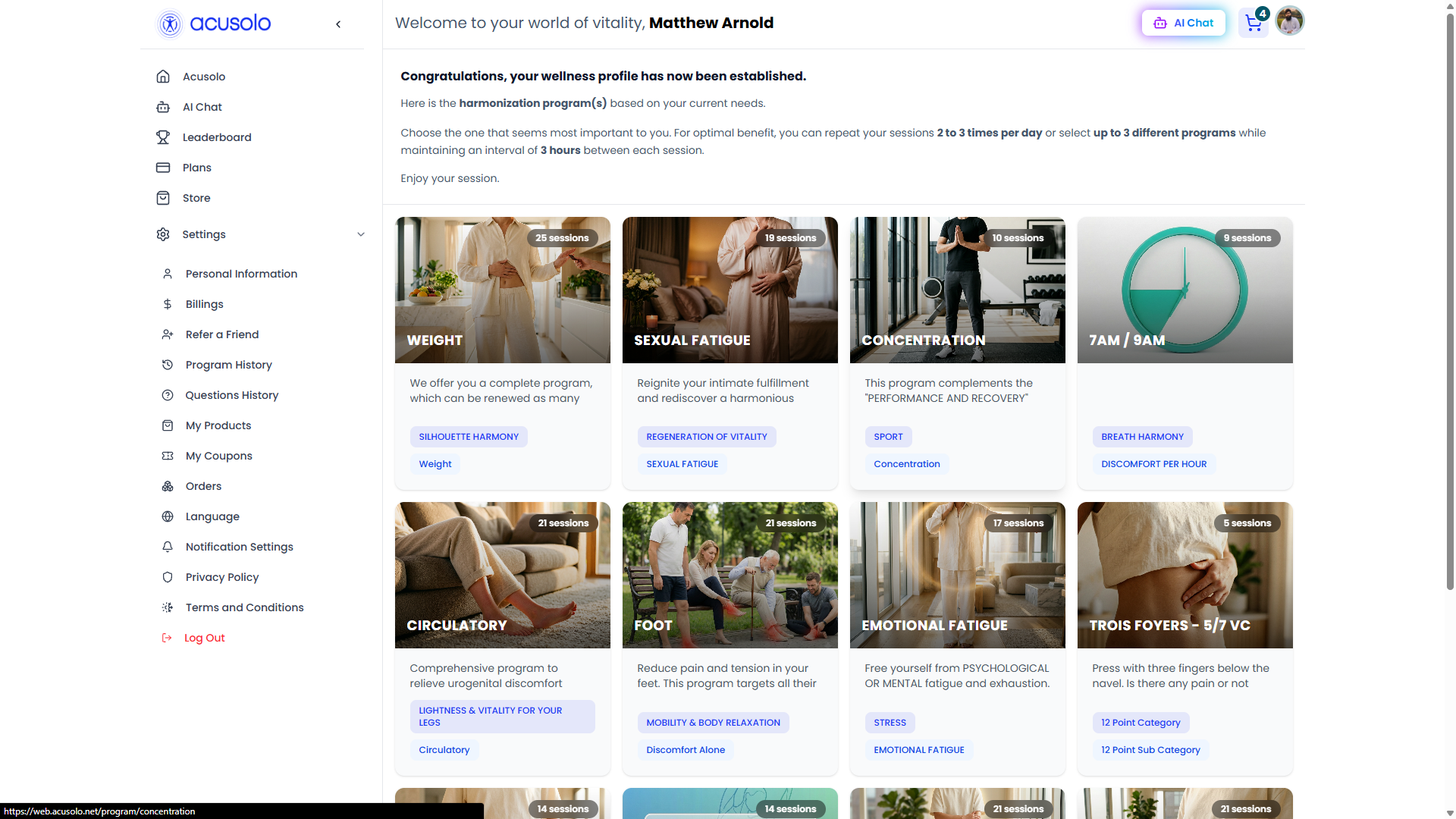
Headline copy on the results view (representative):
- Congratulations, your wellness profile has now been established.
- Here is the harmonization program(s) based on your current needs.
Each card reflects programs configured via answer → program links in admin. Operators can cross-check outbound suggestions using AI Suggestions for monitoring chat/questionnaire-driven recommendations.
Operational checklist
| Goal | Where |
|---|---|
| Change question order | Adjust Serial on question rows / edit modal — keep sort Serial ascending. |
| Change answer order | Adjust answer Serial (nested table or edit/create answer modal). |
| Change suggestion outcome | Edit answer Program link — ties questionnaire path to program cards. |
| Add/remove safety gate | Toggle answer Warning Popup — controls warning chrome + blocking modal risk on web. |
| Bulk-create question + answers | Use Create New Q/A Entry multi-stage modal with drag reorder + embedded program search. |