Music Library
This page documents the Music Library module in admin and how configured tracks are used in the web app session finish flow.
- Admin route:
https://admin.acusolo.net/admin/music - Web app base:
https://web.acusolo.net/
Related docs: Sessions, Session modals, Program.
Admin: music list page

The list follows the standard admin table pattern: search, sort, pagination, items per page, row actions, and status toggle.
Table columns
| Column | Definition |
|---|---|
| Serial | Row index / serial order in list view. |
| Actions | Edit (yellow pen), Preview (blue play), Delete (red trash). |
| Status | Active/inactive toggle for temporary enable/disable. |
| Title | Music track title. |
| Cover | Thumbnail image used for the track. |
| Artist | Artist name. |
| Album | Album name. |
| Genre | Genre tag (for example RELAXATION). |
| Duration | Track length shown in mm:ss. |
| Play Count | Usage count (e.g. 0 plays). |
| Year | Release/metadata year. |
| Timestamp | Created/updated timestamps. |
Preview action
Clicking Preview opens the audio file directly in browser media player.
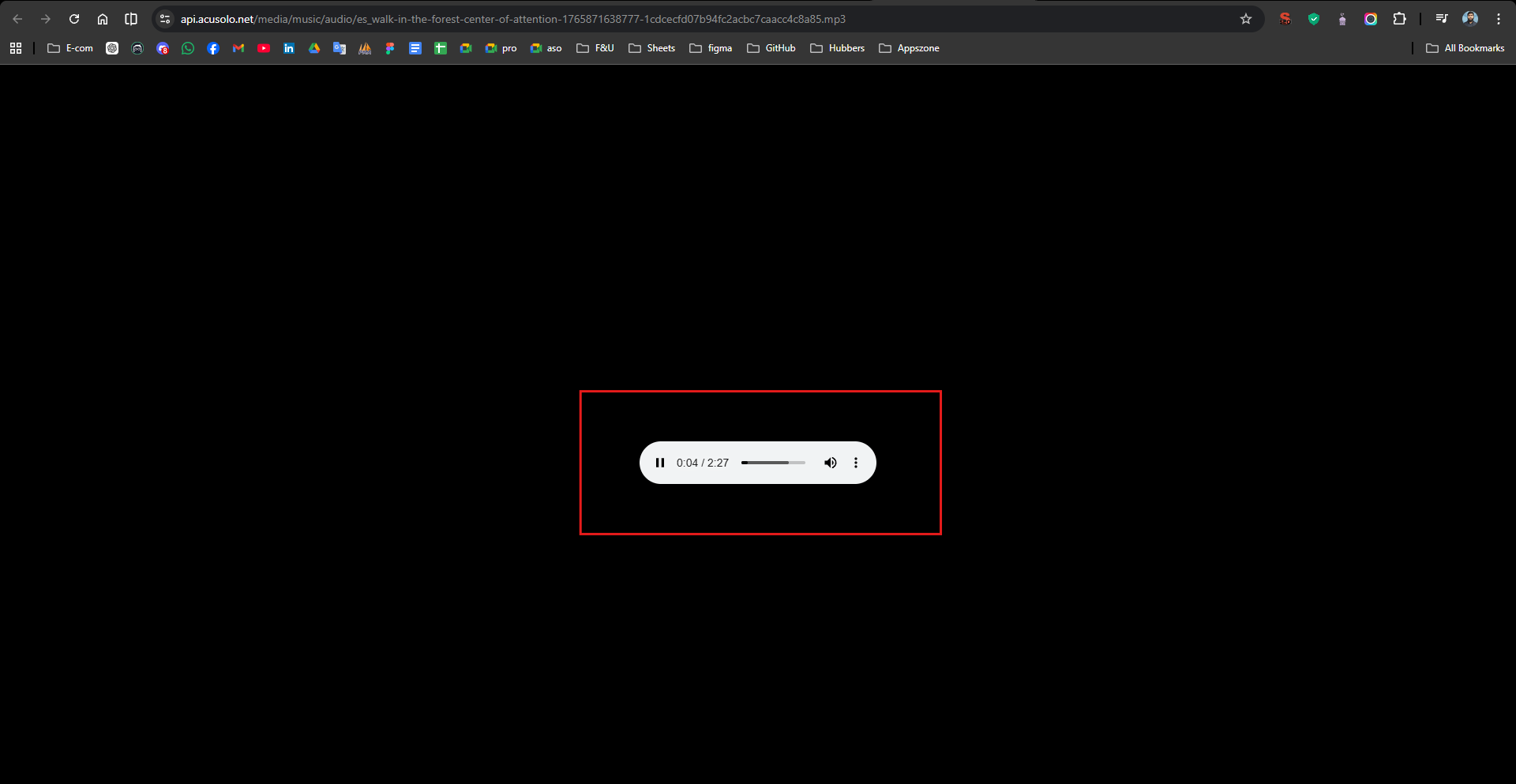
This is a quick validation step for playback, duration, and audio quality before publishing.
Create music modal
Click Add New Music to open the create modal.
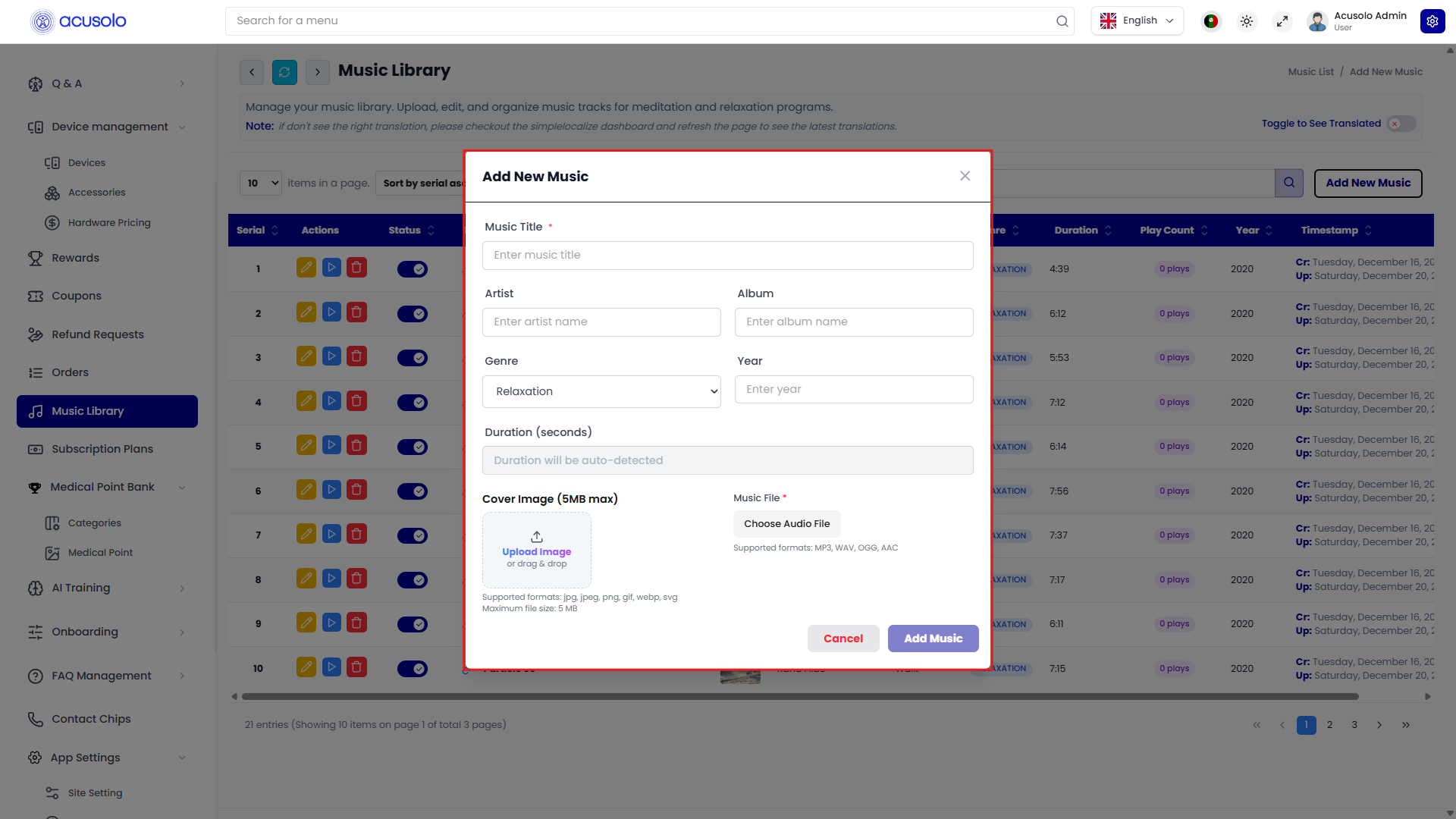
Fields
- Music Title (
*) - required. - Artist - optional text input.
- Album - optional text input.
- Genre - dropdown selector.
- Year - year input.
- Duration (seconds) - auto-detected from uploaded audio.
- Cover Image (5MB max) - image upload/drag-drop.
- Supported formats shown:
jpg,jpeg,png,gif,webp,svg
- Supported formats shown:
- Music File (
*) - audio file upload.- Supported formats shown:
MP3,WAV,OGG,AAC
- Supported formats shown:
Actions
- Cancel - close without saving.
- Add Music - create and persist the record.
Edit music modal
Click Edit in a row to open the update modal.
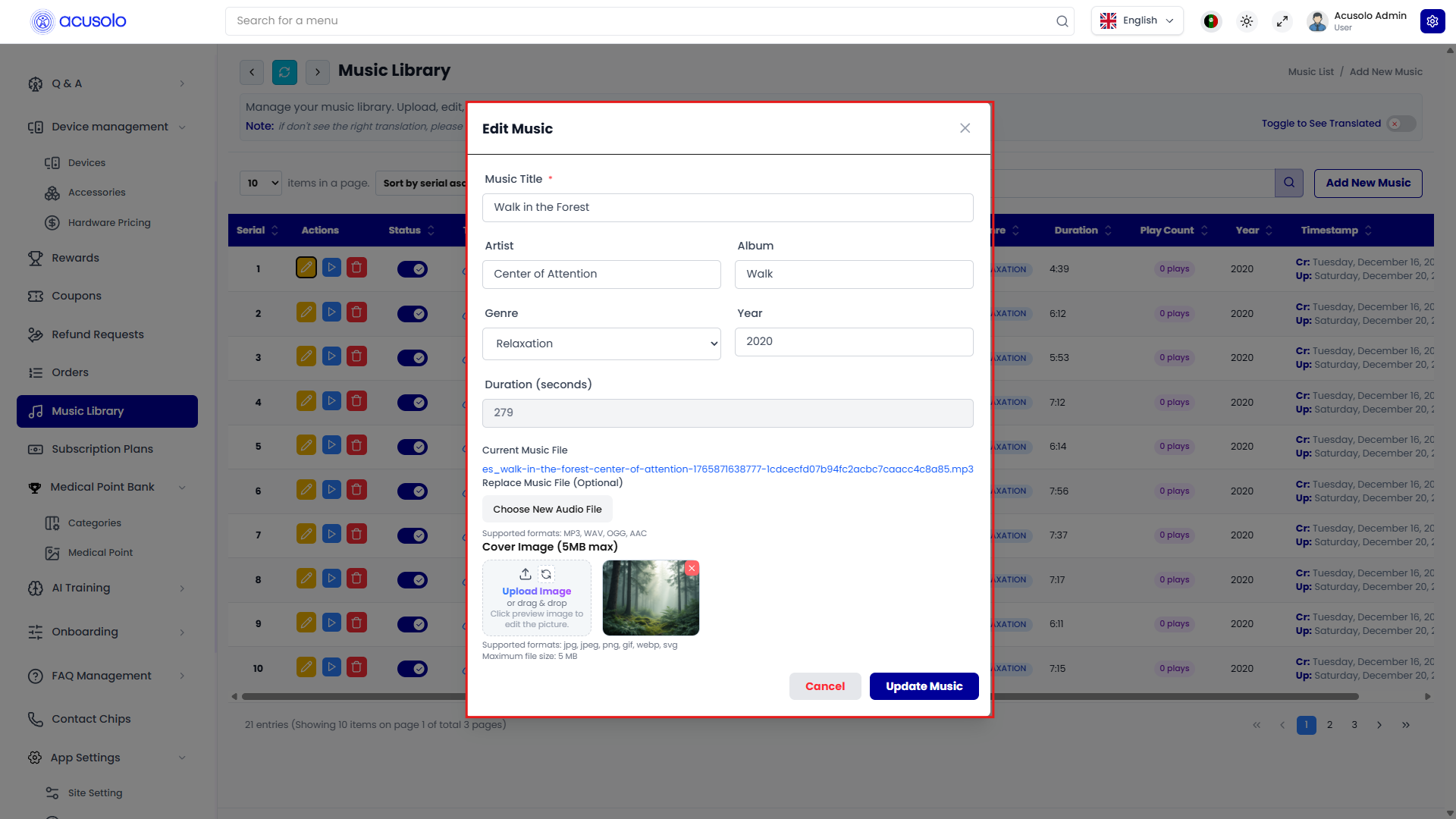
Behavior:
- all existing values are pre-filled,
- current audio file reference is shown,
- admin can replace audio file and/or cover image,
- metadata fields (title, artist, album, genre, year) can be modified,
- duration is retained/updated based on file changes.
Actions:
- Cancel
- Update Music
Status and delete behavior
- Status toggle: temporary availability control.
- On: available for session music playback.
- Off: hidden from active playback selection.
- Delete: opens standard confirmation modal; confirming removes the track record.
Web app flow: 10-minute music player
After opening a session details page (example: https://web.acusolo.net/session/8ea383d1-90e3-41ca-98e1-7fe1e23a6c46), when the user completes all steps and clicks Finished, a full-screen music player modal appears.
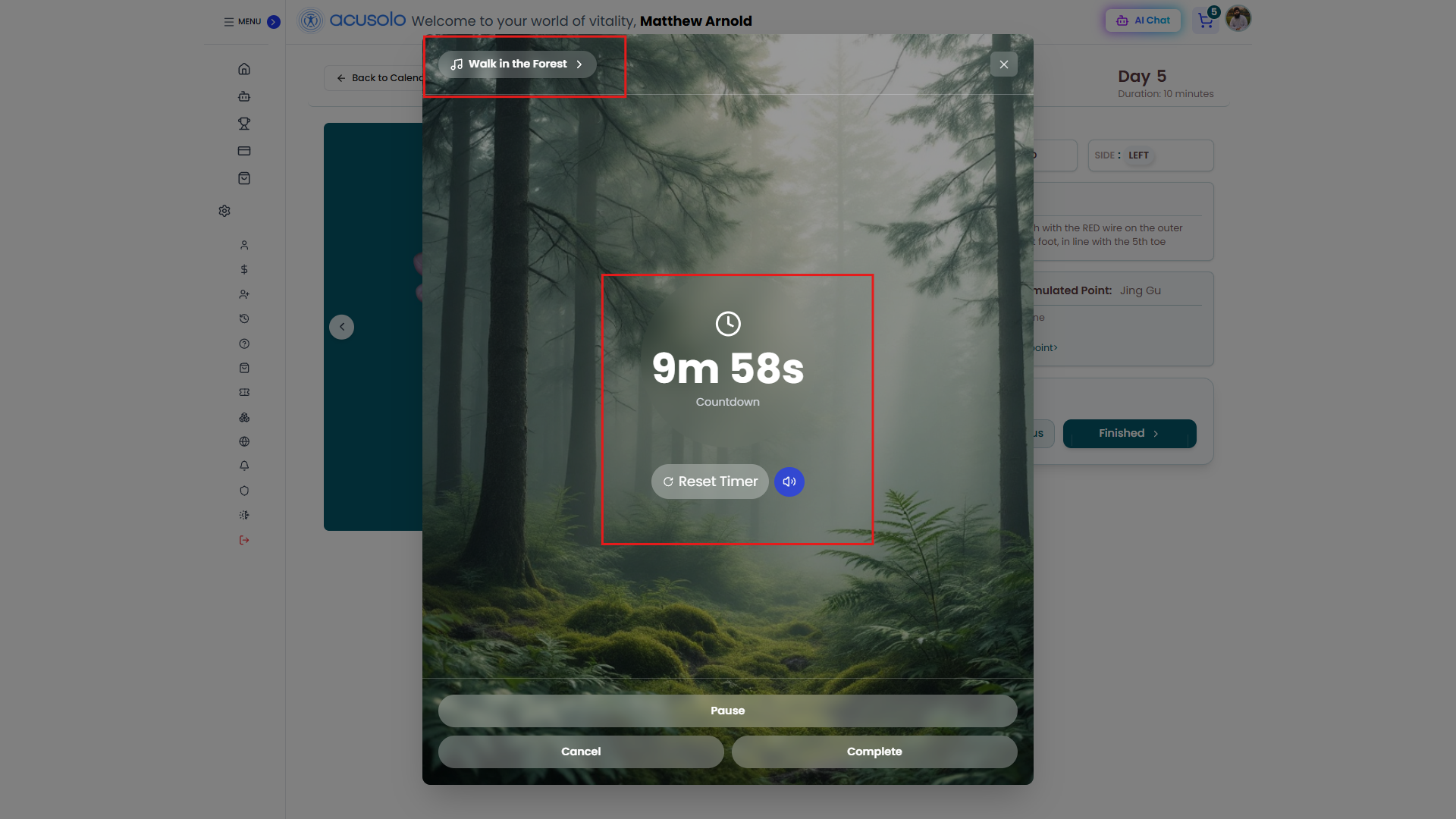
Core behavior
- Session timer runs for 10 minutes.
- Background image is taken from the first music track thumbnail.
- Tracks continue auto-play in sequence during the 10-minute flow.
- Playback continues until user chooses Cancel or Complete from the modal actions.
Player controls
- Mute/unmute control.
- Reset Timer control.
- Pause action.
- Cancel session action.
- Complete session action.
Soundscape library (manual selection)
Users can open and choose a specific track manually from the in-modal music list.
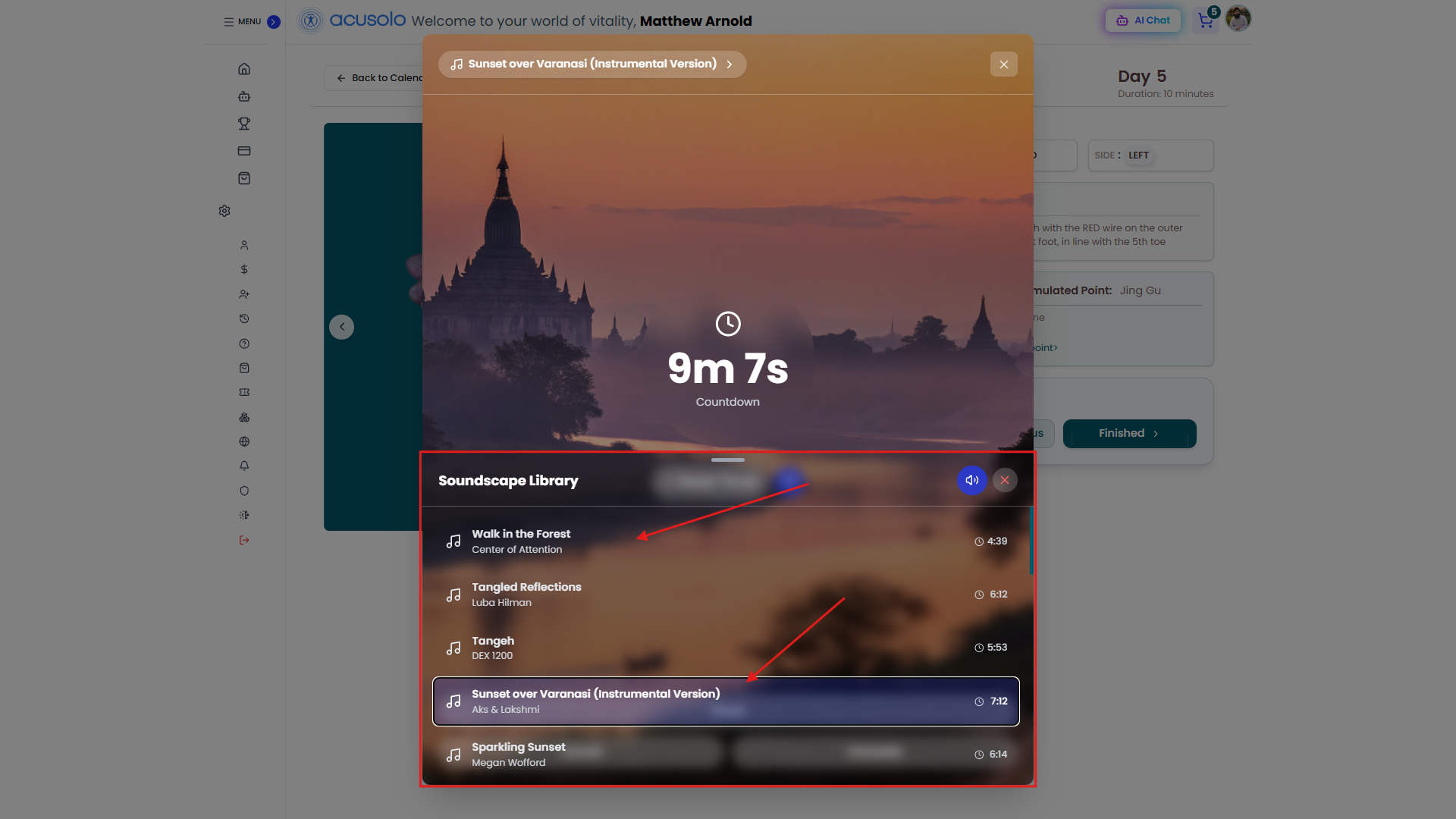
The Soundscape Library section shows available tracks with title, artist, and duration, and highlights the currently selected one.