FAQ Management
The FAQ system allows admins to organize reusable questions and answers into categories. These categories can be used inside admin-managed content areas such as the privacy policy page.
At the moment, this FAQ feature is not one of the most active or business-critical areas. It has still been built in an expandable way so that future content pages can reuse FAQ categories, grouped answers, icons, ordering, and different display styles.
- FAQ category list:
https://admin.acusolo.net/admin/faq-category - FAQ list:
https://admin.acusolo.net/admin/faq - Category-specific FAQ list:
https://admin.acusolo.net/admin/faq?faqCategoryId=fc79471a-21e8-4b50-9389-41ffe0b59b08&faqCategoryTitle=Footer%20Actions - Privacy policy settings:
https://admin.acusolo.net/admin/app-settings/privacy-policy - Web privacy policy page:
https://web.acusolo.net/privacy-policy
FAQ category list
The FAQ category list page lets admins create and manage groups of FAQs.

Admins can:
- View all FAQ categories.
- Search categories.
- Create a new category.
- Edit an existing category.
- Delete a category.
- Enable or disable a category.
- See how many FAQs are inside each category.
- Open the FAQ list filtered by a selected category.
Category table columns
| Column | Meaning |
|---|---|
| No. | Serial/order value used for display ordering. |
| Actions | Edit, delete, or view FAQs inside the category. |
| Status | Shows whether the category is active or inactive. |
| Icon | Optional icon shown with the category. |
| Title | Category name. |
| FAQs Count | Number of FAQ items inside that category. |
| Description | Category description or body text, depending on how the category is used. |
| Timestamp | Created and updated time. |
Create FAQ category
Click New FAQ Category to open the create modal.
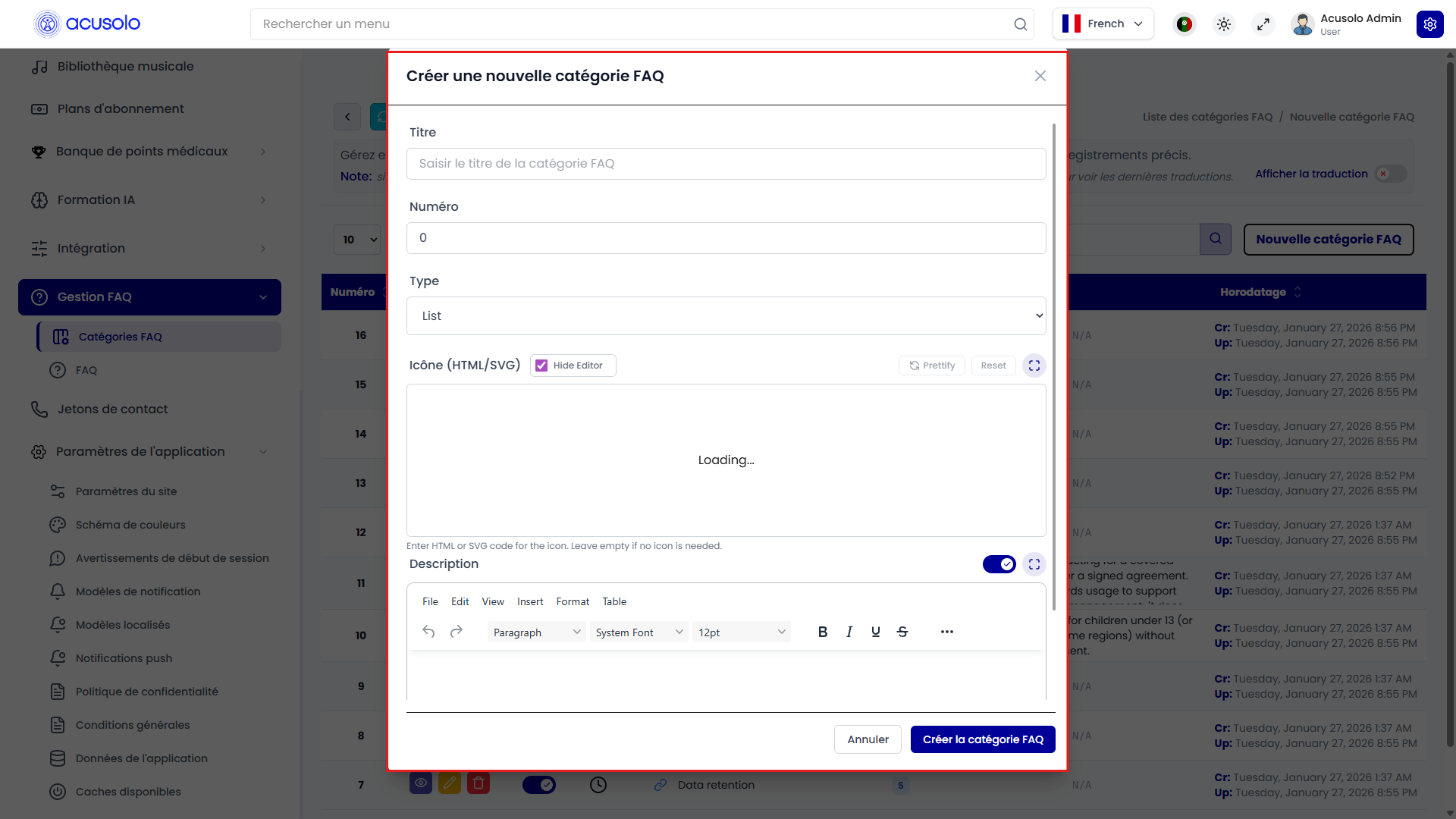
Category fields
| Field | Meaning |
|---|---|
| Title | Required. The category name shown in the admin panel and on pages where the category is displayed. |
| Serial | Optional. Controls display order. Lower numbers appear earlier. If empty, it is treated as 0. |
| Type | Controls how the category content is displayed. |
| Icon | Optional icon markup. This can be used to show an icon beside the category title. |
| Description | Optional category description. For text-style categories, this can become the main visible content. |
Category type options
| Type | Meaning |
|---|---|
| List | Shows the category's FAQ items as a list. |
| Table | Shows FAQ items in a table format. This is useful for structured policy-style content. |
| Rights | Shows FAQ items as a list with a rights/action-oriented presentation. |
| Permissions | Shows FAQ items as a list for permission-related content. |
After creation, the category appears in the category list. If it is active, it can be selected in other content settings such as the privacy policy page.
Edit FAQ category
The edit modal opens with the selected category's existing data already filled in.
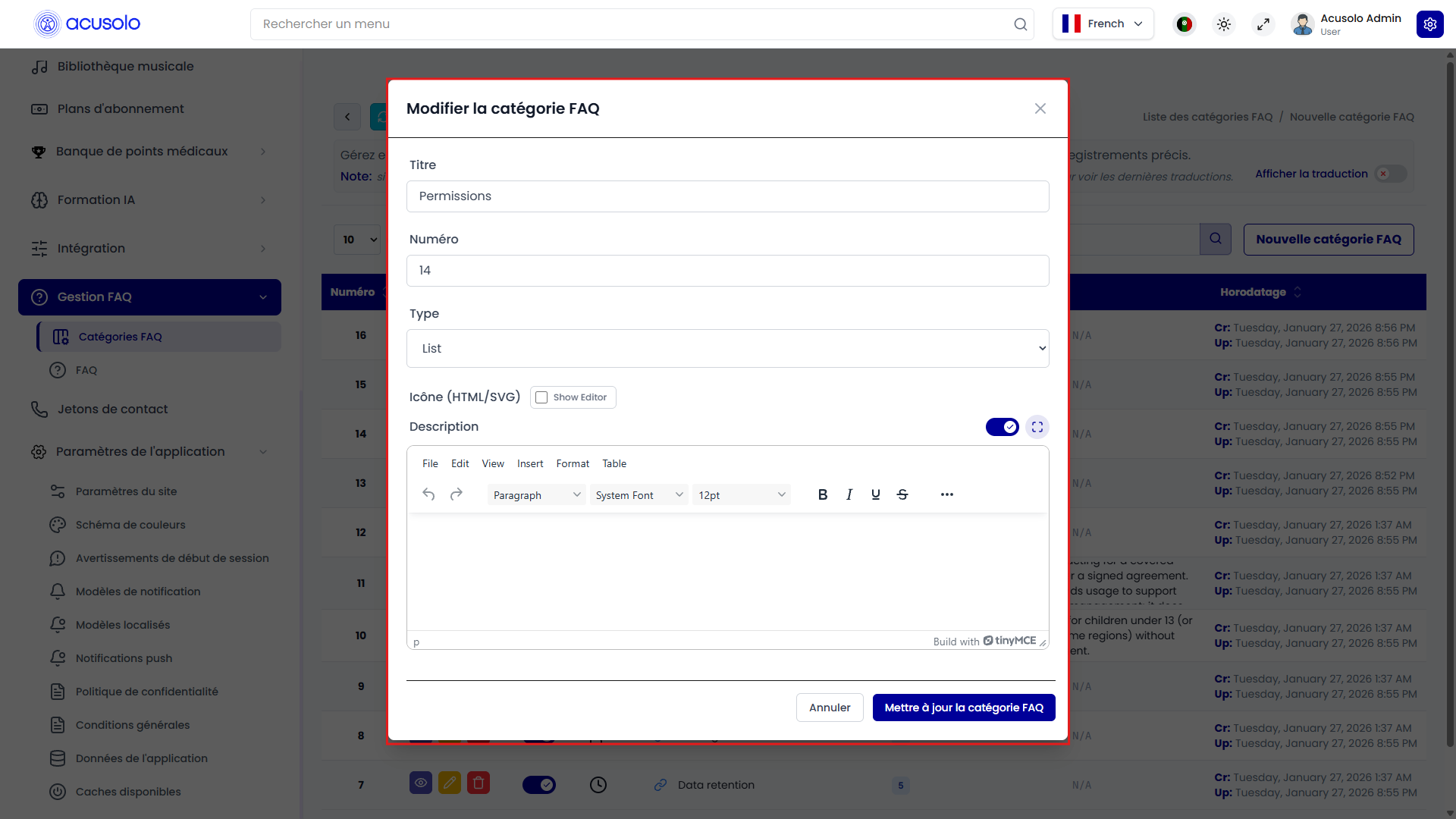
Admins can update:
- Title
- Serial
- Type
- Icon
- Description
Changing the serial changes where the category appears in pages that display categories by order. Changing the type can change how the category content appears on the web app, for example from list-style content to table-style content.
View FAQs by category
From the FAQ category list, the View FAQs action opens the FAQ list filtered to that category.

This helps admins manage only the questions that belong to a specific category, instead of searching through all FAQ items.
FAQ list
The main FAQ list page shows individual FAQ items.
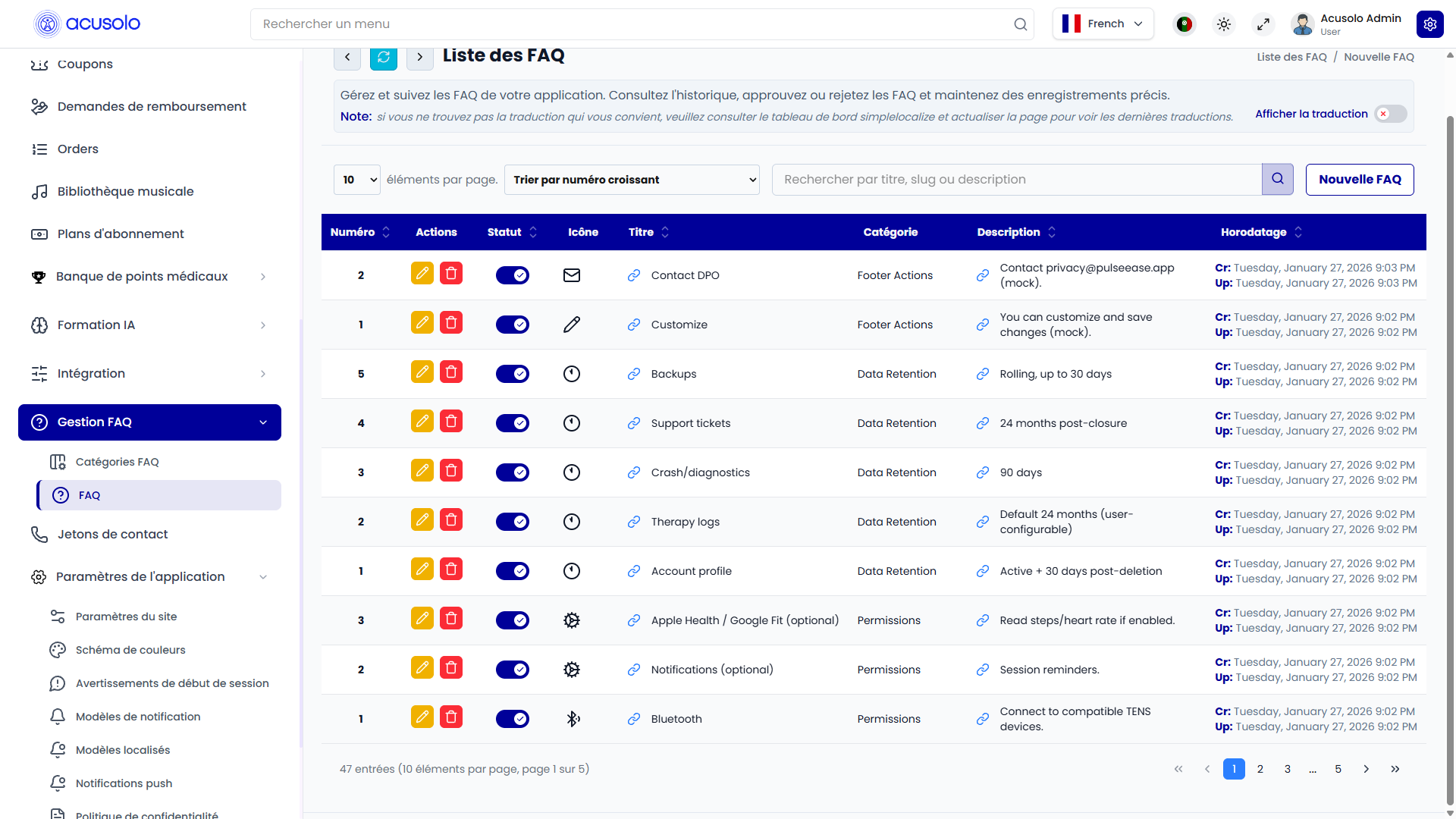
Admins can:
- View all FAQ items.
- Search FAQs.
- Create a new FAQ.
- Edit an FAQ.
- Delete an FAQ.
- Enable or disable an FAQ.
- See which category each FAQ belongs to.
FAQ table columns
| Column | Meaning |
|---|---|
| No. | Serial/order value used for display ordering. |
| Actions | Edit or delete the FAQ. |
| Status | Shows whether the FAQ is active or inactive. |
| Icon | Optional icon for the FAQ item. |
| Title | The question or FAQ heading. |
| Category | The category that this FAQ belongs to. |
| Description | The answer or content for the FAQ. |
| Timestamp | Created and updated time. |
Create FAQ
Click New FAQ to open the create modal.
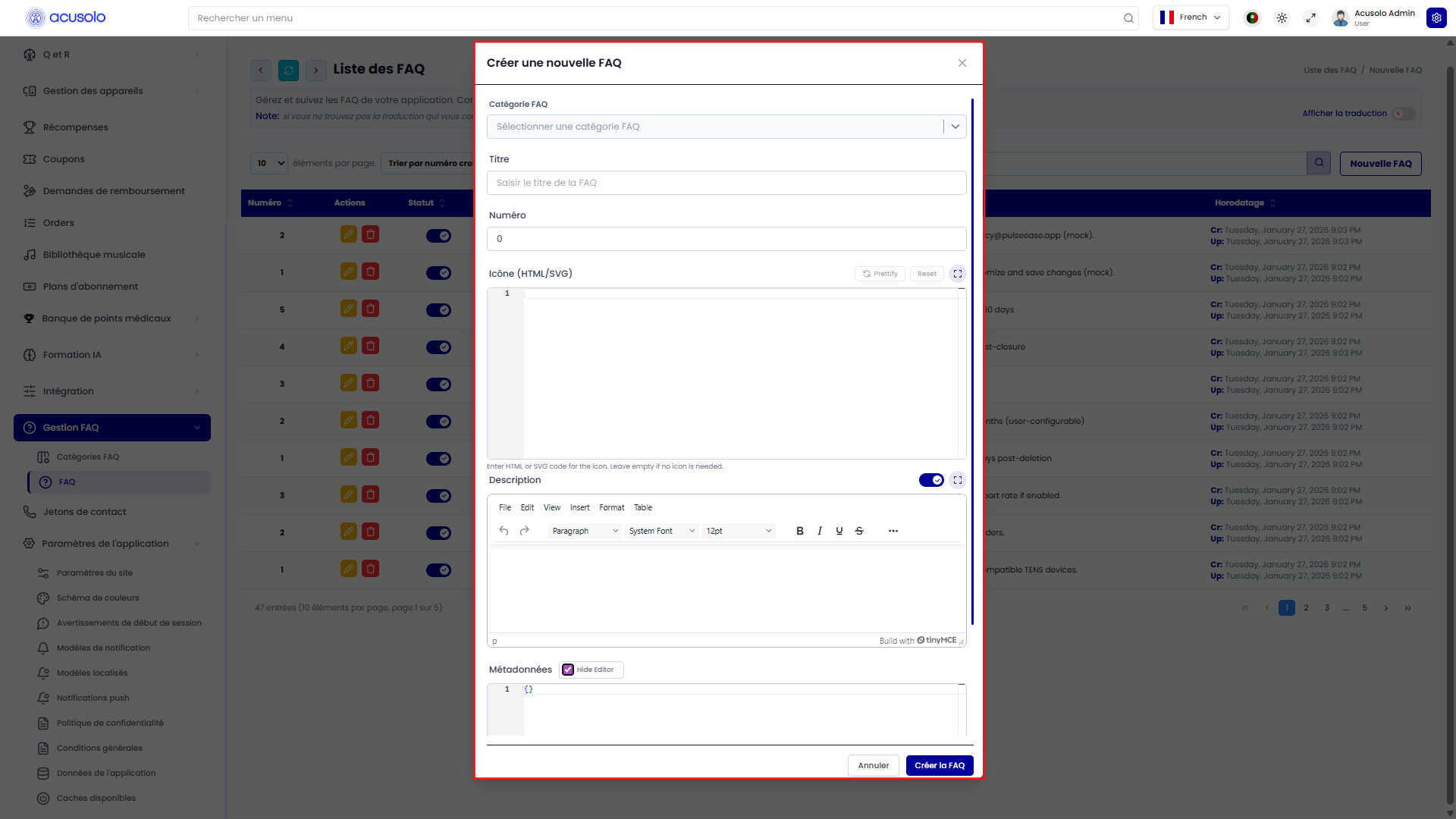
FAQ fields
| Field | Meaning |
|---|---|
| FAQ Category | Required. Selects which category the FAQ belongs to. |
| Title | Required. The question or heading. |
| Serial | Optional. Controls display order inside the category. Lower numbers appear earlier. |
| Icon | Optional icon markup for the FAQ item. |
| Description | Optional answer/content shown for the FAQ. |
| Metadata | Optional extra structured information for future use. For normal FAQ management, admins usually do not need to change this. |
The category and title are required. Without a category, the FAQ cannot be grouped or displayed correctly.
Edit FAQ
The edit modal opens with the selected FAQ's existing data already filled in.
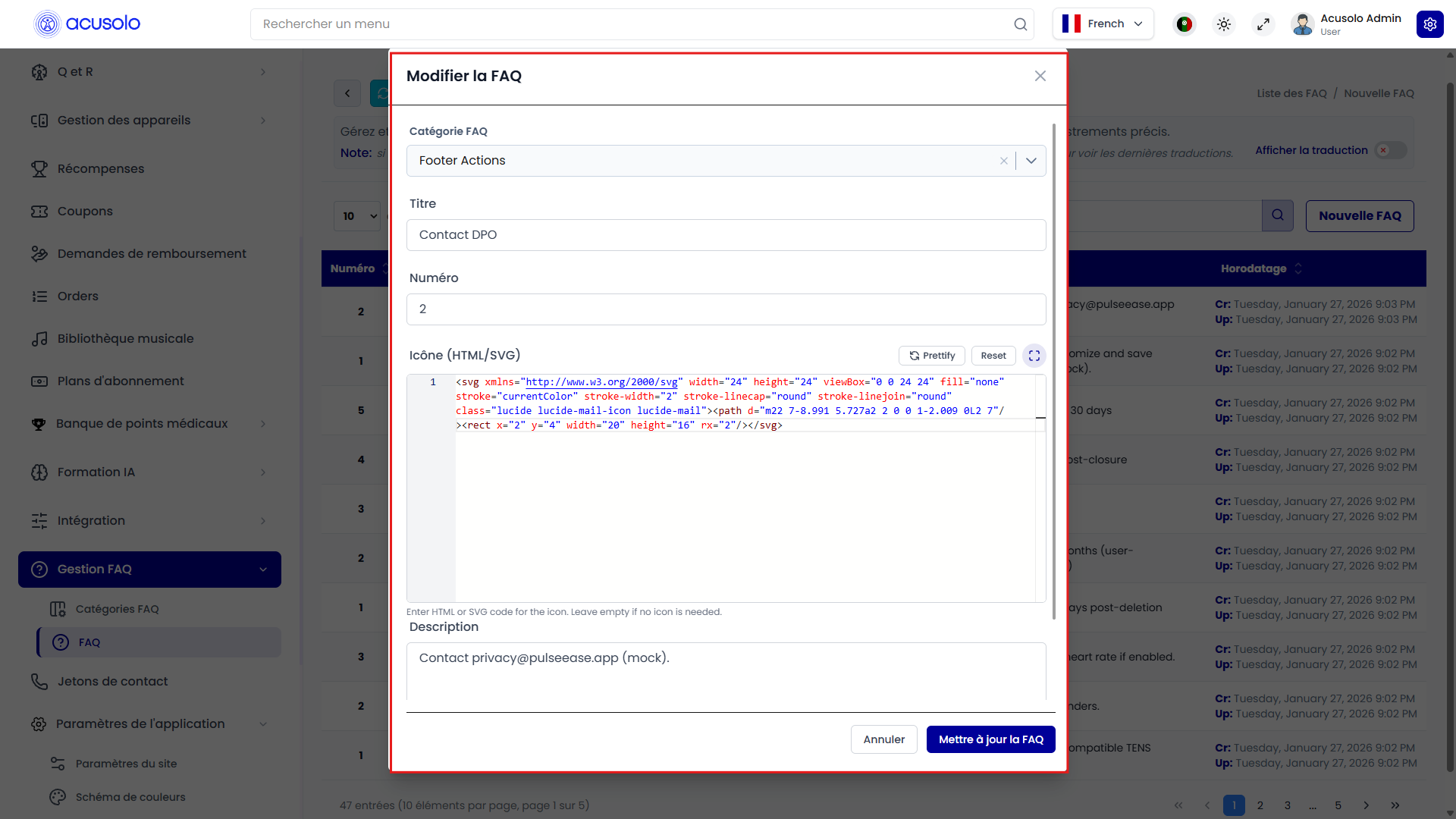
Admins can update:
- FAQ Category
- Title
- Serial
- Icon
- Description
- Metadata
Changing the category moves the FAQ into another category. Changing the serial changes the order of that FAQ inside its category.
Delete and status behavior
FAQ categories and FAQ items both use the standard delete confirmation pattern.
Before deleting a category, admins should check whether it contains FAQ items or is used in privacy policy settings. If a category is removed, related content should be reviewed so the web page does not lose expected sections.
Status behavior:
- Active category: can be used in public-facing content areas.
- Inactive category: should not appear in active public-facing selections.
- Active FAQ: can appear in public-facing category content.
- Inactive FAQ: should not appear in active public-facing FAQ lists.
Privacy policy usage
The privacy policy settings page can use selected FAQ categories to build accordion-style content.

When the privacy policy content type is set to an accordion-style layout, admins can select FAQ categories. The selected categories become sections on the web privacy policy page.
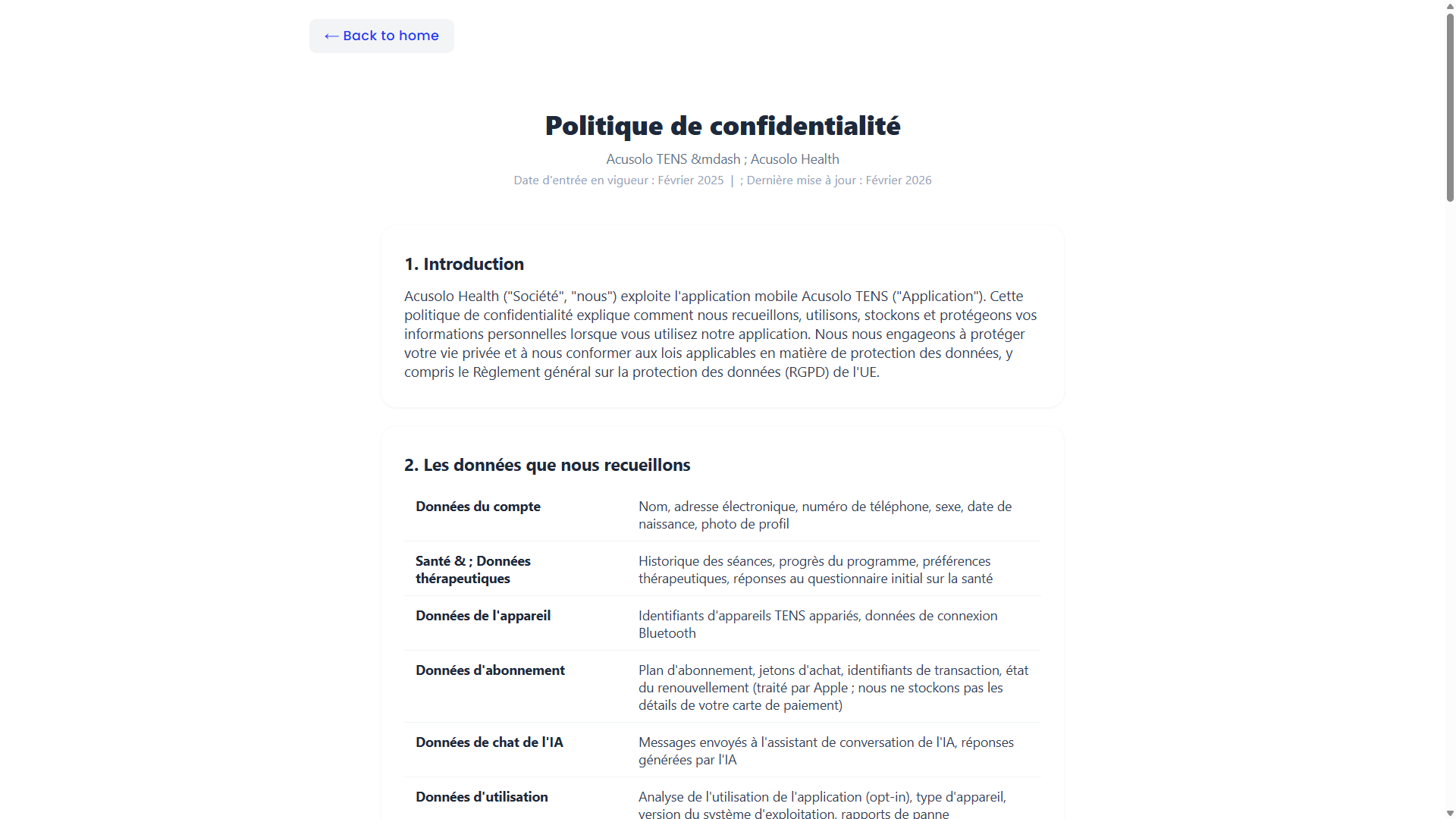
On the web page:
- Categories appear as accordion sections.
- Categories are ordered by their serial value.
- The first category can open by default.
- Category icons can appear beside the category title.
- FAQ items appear inside their selected category.
- Table-style categories show FAQ items in a structured table.
- Text-style categories show the category description as the main content.
This is why the FAQ category feature is useful beyond a normal FAQ page. It can also power policy-style pages and future content sections.
Important rules
- Category title is required.
- FAQ title is required.
- FAQ category is required for each FAQ item.
- Serial values should be planned carefully because they control display order.
- Category type should match how the content should appear on the web page.
- Inactive categories or FAQs should not be used for public-facing content.
- Deleting categories used by privacy policy can remove visible sections from the web privacy policy page.
- The FAQ feature is currently not heavily used, but it is designed for broader future content management.
Common error cases
Admins may face these issues:
- Required title is missing.
- FAQ category is not selected.
- Serial value is invalid.
- Metadata format is invalid.
- A selected category has no FAQ items.
- A category is inactive, so it does not appear where the admin expects.
- A deleted or inactive category causes missing sections on the web privacy policy page.
Overall flow
- Admin creates FAQ categories.
- Admin creates FAQ items and assigns each FAQ to a category.
- Admin orders categories and FAQs using serial values.
- Admin selects FAQ categories in privacy policy settings if needed.
- The web privacy policy page displays the selected categories and FAQ items.
- Future pages can reuse the same category-based FAQ structure.