Steps (Étapes)
Each step belongs to exactly one Session. Steps define order, the linked medical point, visuals (color / side), and the instruction text the user follows during that part of the session.
- Base URL (Admin):
https://admin.acusolo.net/
Related: Sessions, Session modals, Medical Point Items.
What a step is (plain language)
A step is one beat inside a Session: “place the device here,” “use this color,” “follow this instruction.” Users see steps in order during a session. The admin Numéro column is that order.
Important: Steps do not replace session-level welcome modals. Modals run after the user finishes the session flow; steps run during it.
Steps list
Under Gérer les programmes → Étapes. Use Nouvelle étape to create a step.
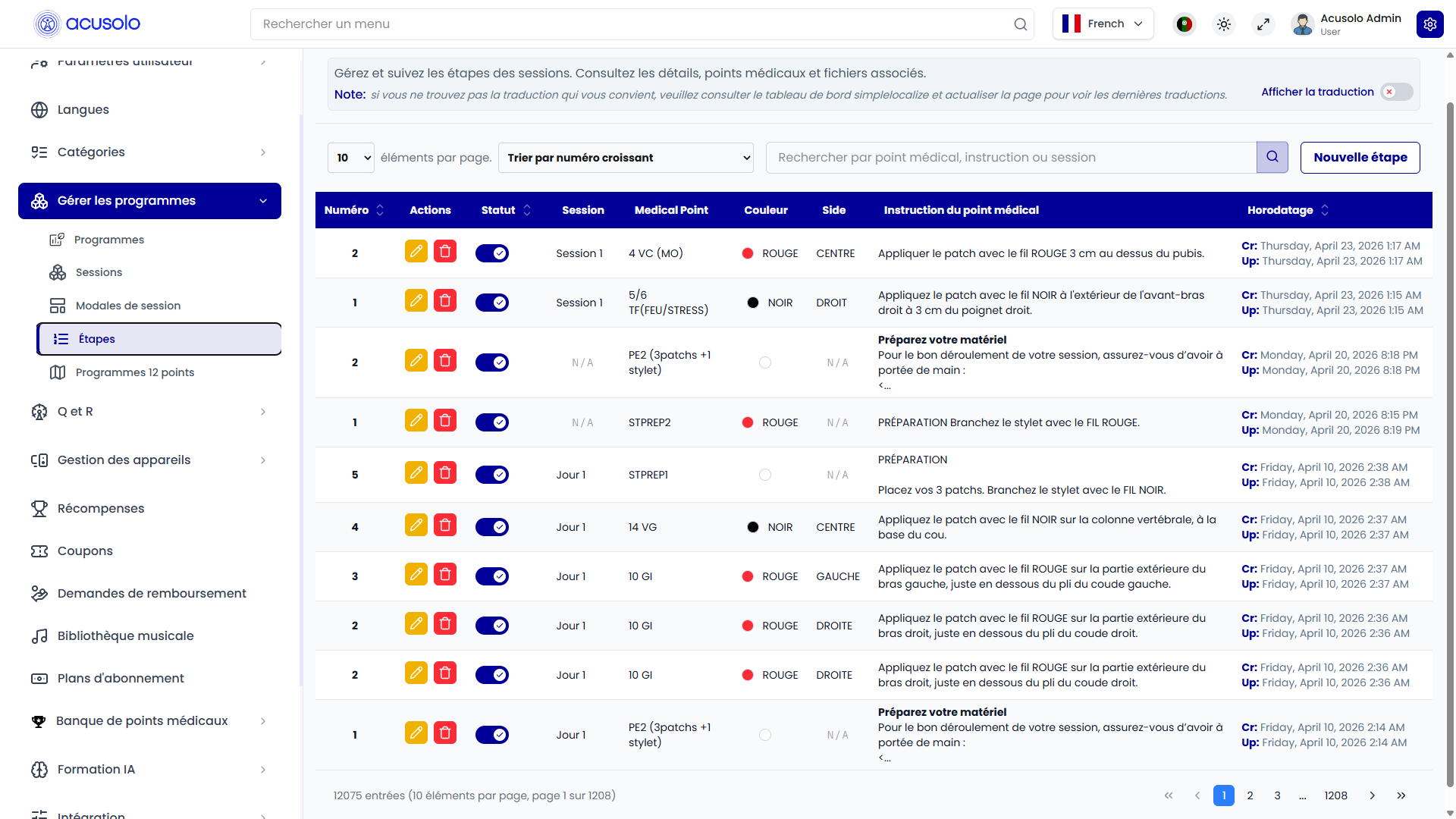
Toolbar
- Items per page, sort (for example Trier par numéro croissant).
- Search — placeholder along the lines of Rechercher par point médical, instruction ou session.
- Nouvelle étape — opens Create step.
Columns
| Column | Definition |
|---|---|
| Numéro | Step order within the session (1, 2, …). |
| Actions | Edit (pen), Delete (trash — confirm, then remove). |
| Statut | Toggle: active / inactive for this step in product flows. |
| Session | Which session this step belongs to (for example Session 1, Jour 1). |
| Medical Point | Linked point code / label from the medical point bank. |
| Couleur | Color used in UI (for example ROUGE / NOIR). |
| Side | Body side when applicable (GAUCHE, DROIT, CENTRE, or N/A). |
| Instruction du point médical | Instruction copy (may be truncated in the table). |
| Horodatage | Cr / Up created and updated times. |
Large datasets use standard pagination at the bottom of the table.
Step order (Numéro) — best practice
- Use 1, 2, 3, … without gaps when possible so operators and logs match user-facing “step 1 of N.”
- If you insert a new middle step, renumber siblings so the sequence stays intuitive (some UIs show “step N” to end users from this order).
- Duplicate numbers in the same session confuse QA and may produce undefined ordering in the client—avoid them.
Statut (row toggle)
When Statut is off, treat the step as excluded from the live flow (exact client behavior may hide the step or skip it—design for “off means do not rely on this step in production”).
Create step modal
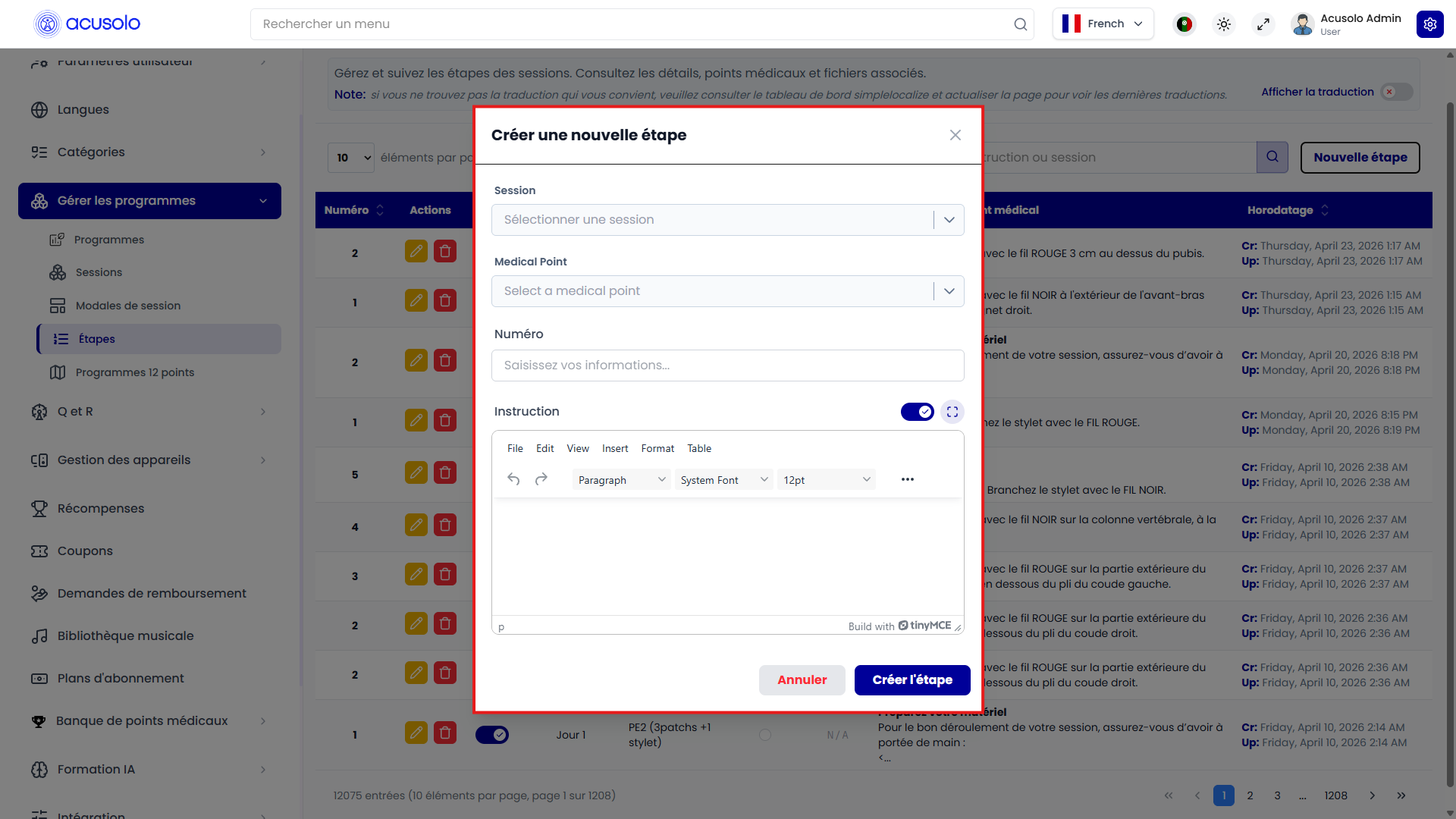
| Field | Role |
|---|---|
| Session | Required — pick the session this step belongs to (Sélectionner une session). |
| Medical Point | Required — choose the point for this step. |
| Numéro | Step sequence number inside the session. |
| Instruction | Rich text (TinyMCE); toggle and fullscreen helpers on the editor. |
Annuler closes without saving. Créer l'étape saves the new step.
Edit step modal
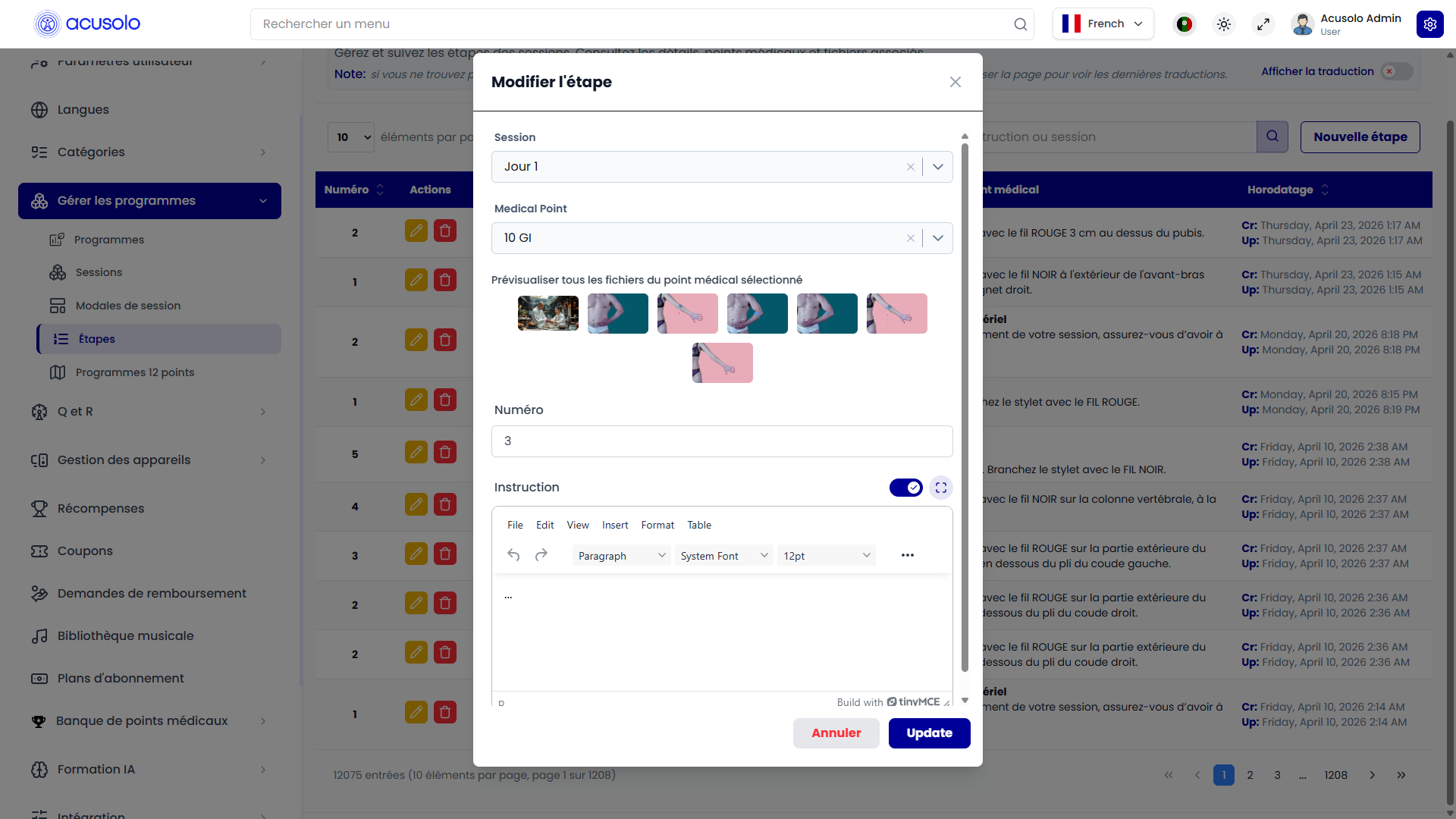
Same fields as create, pre-filled. You can change Session to move a step to another session when the product allows it.
Prévisualiser tous les fichiers du point médical sélectionné — thumbnail strip for assets tied to the selected medical point (helps verify the correct point before saving).
Annuler / Update — discard or save changes.
Entry points
- Sidebar Étapes — full list of all steps.
- From Sessions, the list action on a row opens the steps view scoped to that session (same module, filtered context).