AI Manage Rules
This module manages structured AI rule records that feed your training pipeline (including vector-style ingestion and embedding workflows).
- Base URL (Admin):
https://admin.acusolo.net/
AI Rule list
Under AI Training → Manage Rules.
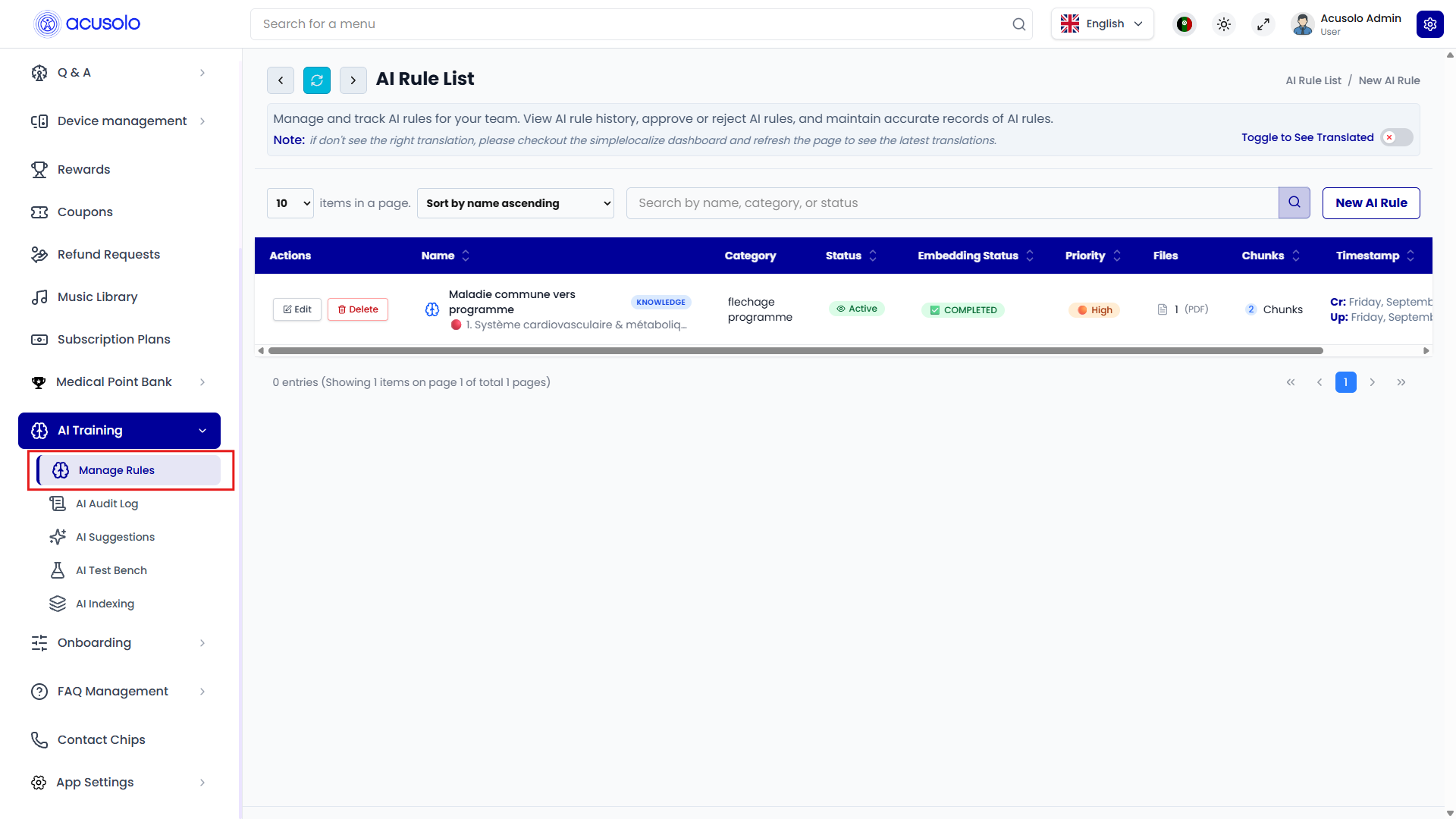
Columns
| Column | Definition |
|---|---|
| Actions | Edit (update rule) and Delete (remove rule, with confirmation). |
| Name | Rule name / internal subject of the training item. |
| Category | Optional grouping label (domain, feature, or topic bucket). |
| Status | Active state of the rule (for serving/training selection). |
| Embedding Status | Processing result for embedding pipeline (for example COMPLETED). |
| Priority | Rule priority level (for ranking/selection behavior). |
| Files | Number of attached files ingested for this rule (for example PDF count). |
| Chunks | Number of generated chunks after document split/index stage. |
| Timestamp | Created / updated dates. |
List behavior
- Search by name / category / status.
- Sort and pagination work like other admin tables.
New AI Ruleopens the create modal.
Create AI Rule
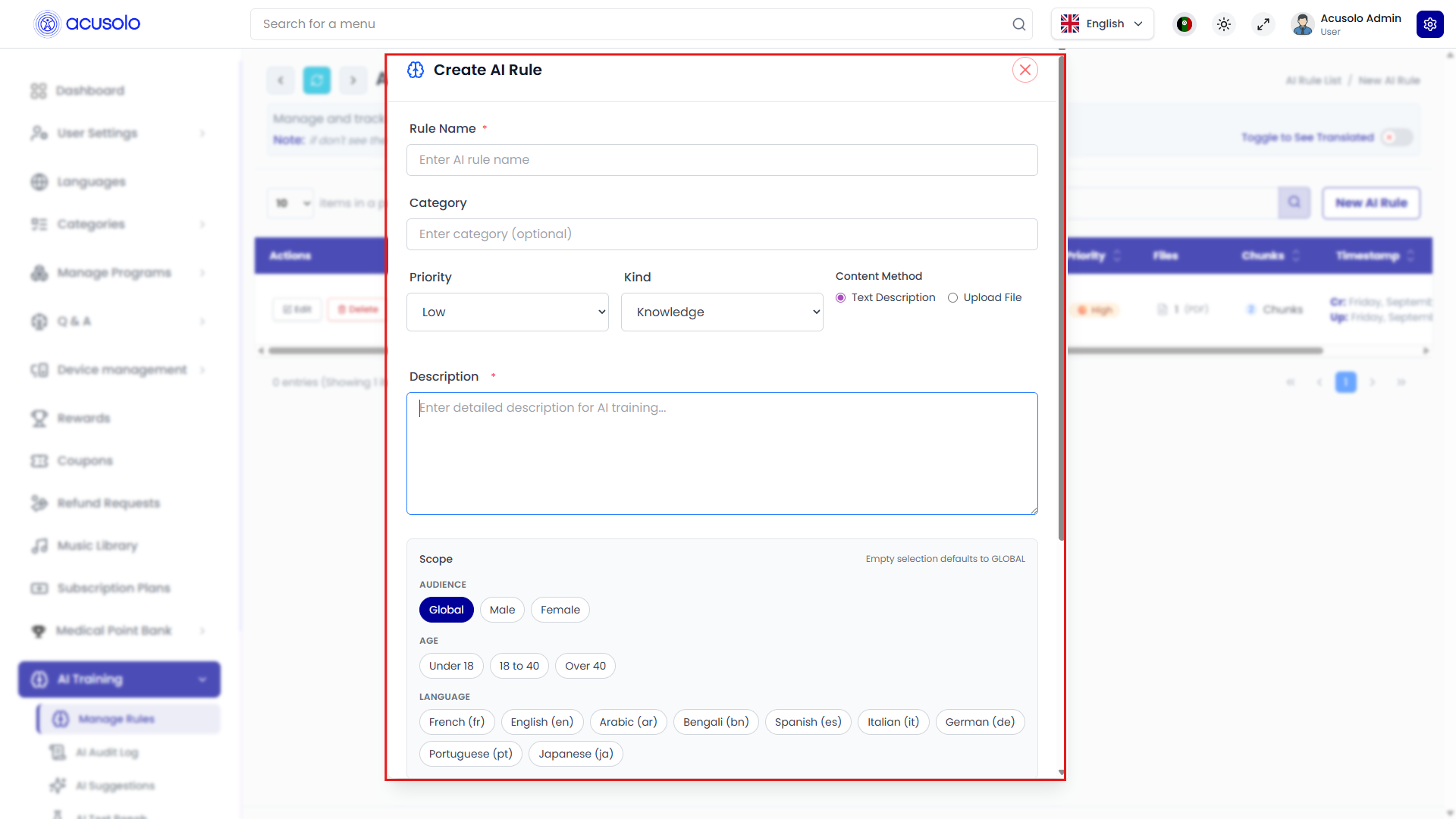
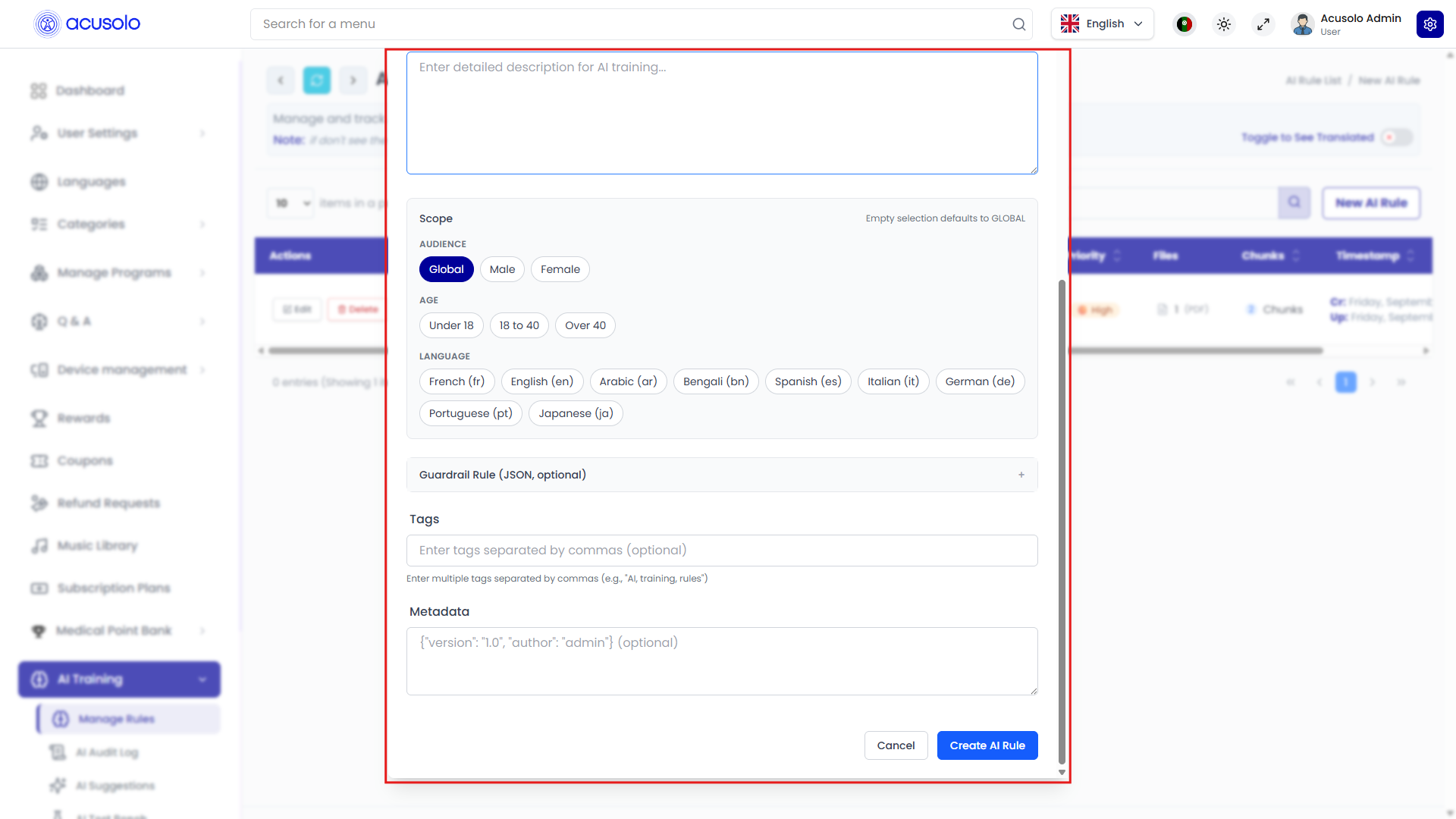
Main fields
- Rule Name (required)
- Category (optional)
- Priority (for example Low / High)
- Kind (for example Knowledge)
- Content Method
- Text Description
- Upload File
- Description (required content body when using text route)
Scope targeting
- Audience: Global / Male / Female
- Age: Under 18 / 18 to 40 / Over 40
- Language: multiple language chips (fr, en, ar, bn, es, it, de, pt, ja, etc.)
If no scope is selected, UI indicates fallback to GLOBAL.
Advanced fields
- Guardrail Rule (JSON, optional)
- Tags (comma-separated)
- Metadata (JSON-style object)
Actions
- Cancel
- Create AI Rule
Edit AI Rule
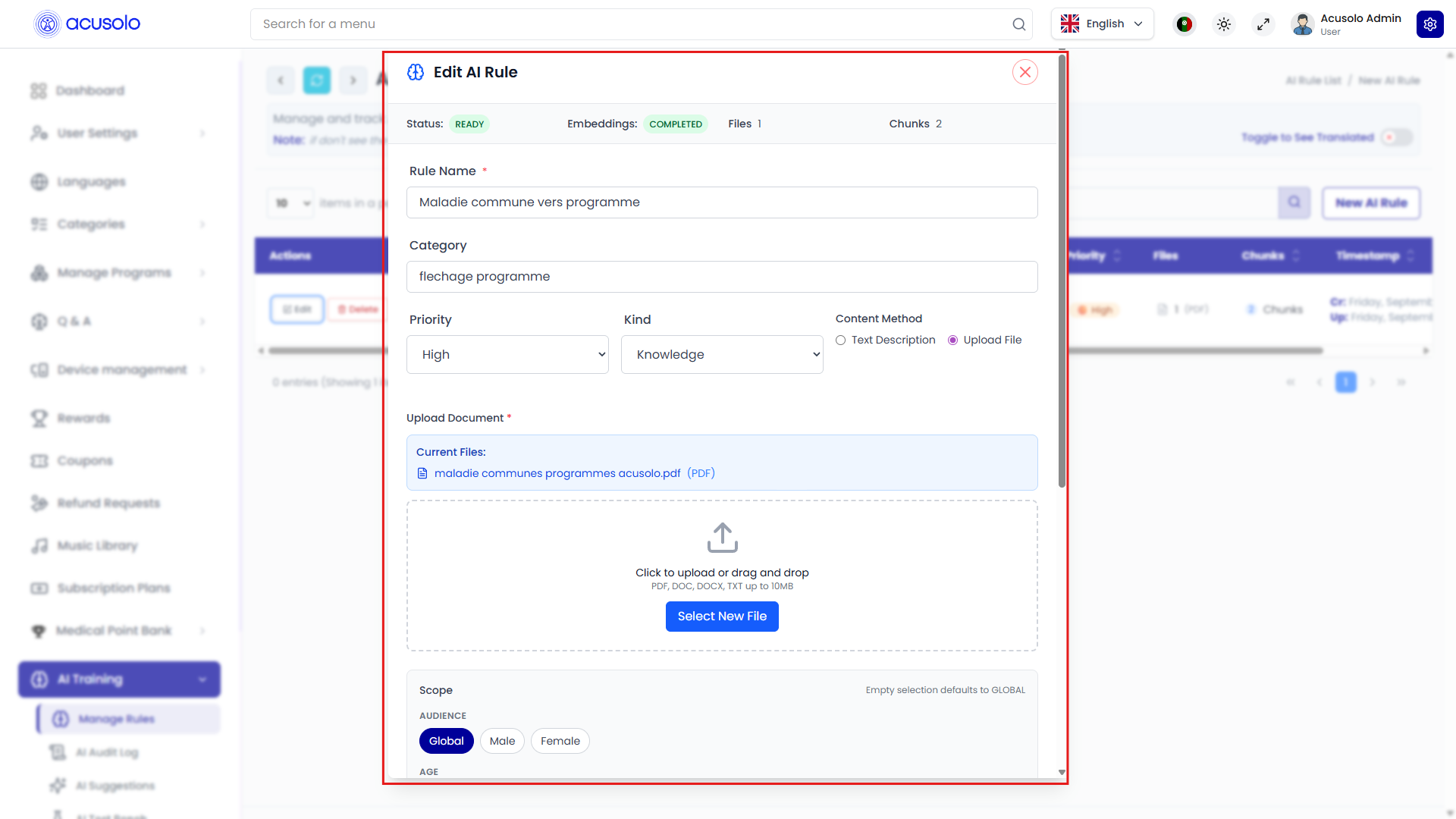
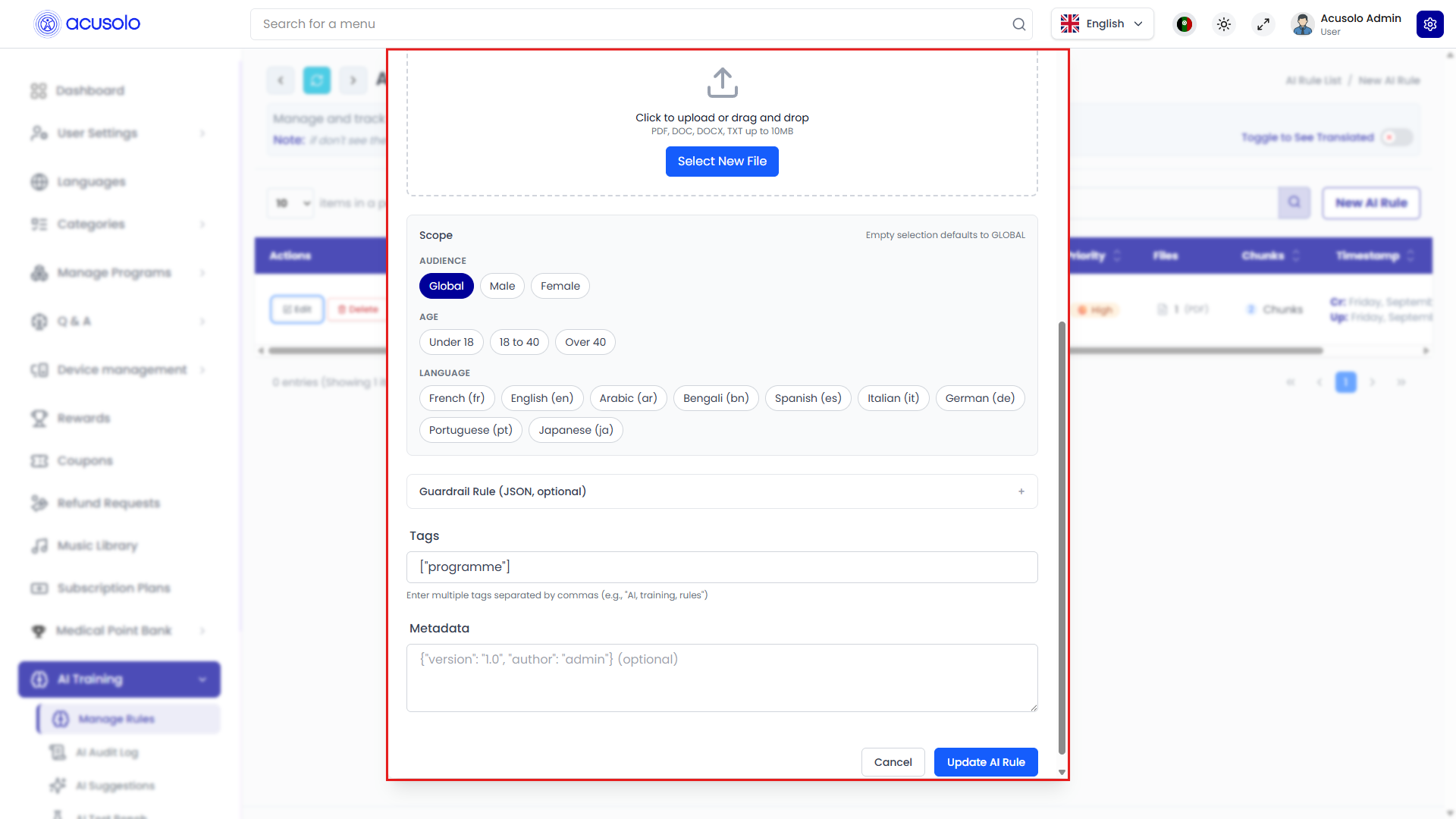
Edit opens with existing values and processing summary:
- Status
- Embeddings
- Files
- Chunks
File-based ingestion behavior
When Upload File is used:
- Current files are shown (example: PDF).
- New file upload/dropzone is available.
- Accepted formats and size limit are displayed in the UI (example shows PDF/DOC/DOCX/TXT up to 10 MB).
Update actions
- Cancel
- Update AI Rule
Data and training intent
This module is intended for AI knowledge input where content can come from:
- structured text,
- uploaded documents,
- JSON-style guardrails/metadata.
Configured records are then prepared for embedding/index workflows (shown by Embedding Status, Files, and Chunks) so they can be consumed by your AI training/serving pipeline.