Translations
This page documents the Translations tab under the Languages module in admin.
Primary route:
https://admin.acusolo.net/admin/languages
Reference platform:
Translation Manager (admin)
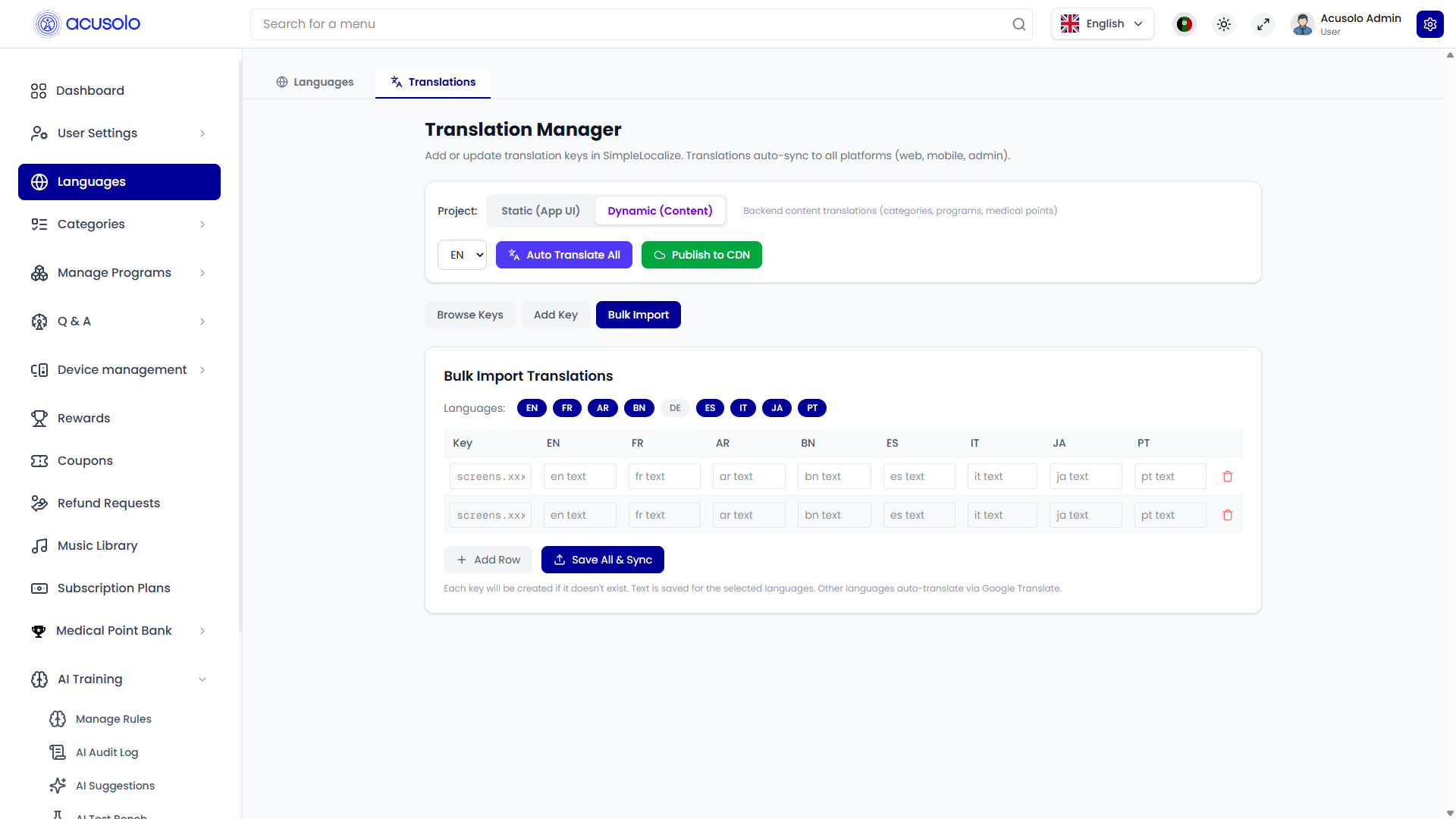
The UI acts like an embedded/alternative translation workspace for managing content that syncs across web, mobile, and admin.
Main controls
| Control | Purpose |
|---|---|
| Project switcher | Switch context (for example static app text vs dynamic content) |
| Base language selector | Choose source/editing language context (for example EN) |
| Auto Translate All | Trigger auto-translation for target languages |
| Publish to CDN | Push translation content to CDN for app consumption |
Translation workflows available
- Browse Keys: inspect existing key/value records.
- Add Key: create a new translation key manually.
- Bulk Import: add/update many keys at once in table form.
- Grid editing: maintain one key across multiple languages (
EN,FR,AR,BN,DE,ES,IT,JA,PT, etc.). - Save All & Sync: persist batch updates and synchronize.
Bulk import table behavior
From the interface:
- each row represents one translation key,
- each language column stores that key's localized value,
- rows can be added quickly with Add Row,
- empty keys are generated if needed during save,
- selected language text is persisted directly; other languages can be auto-translated.
Relation to SimpleLocalize
This in-admin page mirrors important parts of a SimpleLocalize workflow (key/value management, sync, publish), so it can be used for quick operational updates.
Recommended workflow
Team recommendation:
- use admin Translation Manager for lightweight or urgent edits,
- manage most production translation content from SimpleLocalize dashboard for stronger governance, consistency, and project-level visibility.
Useful links: