Onboarding Links
This page documents the Onboarding Link List module in admin and how link chips are shown on web app sign-in onboarding slides.
- Admin route:
https://admin.acusolo.net/admin/onboarding-links - Web app sign-in route:
https://web.acusolo.net/auth/signin
Related doc: Onboarding Lists
Admin: onboarding links list page
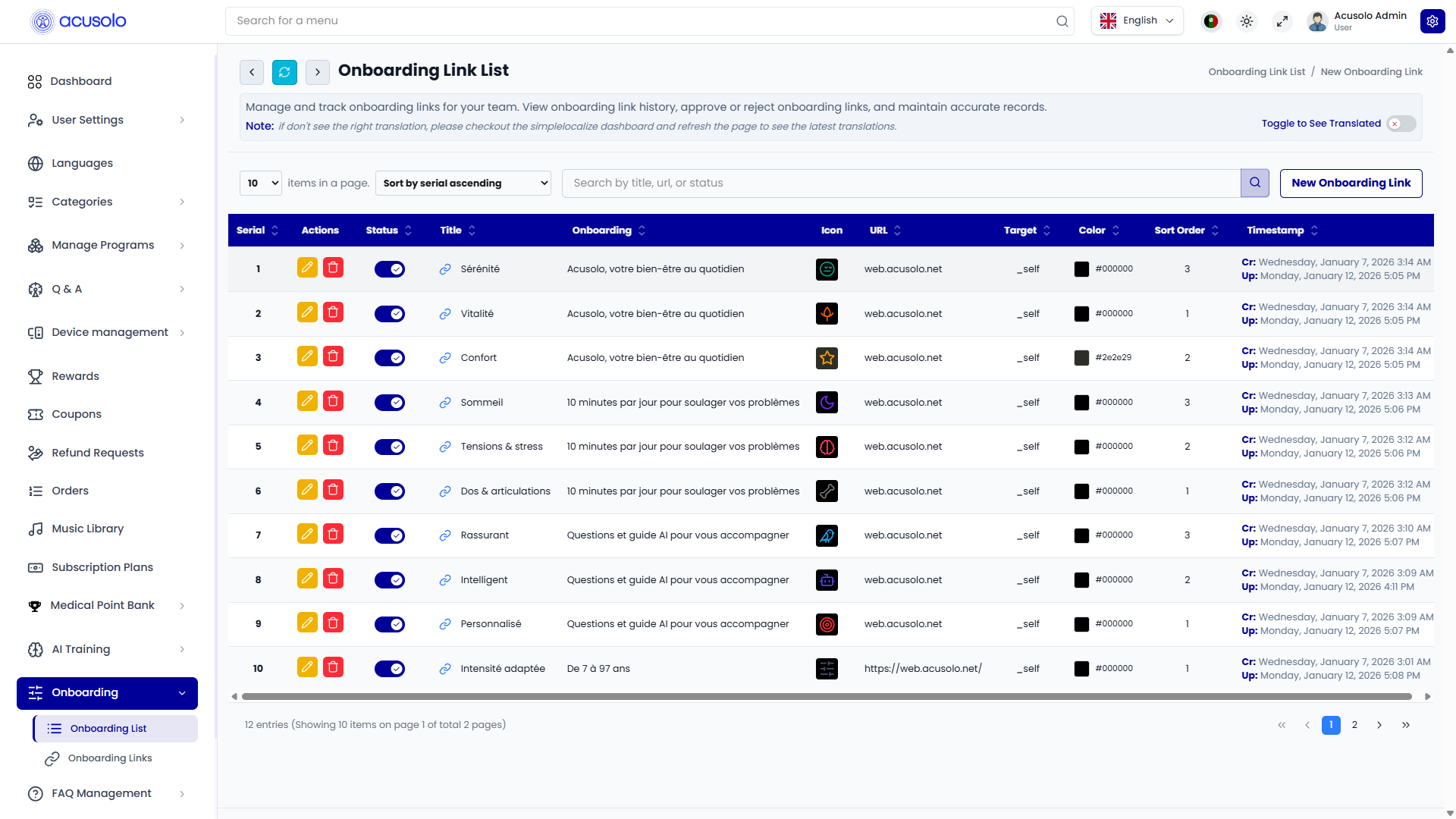
The page follows the common admin table pattern with search, sort, pagination, row actions, and status toggle.
Actions per row
- Edit (yellow pen)
- Delete (red trash)
- Status toggle (temporary enable/disable)
Table columns
| Column | Definition |
|---|---|
| Serial | Row sequence in admin list. |
| Actions | Edit and delete actions. |
| Status | Active/inactive toggle. |
| Title | Link label shown in onboarding chips. |
| Onboarding | Linked onboarding item this chip belongs to. |
| Icon | Icon preview (rendered from icon HTML/SVG value). |
| URL | Link destination URL/domain. |
| Target | Link target behavior (e.g. same tab _self). |
| Color | Chip/icon color configured from color input. |
| Sort Order | Ordering priority among chips of the same onboarding item. |
| Timestamp | Created/updated timestamps. |
Create onboarding link modal
Click New Onboarding Link to open create modal.
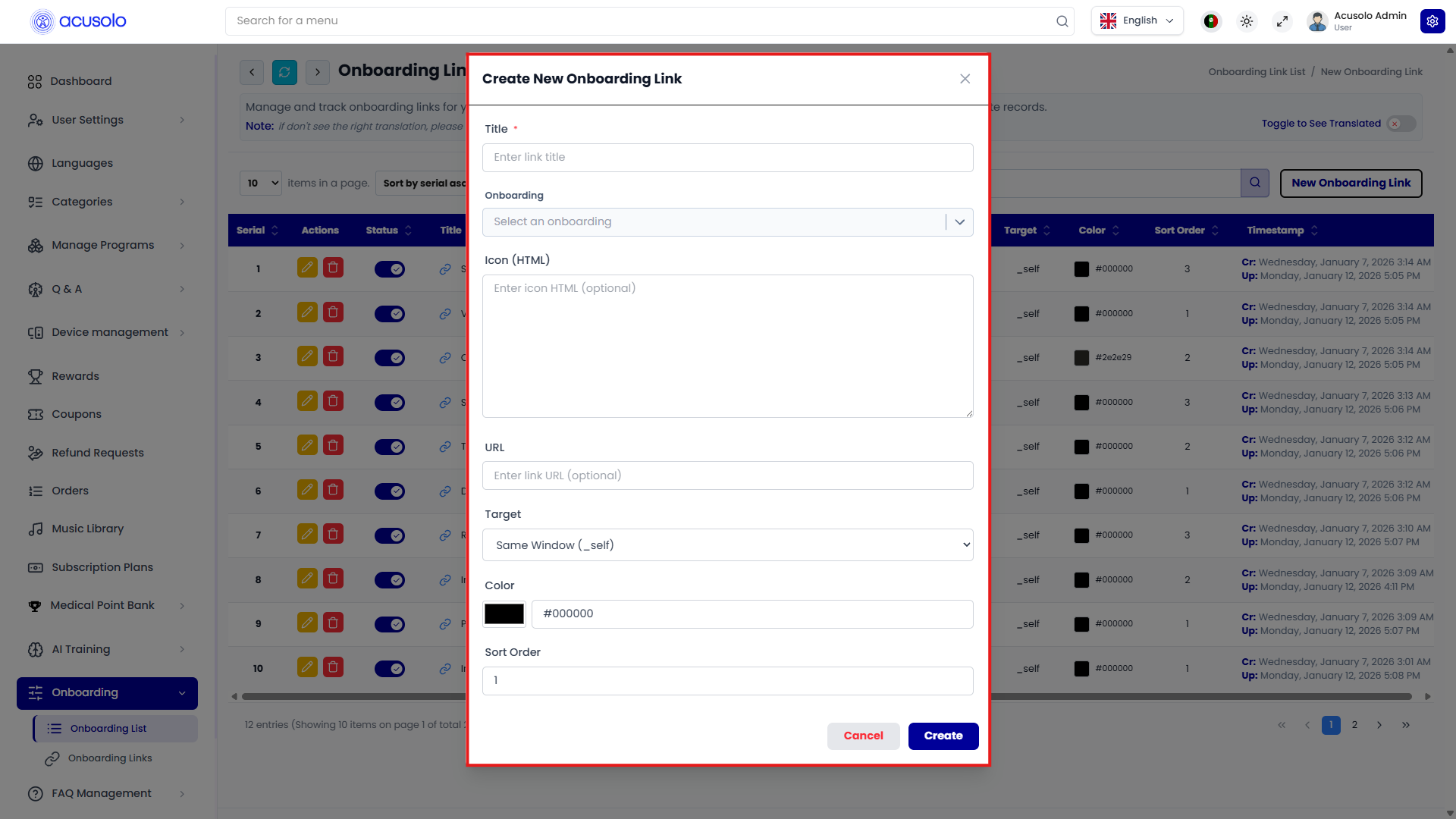
Fields
- Title (
*) - link label. - Onboarding (
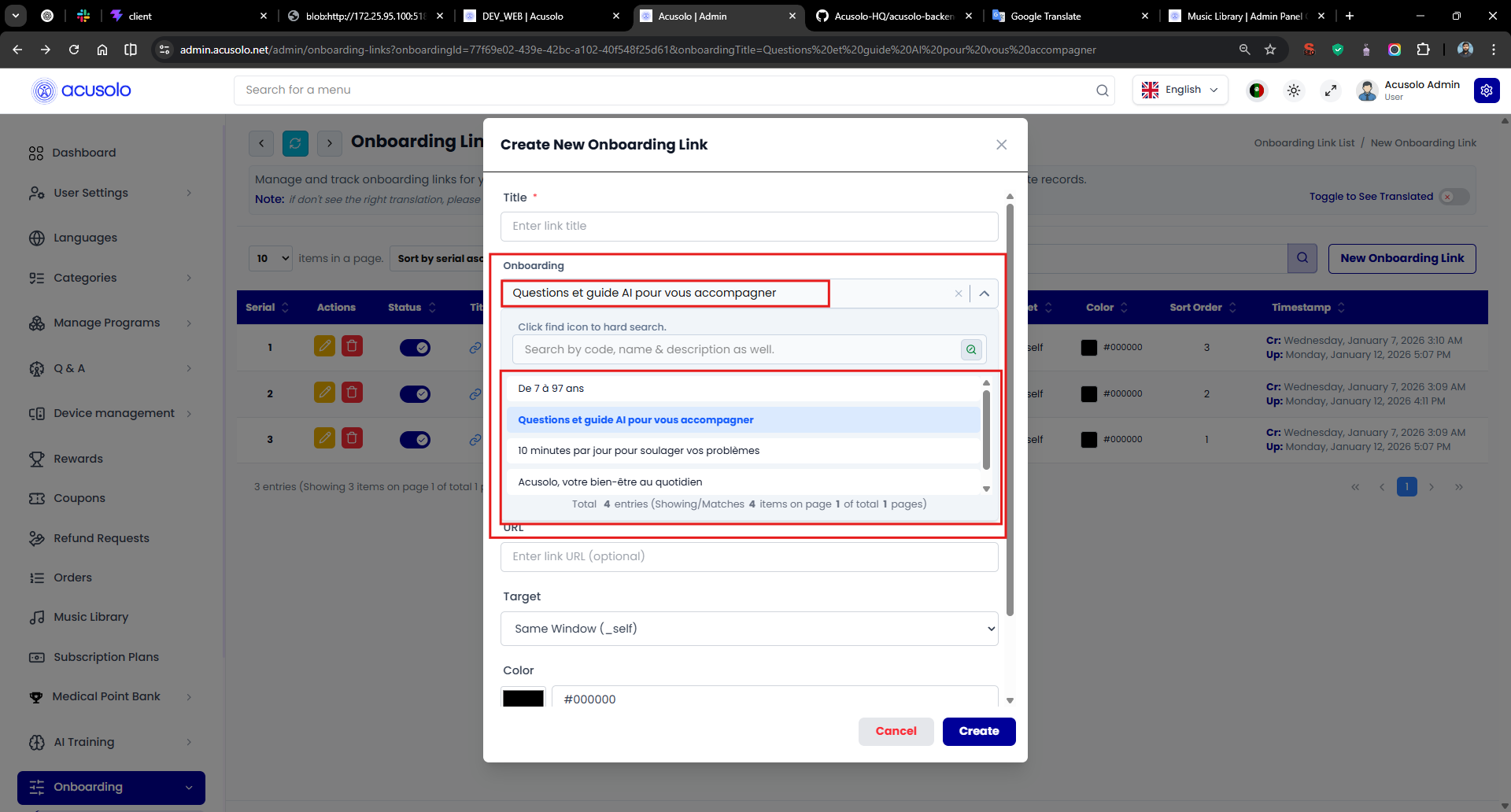
*) - mandatory linked onboarding selector. - Icon (HTML) - optional icon markup (typically SVG/HTML string).
- URL - optional destination URL.
- Target - link open behavior (e.g. same window
_self). - Color - color picker + hex value (used in web app link chip styling).
- Sort Order - numeric ordering value.
Onboarding select combobox reference:
Actions
- Cancel
- Create
Edit onboarding link modal
Click Edit to open update modal with existing values pre-filled.
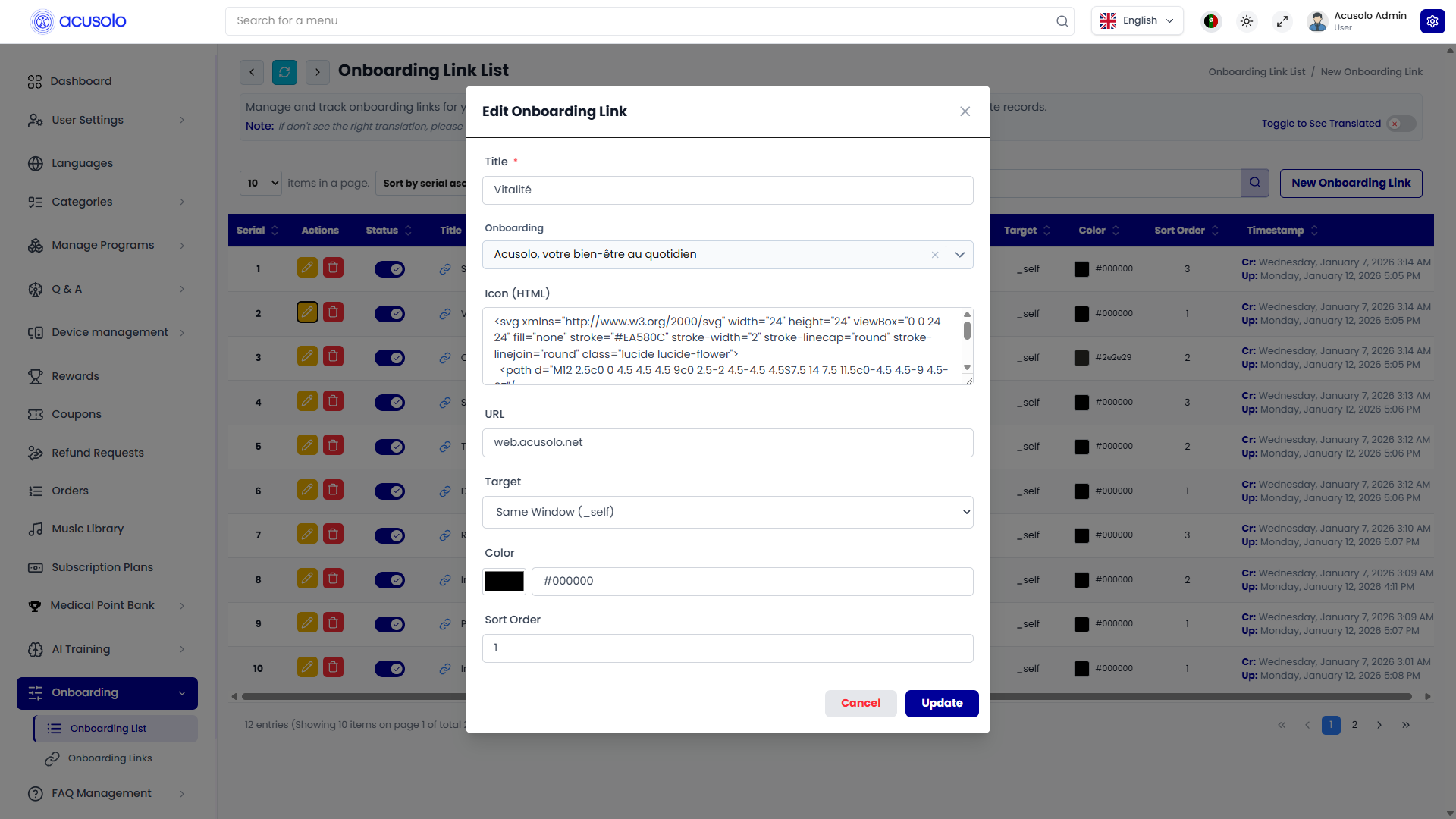
Edit behavior:
- keeps existing onboarding relation unless changed,
- allows icon HTML, URL, target, color, and sort order updates,
- preserves current data for quick modification flow.
Actions:
- Cancel
- Update
Status and delete behavior
- Status toggle controls temporary visibility/availability.
- Delete opens standard confirmation modal before permanent removal.
Web app behavior (sign-in onboarding)
On the sign-in screen, linked onboarding items are rendered as chips/buttons inside the onboarding slide area.
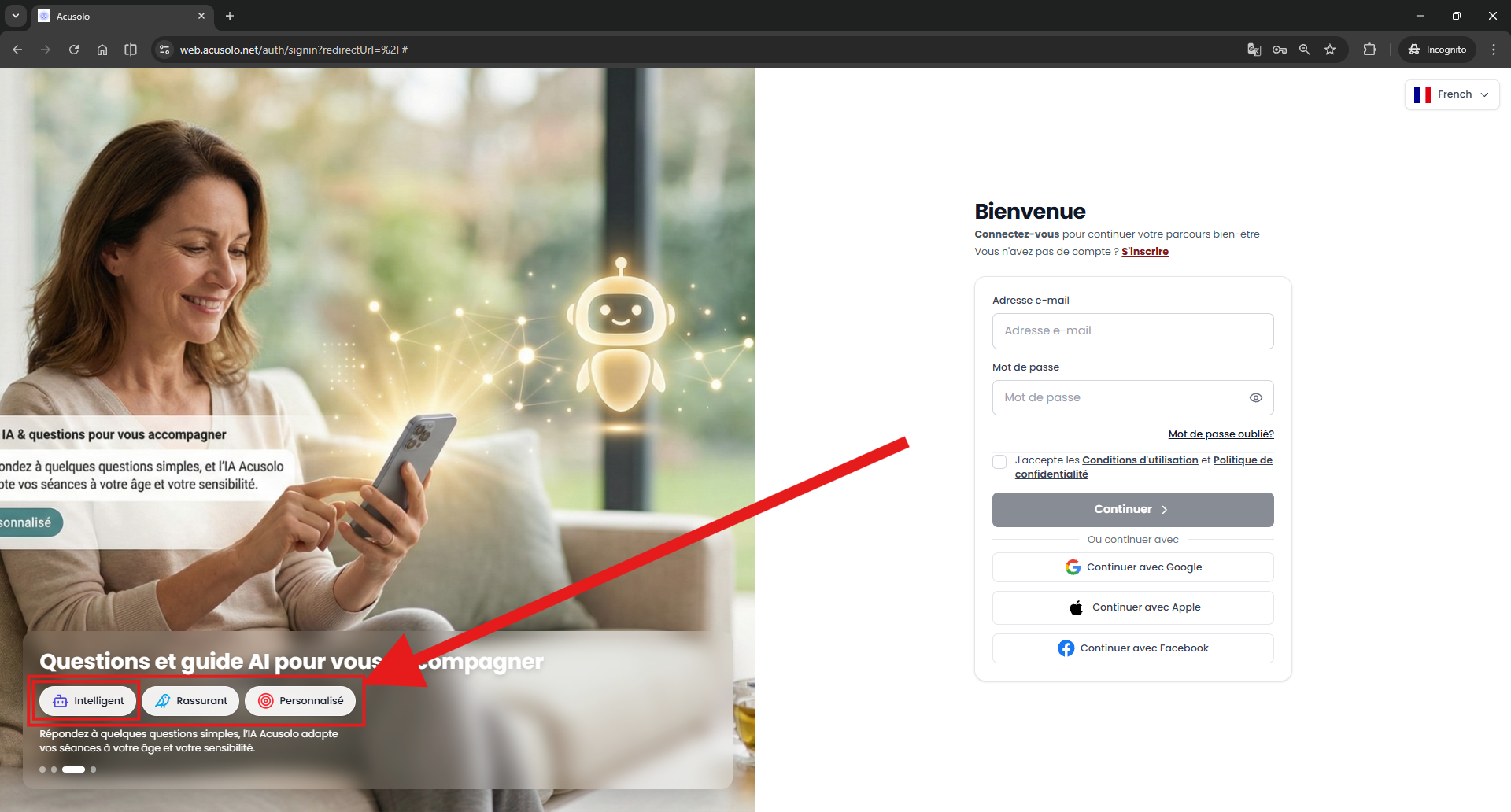
Rendering rules
- Chip text comes from
Title. - Chip icon and color come from admin form (
Icon (HTML)andColor). - Links are ordered by Serial/Sort Order configuration from admin.
This ensures onboarding slide links stay consistent with admin-managed visual and ordering settings.