User Subscriptions
This page explains how subscription purchases from the web app appear in the admin panel and how manual VIP access relates to paid subscription plans.
- Admin user subscriptions page:
https://admin.acusolo.net/admin/users/subscriptions - Web plans page:
https://web.acusolo.net/plans - Web billing page:
https://web.acusolo.net/settings/billings - Related admin users page:
https://admin.acusolo.net/admin/users
Web app plans page
Users view available subscription plans and purchase a plan from the web app plans page.
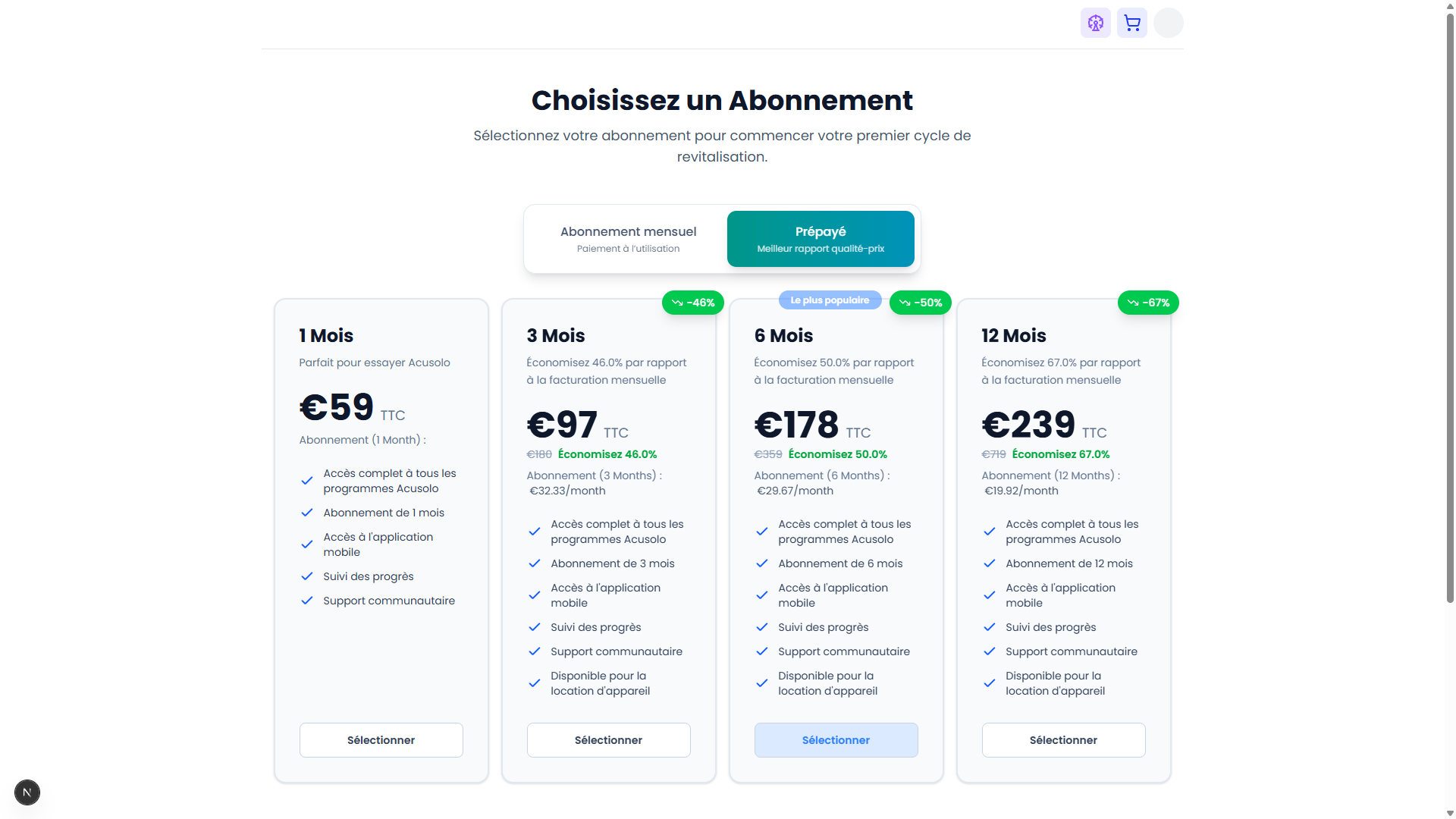
After a successful purchase, the subscription details should appear in the admin user subscriptions list.
Signed-in users can also see their subscribed plan details on the same plans page.
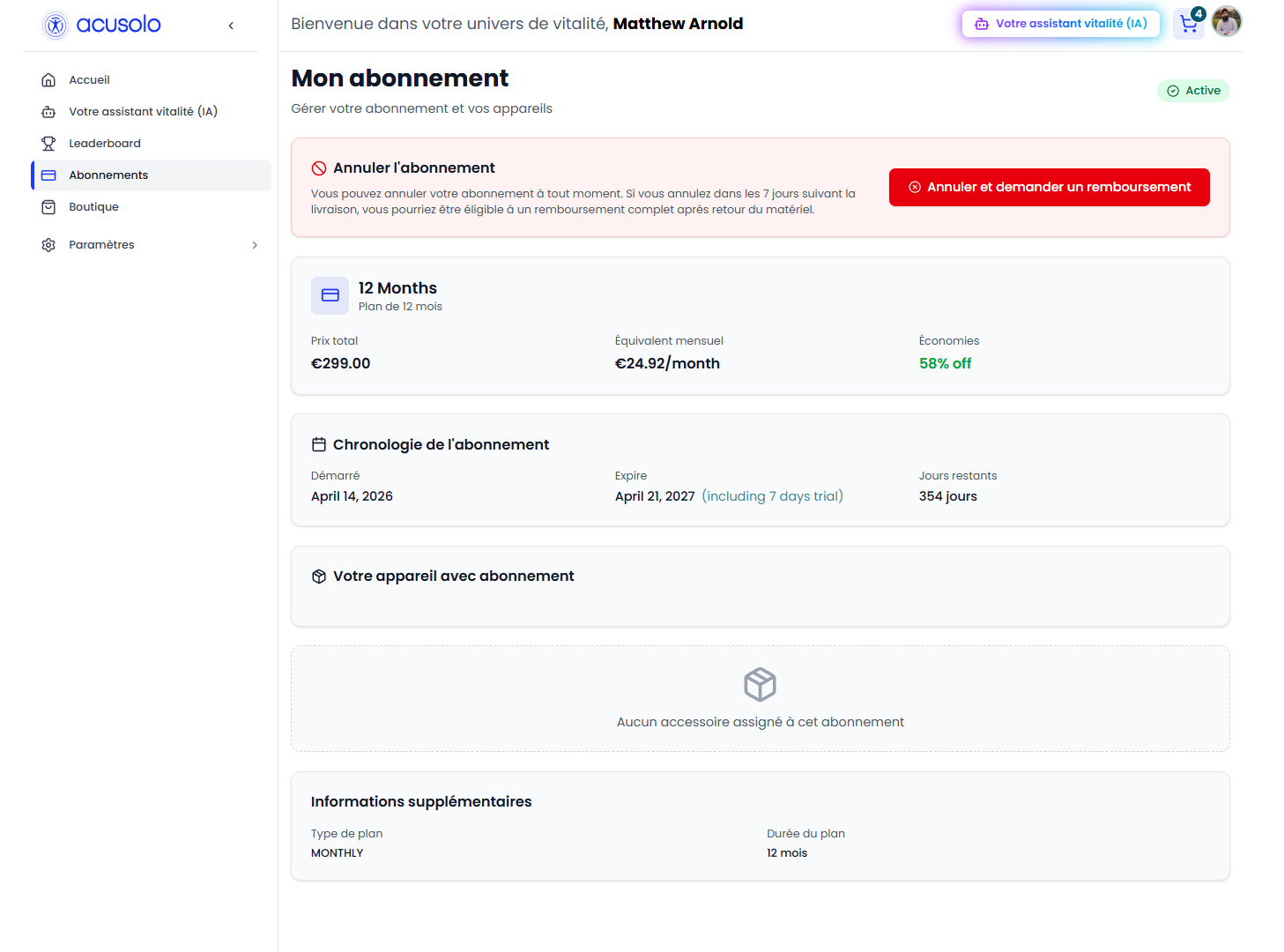
For refund requests from the subscribed plan details, see Subscription Refund Requests.
Admin user subscriptions list
Open https://admin.acusolo.net/admin/users/subscriptions to review subscription records created for users.
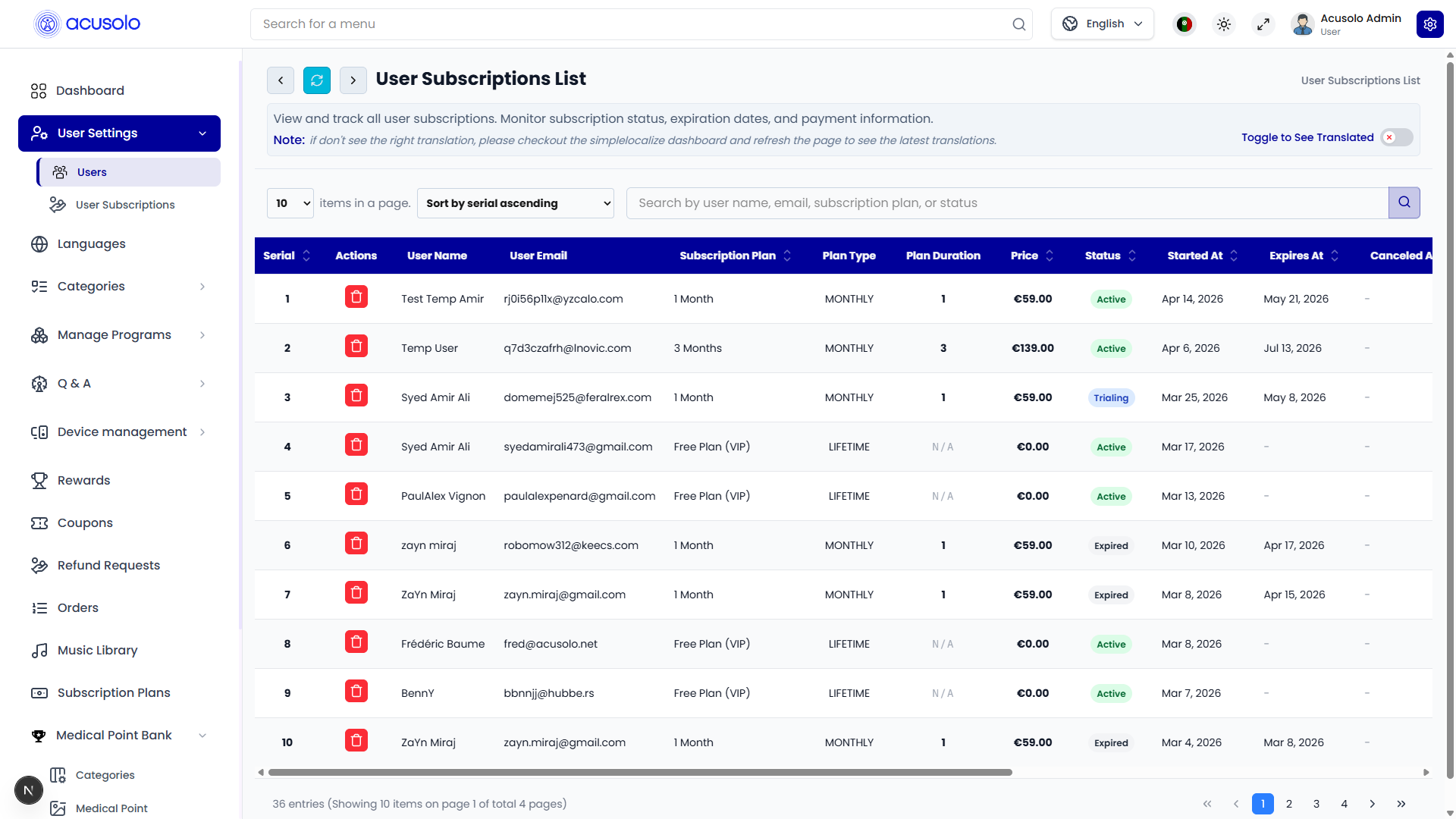
Table controls
- Search — find records by user name, email, subscription plan, or status.
- Sort — sort supported columns such as plan, price, status, start date, expiration date, or timestamp.
- Pagination — move through subscription records.
- Refresh — reload the current list.
Table columns
| Column | Purpose |
|---|---|
| No. | Row serial and subscription record reference. |
| Actions | Delete a subscription record when allowed. |
| User Name / User Email | The subscribed user. |
| Subscription Plan | Plan label attached to the subscription record. |
| Plan Type | Plan category, such as monthly or lifetime. |
| Plan Duration | Duration value stored for the subscription. |
| Price | Subscription price shown in the admin table. |
| Status | Subscription state such as Active, Canceled, Expired, Past Due, Trialing, Renewed, or Deactivated. |
| Started At / Expires At / Canceled At | Lifecycle dates for the subscription. |
| Trial Days / Trial Ends At | Trial configuration and end date. |
| Balance Deducted At | Balance deduction timestamp when applicable. |
| Timestamp | Created and updated timestamps. |
VIP access rule
Manual VIP access is controlled from the VIP Subscription toggle in the admin users list. It assigns the lifetime/free subscription plan without payment.
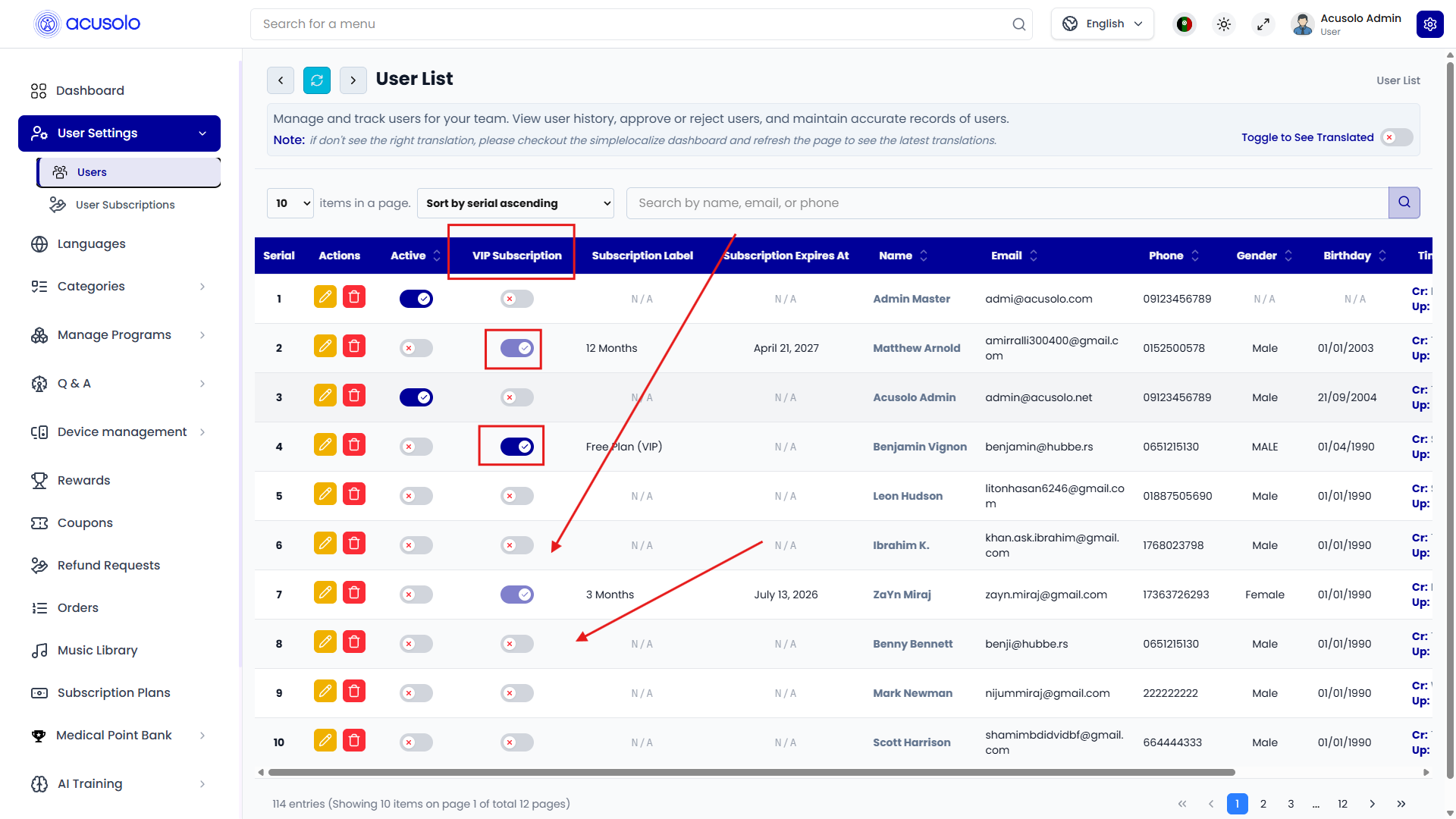
Use this only for fresh users without an existing paid subscription. If a user already has a paid subscription plan, the VIP toggle is disabled to avoid conflicts between manual access and regular paid subscription behavior.
When VIP is enabled:
- The user receives full subscription access without payment.
- Access remains active while the toggle remains on.
- The backend creates or updates the lifetime subscription record.
When VIP is disabled:
- The manually granted lifetime/VIP subscription is canceled.
- Paid subscription records are not used as the control path for this manual access.
Delete subscription record
The subscriptions table includes a delete action for subscription records. It uses the standard admin delete confirmation modal before removal.
Deleting a subscription record should be handled carefully because it affects the subscription history visible in the admin panel.
Overall subscription flow
- A user opens
https://web.acusolo.net/plans. - The user purchases a subscription plan from the web app.
- The backend creates or updates the user subscription record.
- The subscription appears in
https://admin.acusolo.net/admin/users/subscriptions. - Admin reviews subscription status, dates, plan details, and payment-related fields.
- For fresh users only, admin can manually grant VIP access from the admin users list.
- If a user requests a refund from the web app, admin reviews it from
https://admin.acusolo.net/admin/refunds.
For user creation, Clerk sync, and deletion behavior, see User Management.