AI Audit Log
This page documents the admin audit view at:
https://admin.acusolo.net/admin/ai/audit-log
It is a read/monitoring module (no create/edit/delete actions in this screen). Purpose: track AI request lifecycle, model behavior, tool calls, and runtime metadata.
List page overview
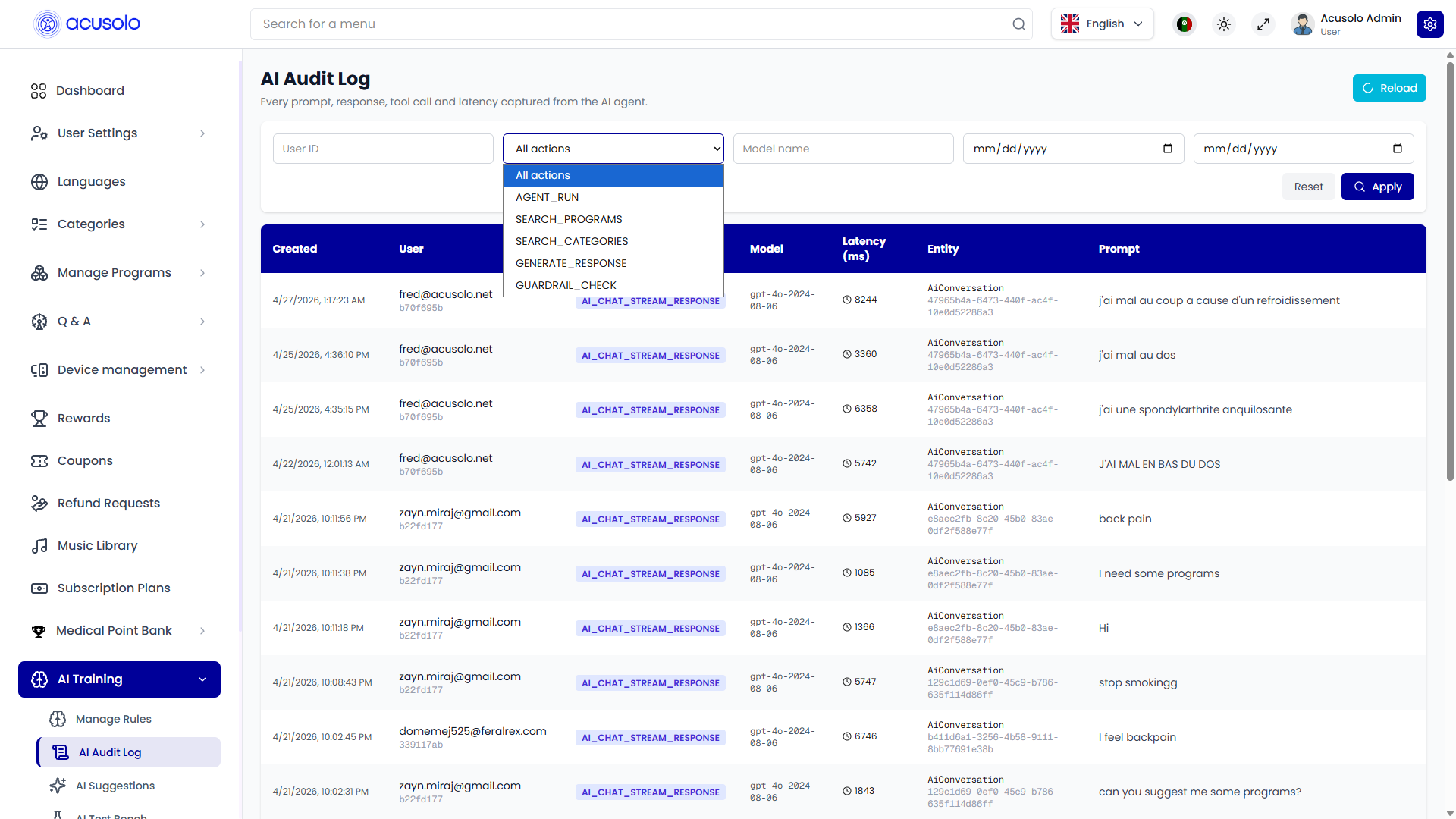
Filters and controls
- User ID
- Action (dropdown; examples in UI:
AGENT_RUN,SEARCH_PROGRAMS,SEARCH_CATEGORIES,GENERATE_RESPONSE,GUARDRAIL_CHECK,AI_CHAT_STREAM_RESPONSE) - Model name
- Date range (
from/to) - Apply and Reset
- Reload (refresh latest logs)
Table columns
| Column | Meaning |
|---|---|
| Created | Log timestamp |
| User | User/email + internal id |
| Action | AI event type |
| Model | Model/version used |
| Latency (ms) | Runtime latency in milliseconds |
| Entity | Conversation/entity id context |
| Prompt | User/request prompt text (usually truncated preview) |
Item detail panel
Selecting a row opens the right-side detail panel.
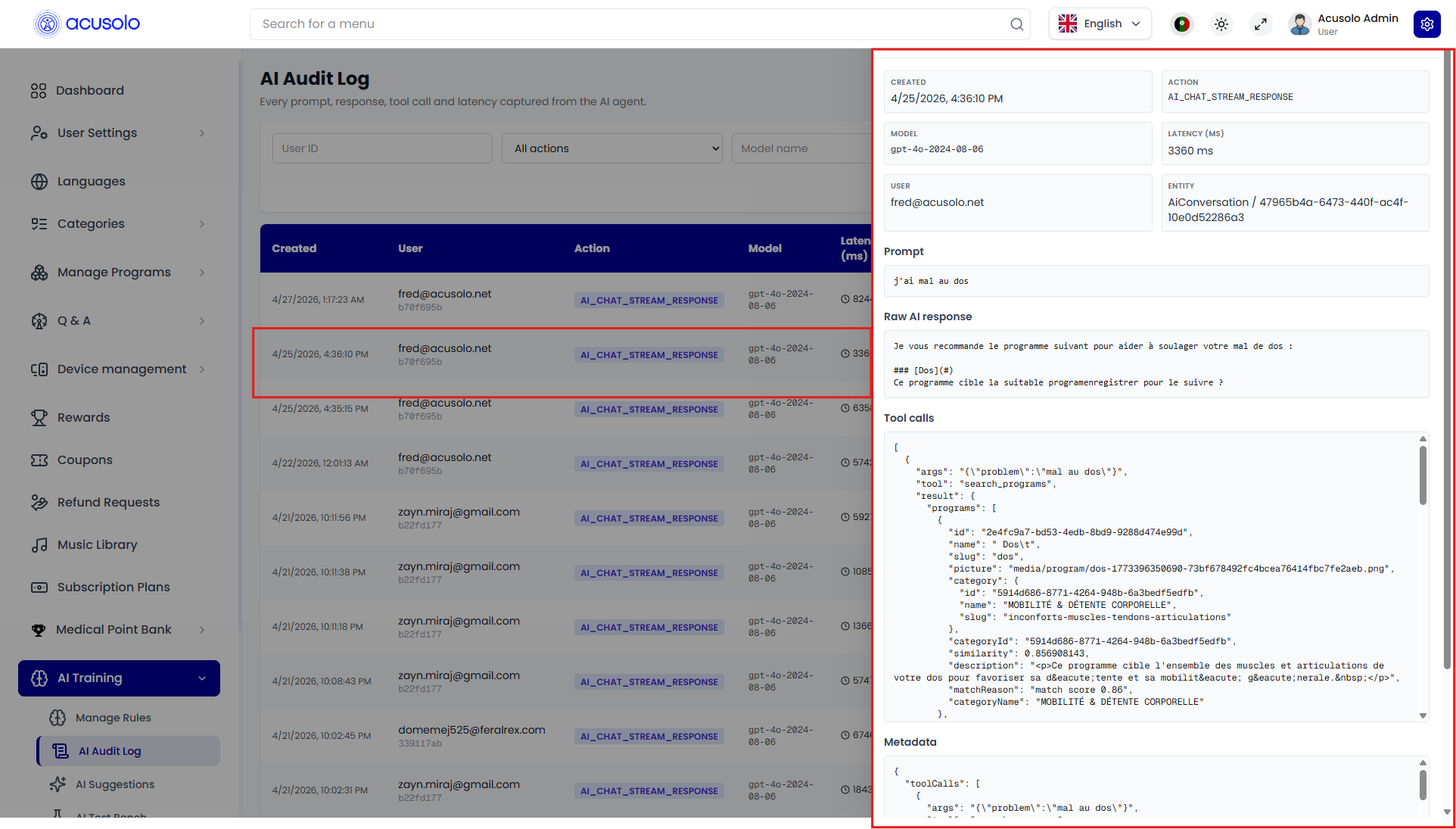
Detail fields (from UI)
- Created
- Action
- Model
- Latency (ms)
- User
- Entity
- Prompt
- Raw AI response
- Tool calls (JSON block; includes called tool, args, outputs)
- Metadata (JSON payload with extra tracing context)
Operational note
From this screen, admins mainly:
- inspect status/health of AI interactions,
- verify tool-call behavior (for example program/category search results),
- review performance via latency,
- troubleshoot content by comparing prompt vs raw response vs tool metadata.
No direct create/update/delete workflow is shown in this module.